 AFI
AFI
WPZOOM Forms
WPZOOM Forms is a lightweight, block-based form builder. With Advanced Form Integration (AFI), every submission of a WPZOOM form can be forwarded automatically to more than 180 platforms: add a row to Google Sheets, subscribe the visitor to Mailchimp or Brevo, or create a contact in a CRM like HubSpot.
What You’ll Need
- The WPZOOM Forms plugin installed and active, with at least one published form
- The AFI plugin installed and active. The free version sends name and email fields; AFI Pro unlocks all field types
- An account on the receiving platform you want to connect
How to Create the Integration
- Go to AFI > Add New in your WordPress admin.
- A default title is auto-filled in the Integration Title box. Rename it to something recognizable, like “WPZOOM Contact Form to Mailchimp”.
- In Trigger > Form Provider, select WPZOOM Forms. The WPZOOM Forms plugin must be active, otherwise it won’t appear.
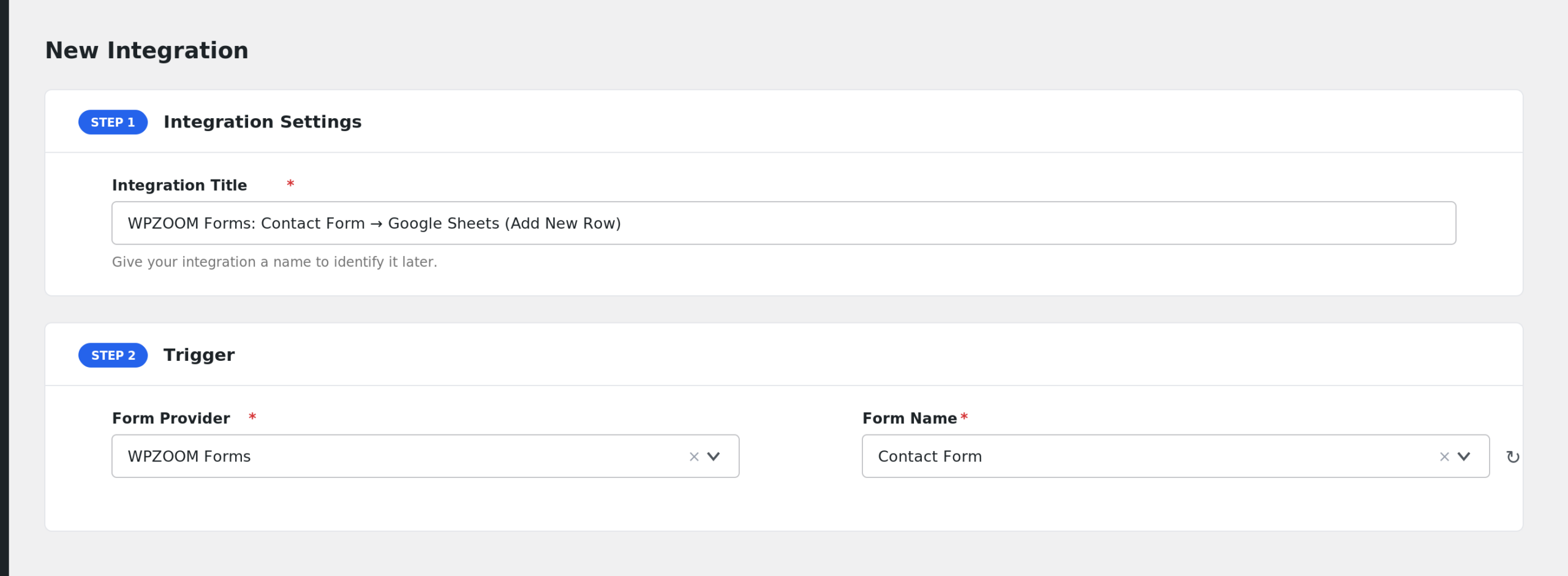
- The Form/Task Name dropdown lists your published WPZOOM forms. Select the one to connect.
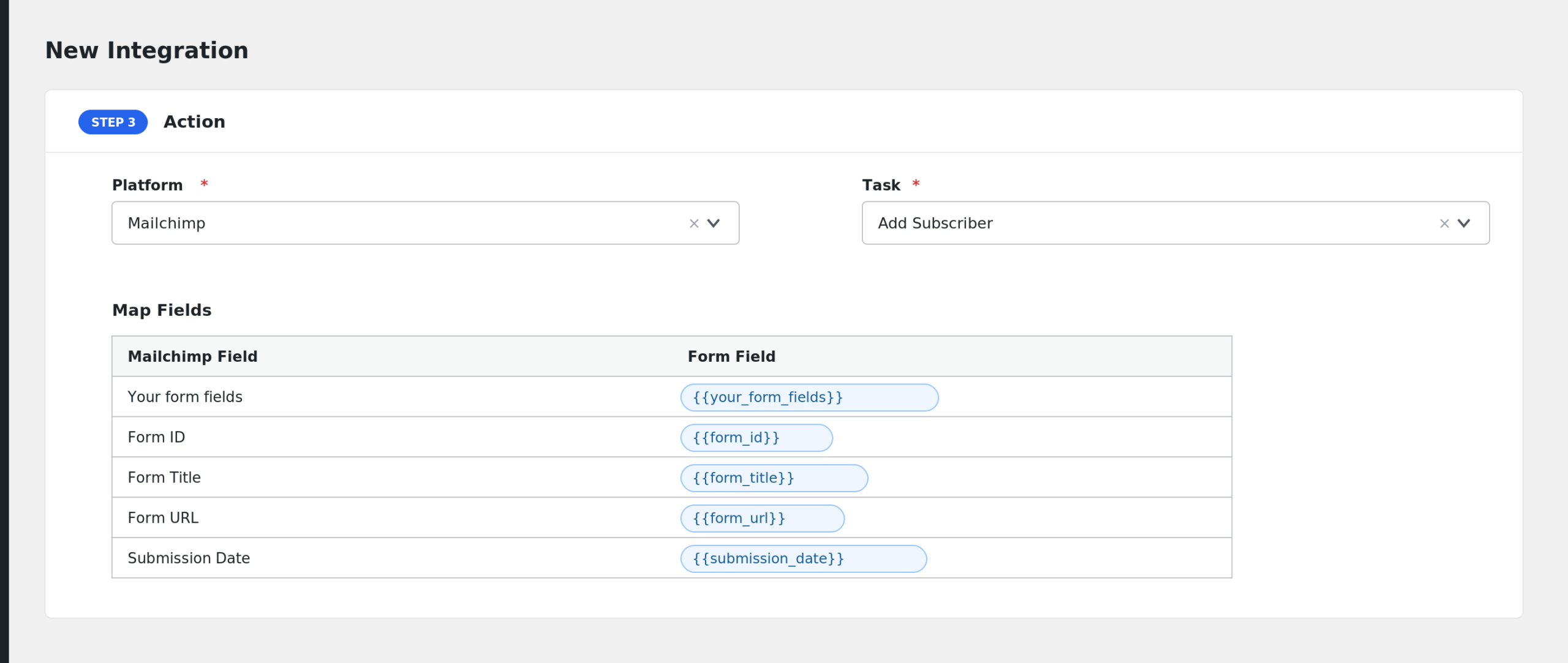
- Under Action, select the receiver platform and its task.
- Map the form fields to the receiver’s fields. AFI reads the fields straight from the form’s blocks.
- Add Conditional Logic if needed (optional).
- Click Save Integration and submit a test entry on the live form.
Fields You Can Send
AFI detects fields from the blocks in your form: name, email, phone, website, textarea, checkbox, and date fields, listed by their labels. Note that submissions are captured after the form’s captcha and spam checks pass. These standard fields are always available:
| Field | Description |
|---|---|
| Your form fields | Every field block in the form. Free version: name and email fields only. AFI Pro: all fields |
| Form ID | The ID of the WPZOOM form |
| Form Title | The form’s title |
| Form URL | The page where the form was submitted |
| Submission Date | Date and time of the submission |
| User IP | The visitor’s IP address |
Conditional Logic Example
If your form has a checkbox asking for newsletter consent, add a condition so only consenting visitors are subscribed: select the checkbox field, choose Equal to, and enter the checked value. Other submissions are skipped.
Troubleshooting
WPZOOM Forms is not in the Form Provider dropdown
Confirm the WPZOOM Forms plugin is installed and active, then reload the New Integration page.
Only name and email fields show up in mapping
That is the free version limit for this trigger. Upgrade to AFI Pro to map phone, website, textarea, checkbox, date, and text fields too.
The form submits but nothing reaches the receiver
AFI processes the submission only after WPZOOM’s captcha and spam checks pass. Test with a real submission on the live page, then check AFI > Log to see what was sent and how the receiver responded.