 AFI
AFI
Strong Testimonials
Strong Testimonials collects and displays customer testimonials in WordPress, including a front-end submission form with configurable custom fields. Advanced Form Integration captures testimonial submissions and routes the data to any of 200+ destinations.
What you’ll need
- The Strong Testimonials plugin installed and activated.
- A submission form configured under Testimonials → Fields and published with the form shortcode.
- The Advanced Form Integration plugin installed and activated.
When the trigger fires
AFI registers a single New Testimonial Submitted trigger for Strong Testimonials. It fires when a visitor submits a testimonial and the post, meta, and attachments have all saved without validation errors.
Data captured
| Field | Field key | Format |
|---|---|---|
| Testimonial ID | testimonial_id |
Numeric ID |
| Name | name |
Text, taken from the post title |
| Testimonial Text | testimonial |
Text, line breaks preserved |
| Category | category |
Text |
| Submission Form Name | form_name |
Text |
| All Submitted Fields | all_fields_json |
JSON object serialised as a string, jSON, for custom fields like email/rating/company |
Create the integration
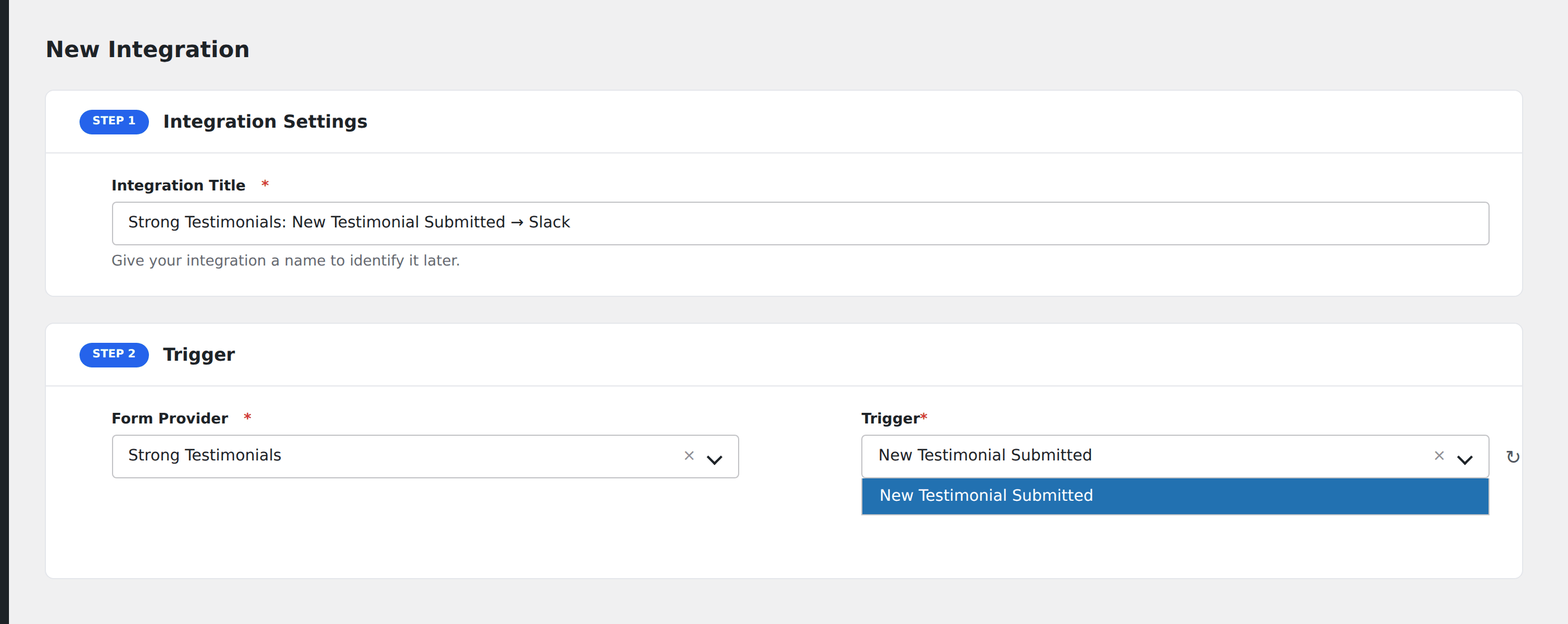
- Go to WP Admin → AFI → Add New.
- Enter an Integration Title, e.g.
Strong Testimonials: New Testimonial Submitted → Slack. - In Trigger → Form/Data Provider, select Strong Testimonials.
- In Form/Task Name, choose New Testimonial Submitted.
- In Action → Platform, pick the destination and complete the field mapping.
- Optional: configure Conditional Logic so only matching events are sent.
- Click Save Integration.
How AFI listens for submissions
AFI hooks wpmtst_new_testimonial_submit from includes/class-strong-testimonials-form.php. The plugin’s own code comment immediately above the save reads “Post inserted successfully, carry on.”, which is exactly the point AFI wants: the testimonial exists, its attachments are stored, and validation produced zero errors. Registration is guarded by defined( 'WPMTST_VERSION' ).
Custom fields vary per site
Email, rating, company, and anything else you add under Testimonials → Fields differ from site to site, so they cannot be enumerated in advance. They arrive together in All Submitted Fields (JSON). The four stable fields (ID, name, testimonial text, category) are mapped individually.
Troubleshooting
Testimonials submitted from the admin do not fire
This trigger covers the front-end submission form only. Testimonials created in the WordPress editor take a different path.
Name is the post title
Strong Testimonials stores the submitter’s name as the post title and the testimonial body as the post content. That is why the fields are labelled the way they are.