 AFI
AFI
WP Travel Engine
WP Travel Engine is a booking plugin for travel and tour operators. With Advanced Form Integration (AFI), you can send every new trip booking or enquiry to other platforms automatically: keep a booking register in Google Sheets, add travelers to a Mailchimp list, or create a lead in a CRM like Pipedrive or Zoho CRM the moment someone books or asks about a trip.
What You’ll Need
- The WP Travel Engine plugin installed and active, with at least one trip published
- The AFI plugin (free) installed and active
- An account on the receiving platform you want to connect
Available Events
The Form/Task Name dropdown offers two events:
| Event | When it fires |
|---|---|
| Booking Created | A visitor completes a trip booking |
| Enquiry Created | A visitor submits the trip enquiry form |
How to Create the Integration
- Go to AFI > Add New in your WordPress admin.
- A default title is auto-filled in the Integration Title box. Rename it to something recognizable, like “Trip Bookings to Google Sheets”.
- In Trigger > Form Provider, select WP Travel Engine. The WP Travel Engine plugin must be active, otherwise it won’t appear.
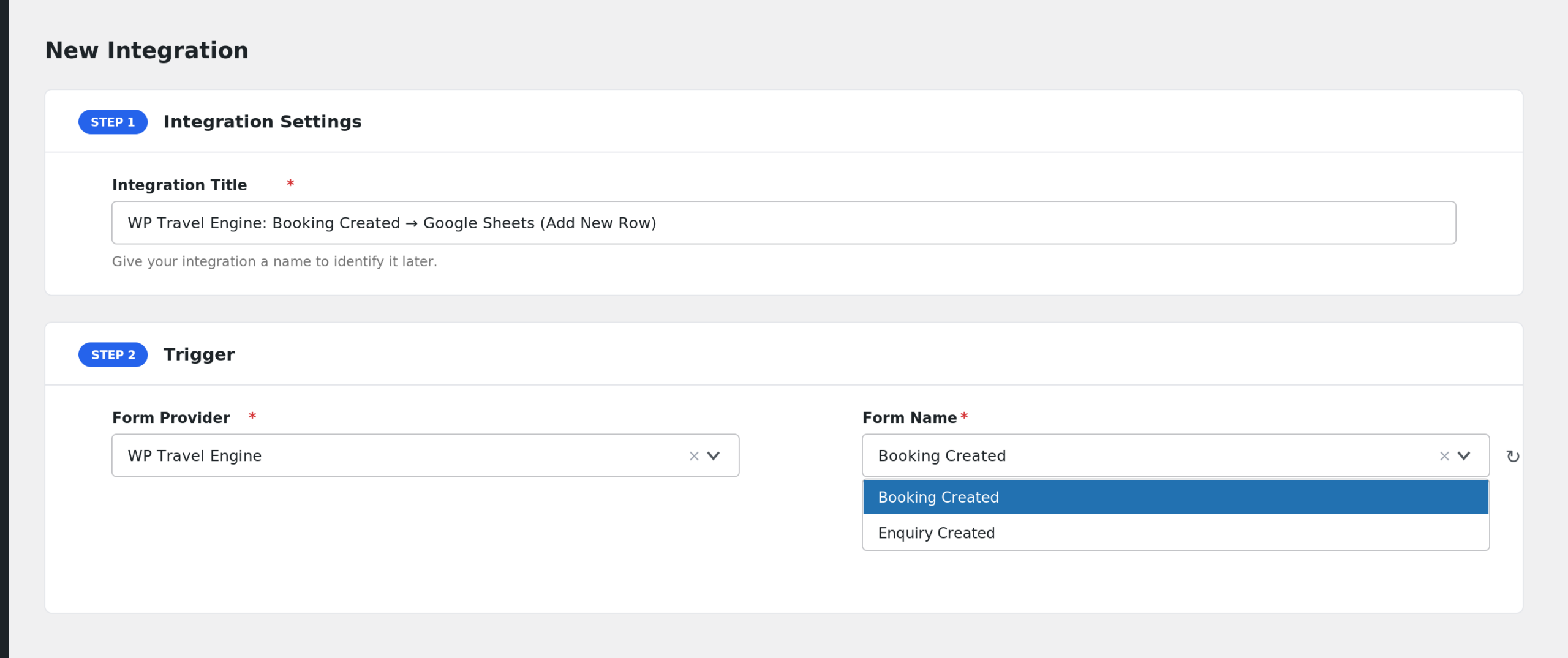
- In Form/Task Name, choose Booking Created or Enquiry Created.
- Under Action, select the receiver platform and its task.
- Map the fields to the receiver’s fields.
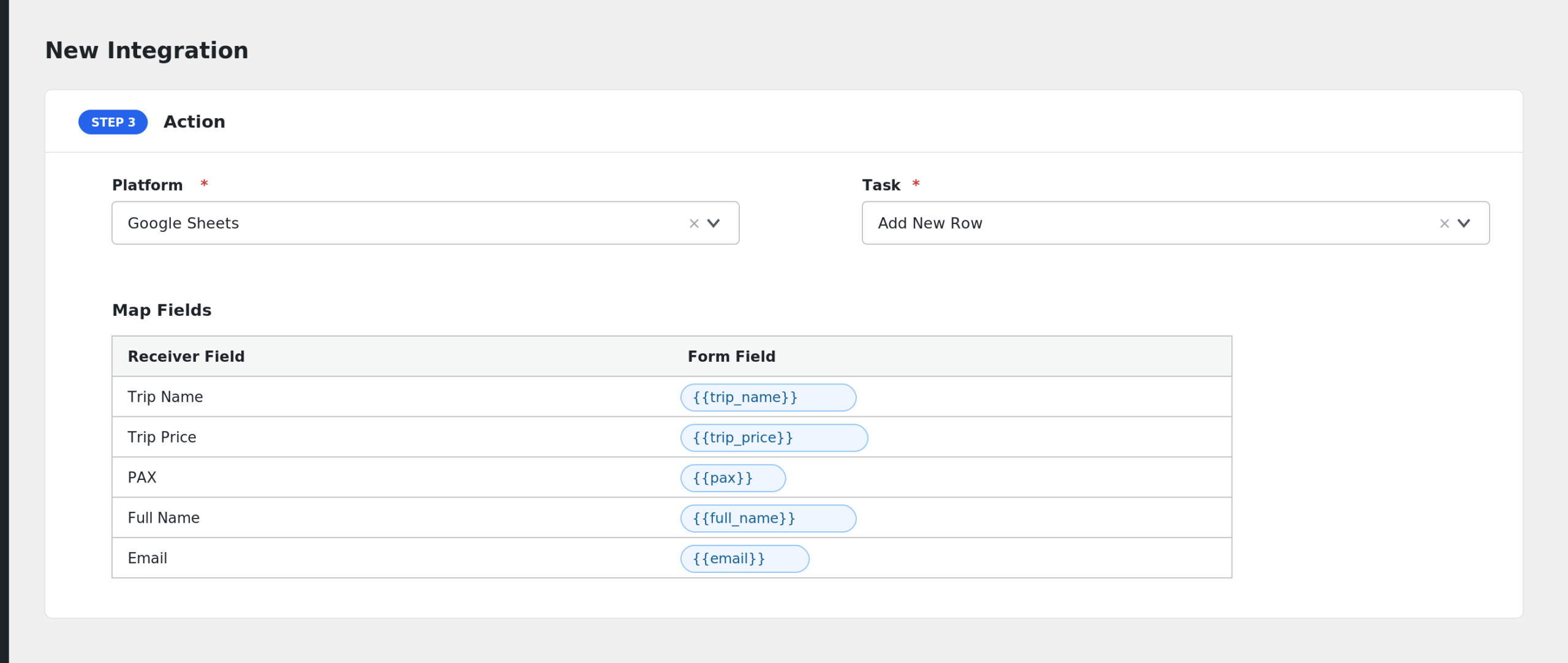
- Add Conditional Logic if needed (optional).
- Click Save Integration, then make a test booking or enquiry.
Fields You Can Send
Booking Created sends the full customer and trip details:
| Field | Description |
|---|---|
| Trip Name | The title of the booked trip |
| Trip Price | The booking price |
| PAX | Number of travelers |
| Full Name | The customer’s first and last name |
| The customer’s email address | |
| Phone | The customer’s phone number |
| Country | Customer country |
| Address | Street address |
| City | City |
| State | State or region |
| Zip | Postal code |
| Booking ID | The WP Travel Engine booking ID |
Enquiry Created sends a shorter set:
| Field | Description |
|---|---|
| Trip Name | The trip the enquiry is about |
| Full Name | The enquirer’s name |
| The enquirer’s email address | |
| Message | The enquiry message text |
Conditional Logic Example
To route bookings for one flagship tour into a dedicated spreadsheet, add a condition: select Trip Name, choose Equal to, and enter the trip’s exact title. Only bookings for that trip will be sent by this integration.
Troubleshooting
WP Travel Engine is not in the Form Provider dropdown
Confirm the WP Travel Engine plugin is installed and active on the same site, then reload the New Integration page.
Bookings fire but enquiries don’t (or the other way around)
Booking Created and Enquiry Created are separate events. Check which one the integration is listening to under Trigger. Create one integration per event if you need both.
Fields arrive empty at the receiver
Enquiries only carry four fields, so anything else you map will be blank. For bookings, check AFI > Log to see the exact payload sent and adjust the mapping.