 AFI
AFI
WooCommerce (receiver)
WooCommerce is the most popular WordPress ecommerce plugin. As a receiver, AFI creates new WooCommerce customers, products, or orders from your form submissions, useful for “Apply for a wholesale account” forms, custom-quote intake, or pre-order capture.
(For the sender version, capturing WooCommerce order events and routing them to other platforms, see the WooCommerce sender doc.)
What you’ll need
- WooCommerce installed and active on the same WordPress site.
- The Advanced Form Integration plugin installed and activated.
Create the integration
- Go to AFI → Add New.
- Configure the trigger.
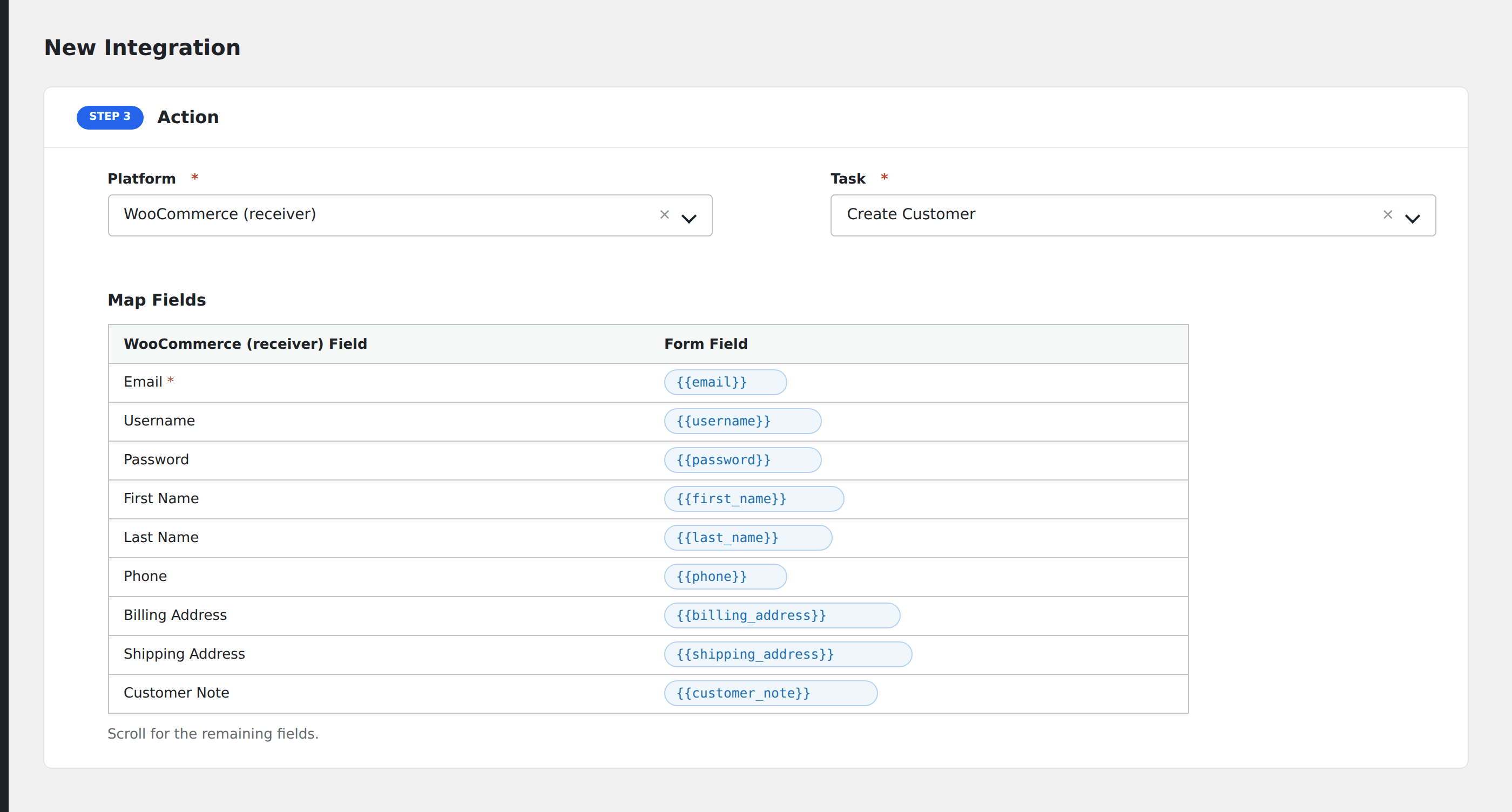
- In Action → Platform, select WooCommerce.
- In Task, choose Create Customer (or Create Order, Create Product if your use case calls for those).
- Map the form fields:
- For customer: Email (required), Username, Password (leave unmapped to auto-generate), First Name, Last Name, Phone.
- Billing Address (Address 1/2, City, State, Country, Postcode).
- Shipping Address (same fields).
- Customer Note.
- Role (
customer,wholesale_customer, etc.) for routing to a specific WooCommerce role.
- Optional: configure Conditional Logic.
- Click Save Integration.
Conditional logic example
Create a WooCommerce customer with role wholesale_customer only when the form’s account_type field equals “wholesale”. Standard signups create regular customers via a separate integration.
Troubleshooting
“Email already exists”
WooCommerce treats customer email as unique. If the email is already a customer, AFI logs the attempt and stops. No duplicate is created.
Welcome email not sent
WooCommerce’s “New account” email is controlled in WooCommerce → Settings → Emails. If that email is disabled, customers won’t receive a welcome notification regardless of how the account was created.
Related docs
- WooCommerce (sender): for capturing order events
- Send Contact Form 7 to WooCommerce
- Conditional Logic