 AFI
AFI
Zoho Recruit
Zoho Recruit is Zoho’s applicant tracking and recruiting platform. Advanced Form Integration sends form submissions to Zoho Recruit as new candidates, perfect for “Apply Now” forms on a careers page.
What you’ll need
- An active Zoho Recruit account.
- A Zoho OAuth Self Client. See Connect via OAuth.
- The Advanced Form Integration plugin installed and activated.
Connect via OAuth
- Visit the Zoho API Console and create a Self Client.
- Note the Client ID and Client Secret.
- In WordPress, go to AFI → Settings → Zoho Recruit.
- Pick the data center matching your Zoho account.
- Click Authorize and grant the
ZohoRecruit.modules.ALLscope. - After redirect, the connection is saved.
Create the integration
- Go to AFI → Add New.
- Configure the trigger, typically a careers/apply form with a resume upload field.
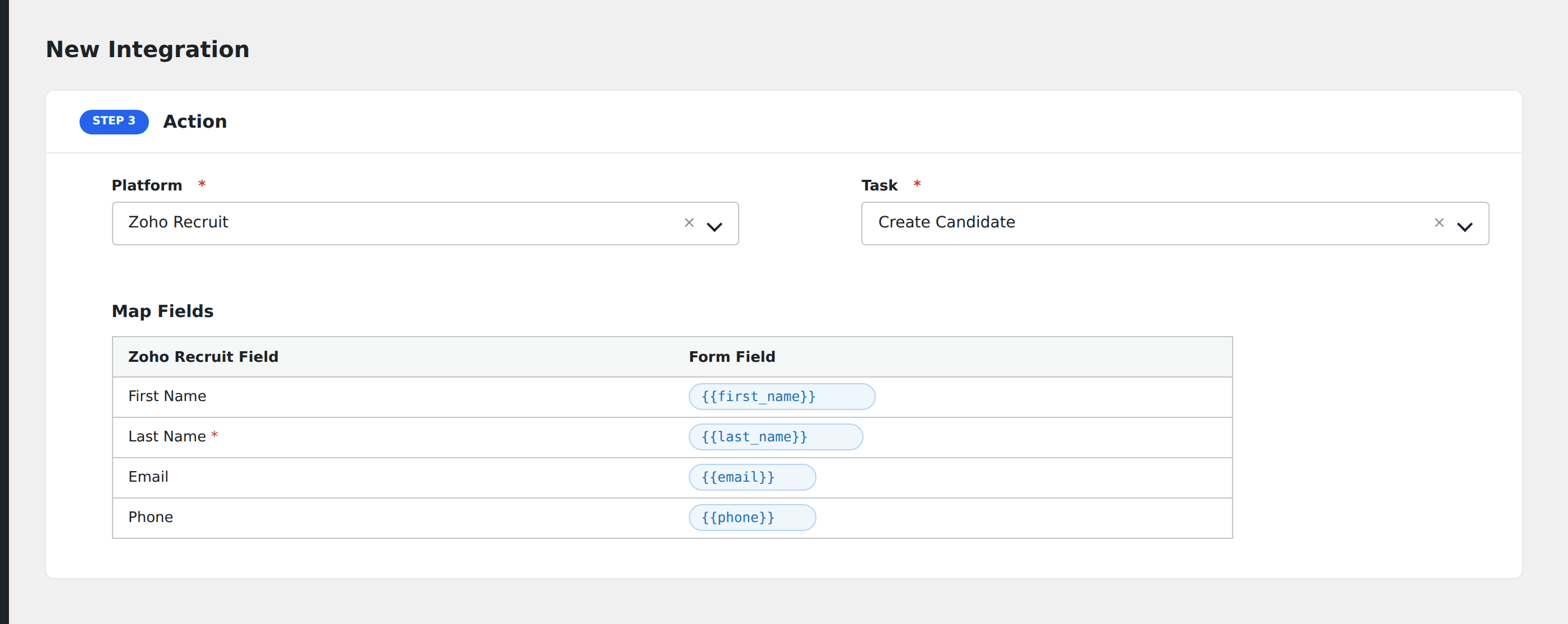
- In Action → Platform, select Zoho Recruit.
- In Task, choose Create Candidate.
- Map the form fields:
- First Name, Last Name (required), Email, Phone, Mobile.
- Current Job Title, Current Employer, Years of Experience.
- Highest Qualification Held, Skill Set.
- Address, City, State, Country, Zip Code.
- Source (e.g., “Website Apply Form”).
- Resume (file upload field): uploaded as the candidate’s attached resume.
- Custom fields by API name.
- Optional: configure Conditional Logic.
- Click Save Integration.
Tasks supported
Create Candidate
Creates a new candidate record in Zoho Recruit, optionally with an attached resume from the form’s file upload field.
Pro features
The Pro Zoho Recruit integration adds job opening assignment (link the new candidate directly to a specific opening), interview scheduling, and richer custom-field mapping.
Conditional logic example
Tag the candidate with senior-hire only when the form’s years_experience field is greater than 8. Junior applicants skip the tag but still get a candidate record.
Troubleshooting
Resume not attached
Zoho Recruit accepts resume attachments in PDF, DOC, and DOCX format. If your form uploads other file types, AFI may successfully create the candidate but Zoho rejects the attachment.
Re-authorization needed
Zoho refresh tokens can be revoked. Return to AFI → Settings → Zoho Recruit and click Re-authorize if uploads start failing.