 AFI
AFI
Mautic
Mautic is the leading open-source marketing automation platform, self-hosted or hosted on Mautic Cloud. Advanced Form Integration sends every form submission to Mautic as a new contact, with tag and segment assignment.
What you’ll need
- A running Mautic instance (self-hosted or Mautic Cloud).
- Mautic API enabled (Settings → Configuration → API Settings → API enabled: Yes).
- A user with API access permissions.
- The Advanced Form Integration plugin installed and activated.
Connect Mautic to AFI
Mautic supports both OAuth 2.0 and Basic Auth. AFI uses Basic Auth for simplicity.
- In WordPress, go to AFI → Settings → Mautic.
- Enter:
- Mautic URL: your Mautic install URL (e.g.
https://mautic.yoursite.com). - Username: a Mautic user with API access.
- Password: that user’s password.
- Click Save Changes.
Create the integration
- Go to AFI → Add New.
- Configure the trigger.
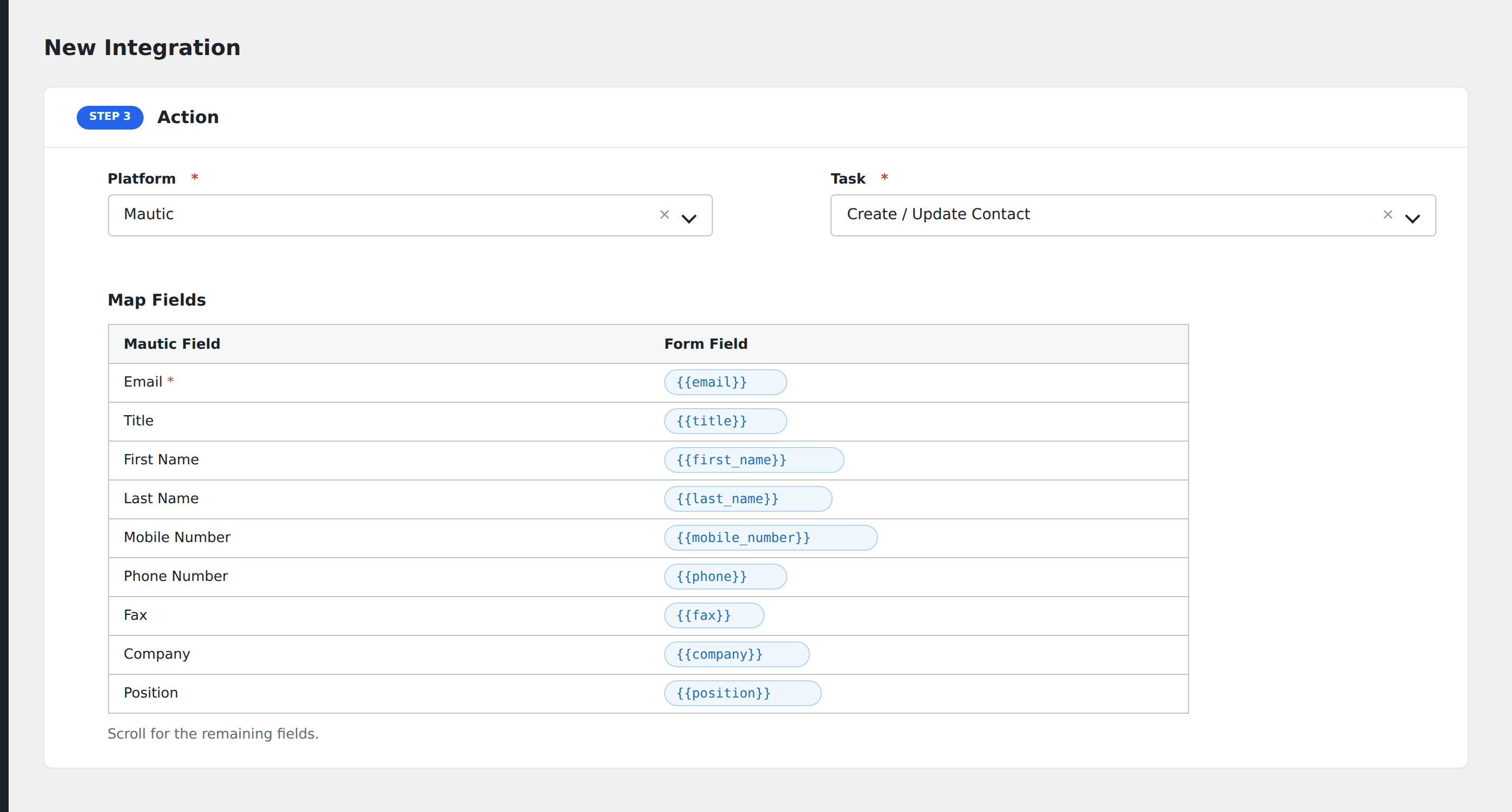
- In Action → Platform, select Mautic.
- In Task, choose Create / Update Contact.
- Map the form fields:
- Email: the contact’s primary identifier in Mautic.
- First Name, Last Name, Company, Phone.
- Tags: comma-separated tag names (Mautic creates tags on the fly).
- Segments: comma-separated segment IDs to add the contact to.
- Custom Mautic fields by alias.
- Optional: configure Conditional Logic.
- Click Save Integration.
Troubleshooting
Contact not created
Common Mautic errors:
Authentication failed: username/password wrong, or the user doesn’t have API permissions.API endpoint not found: Mautic URL is incomplete (missinghttps://or trailing slash issue).Field doesn't exist: custom field alias doesn’t match. In Mautic → Custom Fields, find the field’s Alias (not Label) and use that.
CORS or SSL errors
If your Mautic instance has SSL issues or strict CORS settings, check the AFI log for the exact error and adjust Mautic’s local.php config accordingly.