 AFI
AFI
Discord
Discord is a popular chat platform used by communities, teams, and gaming groups. Advanced Form Integration posts a message to a Discord channel for every form submission, useful for community signup alerts, contact form notifications, or piping events into a team channel.
What you’ll need
- A Discord server where you have permission to manage channels.
- The channel that should receive the messages.
- The Advanced Form Integration plugin installed and activated.
Create a Discord webhook
Discord’s Webhooks feature is the cleanest way to post to a channel from an external system.
- Open Discord and navigate to the server containing your channel.
- Right-click the channel and pick Edit Channel (or open server settings → Integrations → Webhooks).
- Open the Integrations tab.
- Click Webhooks → New Webhook.
- Name the webhook (e.g.
Advanced Form Integration) and pick the channel it should post to. - Click Copy Webhook URL.
The webhook URL is a secret. Anyone with it can post messages to the channel as the webhook bot. Don’t commit it to version control or share it publicly.
Create the integration
The Discord webhook URL is entered per-integration, not in global settings. That way each form can post to a different channel if you want.
- Go to WP Admin → AFI → Add New.
- Configure the trigger.
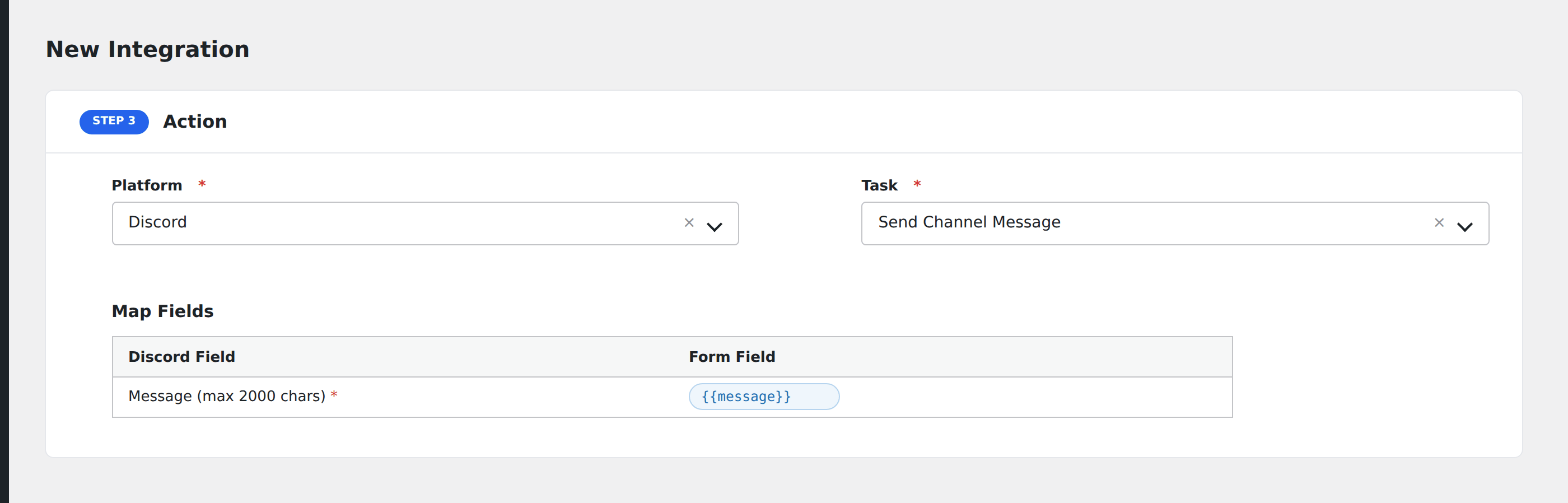
- In Action → Platform, select Discord.
- In Task, choose Send Channel Message.
- Paste the Discord webhook URL into the Webhook URL field.
- Compose the message body. Use
{field_name}tokens to insert form data. - Optional: configure Conditional Logic.
- Click Save Integration.
Tasks supported
Send Channel Message
Posts a single message to the channel the webhook URL was created for. The message body supports Discord’s markdown:
bold,italic,~~strikethrough~~,underline- `
and`code blocks` <@USER_ID>to mention a user (use the numeric user ID, not the username)<@&ROLE_ID>to mention a role<#CHANNEL_ID>to link to another channel- Hyperlinks: paste the URL: Discord auto-embeds where possible
A useful template for a signup alert:
**New signup**
**Name:** {your-name}
**Email:** {your-email}
**Plan:** {plan}
Conditional logic example
Goal: ping a #vip-members Discord channel only when a signup includes the VIP plan.
Create the Discord integration with the webhook URL for #vip-members. Open the Conditional Logic panel, add a condition with the plan field, Equal To, value VIP. Other signups don’t post to this channel.
Troubleshooting
Message doesn’t appear in Discord
Open AFI → Log and find the most recent log entry. Discord returns 204 No Content on success and clear error JSON on failure:
Invalid Webhook Token: the URL was deleted or regenerated. Create a new webhook and re-save the integration.Cannot send an empty message: the message body is empty. Add content to the message field.- Discord rate limits webhooks at 30 messages per minute per channel. High-volume forms can hit this.
Mentions not pinging users
Discord’s @username text doesn’t ping. Use <@USER_ID> with the numeric Discord user ID (right-click user → Copy ID with developer mode enabled).
Embedded fields / rich messages
The current AFI Discord integration sends plain text content. For rich embeds with title/description blocks and color, contact support. Embed support may land in a future release.