 AFI
AFI
MailUp
MailUp is an Italian enterprise email-marketing platform with strong DACH and Mediterranean presence. Advanced Form Integration sends form submissions to MailUp as new subscribers on a chosen list and (optionally) group.
What you’ll need
- An active MailUp account.
- A MailUp OAuth app with Client ID and Client Secret (Settings → Advanced options → Developer Options).
- The Advanced Form Integration plugin installed and activated.
Create a MailUp OAuth app
- Log in to your MailUp account.
- Go to Settings → Advanced options → Developer Options.
- Create a new app and copy the Client ID and Client Secret.
- Set the Redirect URI to the value shown in AFI → Settings → MailUp (typically
https://yourdomain.com/wp-json/advancedformintegration/mailup).
Connect MailUp to AFI
- In WordPress, go to AFI → Settings.
- Enable MailUp and click Save Changes.
- Open the MailUp tab.
- Enter the Client ID and Client Secret.
- Click Authorize: MailUp’s login screen opens; sign in and authorize.
- After redirect back, AFI shows Connected.
Create the integration
- Go to AFI → Add New.
- Configure the trigger.
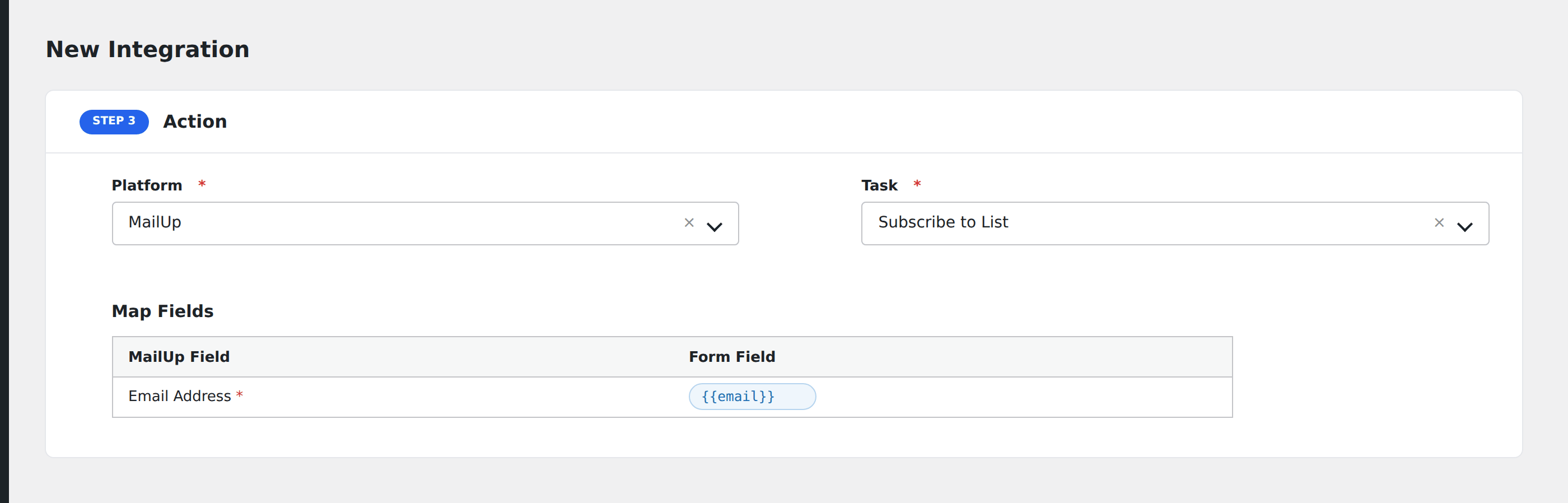
- In Action → Platform, select MailUp.
- In Task, choose Subscribe to List.
- Pick the List: AFI loads your lists from MailUp automatically.
- Optionally pick a Group within that list for further segmentation.
- Map the form fields:
- Email Address (required).
- Custom MailUp dynamic fields appear automatically once a list is selected. Map each to a form field.
- Optional: configure Conditional Logic.
- Click Save Integration.
Tasks supported
Subscribe to List
Adds the form submitter as a subscriber on the chosen MailUp list, optionally placing them in a group. Re-submissions update the existing subscriber rather than creating duplicates.
Conditional logic example
Add to the “VIP customers” group only when the form’s customer_tier field equals “VIP”. Standard customers stay in the default group via the same integration without the group selection.
Troubleshooting
Integration doesn’t fire
Open AFI → Log and find the most recent entry. The log shows the request payload sent to MailUp and the response received, usually pointing straight at the cause.
Re-authorization needed
MailUp OAuth refresh tokens expire periodically. If integrations stop firing with token errors, return to AFI → Settings → MailUp and click Authorize again.
Field not in dropdown
MailUp’s dynamic fields are list-specific. Re-pick the list to refresh the field schema if a freshly added field doesn’t appear.