AFI
AFI
Advanced Coupons
Overview
AFI captures coupon and store-credit events from the Advanced Coupons plugin and sends them to any receiver. Track every coupon use in your CRM, get a Slack alert when a store-credit balance crosses a threshold, or log all credit adjustments to Google Sheets for finance.
Available triggers
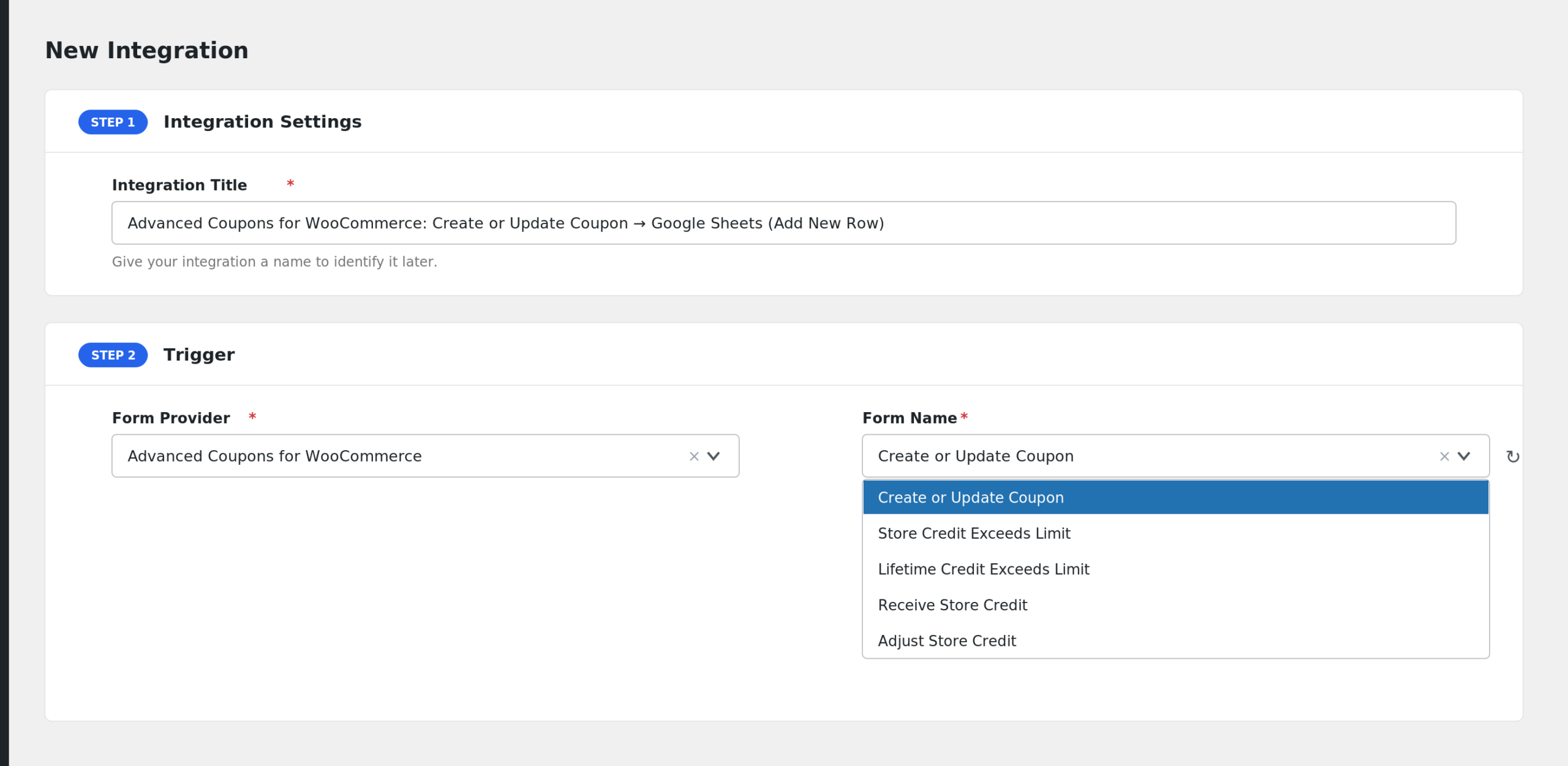
AFI listens for the following events from Advanced Coupons. Each event runs as its own integration — you can have several integrations on the same plugin firing on different events.
- Create or Update Coupon
- Store Credit Exceeds Limit
- Lifetime Credit Exceeds Limit
- Receive Store Credit
- Adjust Store Credit
Mappable fields
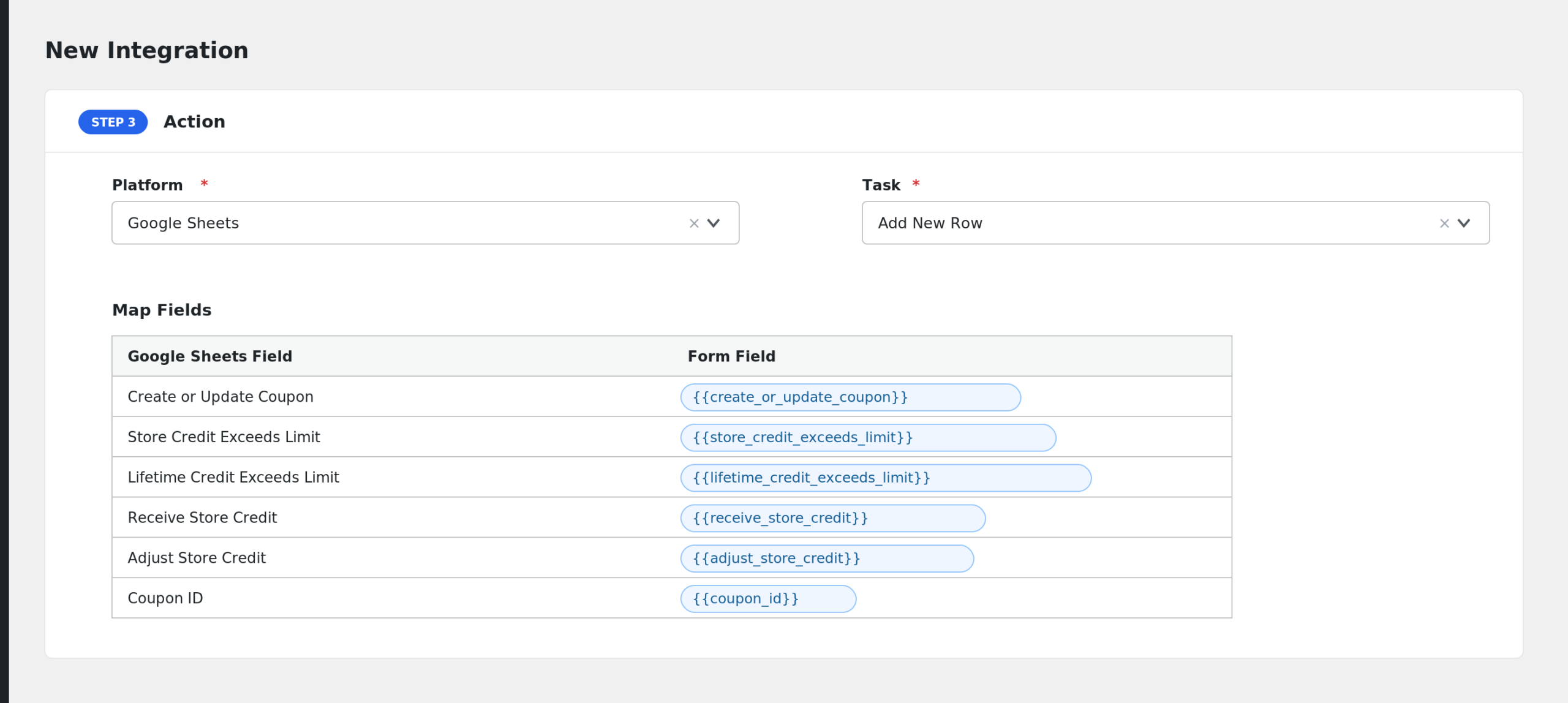
Each event exposes the relevant coupon or credit data: coupon code, type, discount amount, usage count, plus customer information (ID, name, email) and the WooCommerce order context where applicable.
Requirements
- WooCommerce installed and activated.
- Advanced Coupons (free or Premium) installed and activated. Some events require the Premium add-ons (store credit, loyalty).
Quick start
- In WordPress admin, go to AFI > New Integration.
- Trigger > Sender: pick Advanced Coupons.
- Event / Form: pick the specific event you want this integration to listen on (e.g. Create or Update Coupon).
- Pick a Receiver (e.g. Mailchimp, HubSpot, Google Sheets, Slack) and the desired task.
- Map Advanced Coupons fields onto the receiver’s fields. Use special tags (
{{_date}},{{_user_ip}}, etc.) for values not present in the form. - Optional: add Conditional Logic to control when the receiver is called.
- Save and run a test event to confirm the integration. Check AFI > Log if anything looks off.
Notes & caveats
- Store-credit events require the Premium add-on — they don’t fire on the free plugin.
- Threshold events (Exceeds Limit) fire once per crossing, not on every transaction once the balance is above the limit. Set the threshold on the receiver-side to do continuous monitoring.
Related
- Contact Form 7
- WPForms
- Reading the Log
- Smart Tags & Field Mapping
- WooCommerce
- Easy Digital Downloads