 AFI
AFI
Keap
Keap (formerly Infusionsoft) is a CRM and marketing automation platform built for small businesses. Advanced Form Integration sends form submissions to Keap as new contacts, with optional tag application.
What you’ll need
- An active Keap account.
- The Advanced Form Integration plugin installed and activated.
Connect Keap to AFI
- In WordPress, go to AFI → Settings → Keap.
- Click Connect with Keap.
- Sign in to Keap and authorize.
- AFI shows Connected.
Create the integration
- Go to AFI → Add New.
- Configure the trigger.
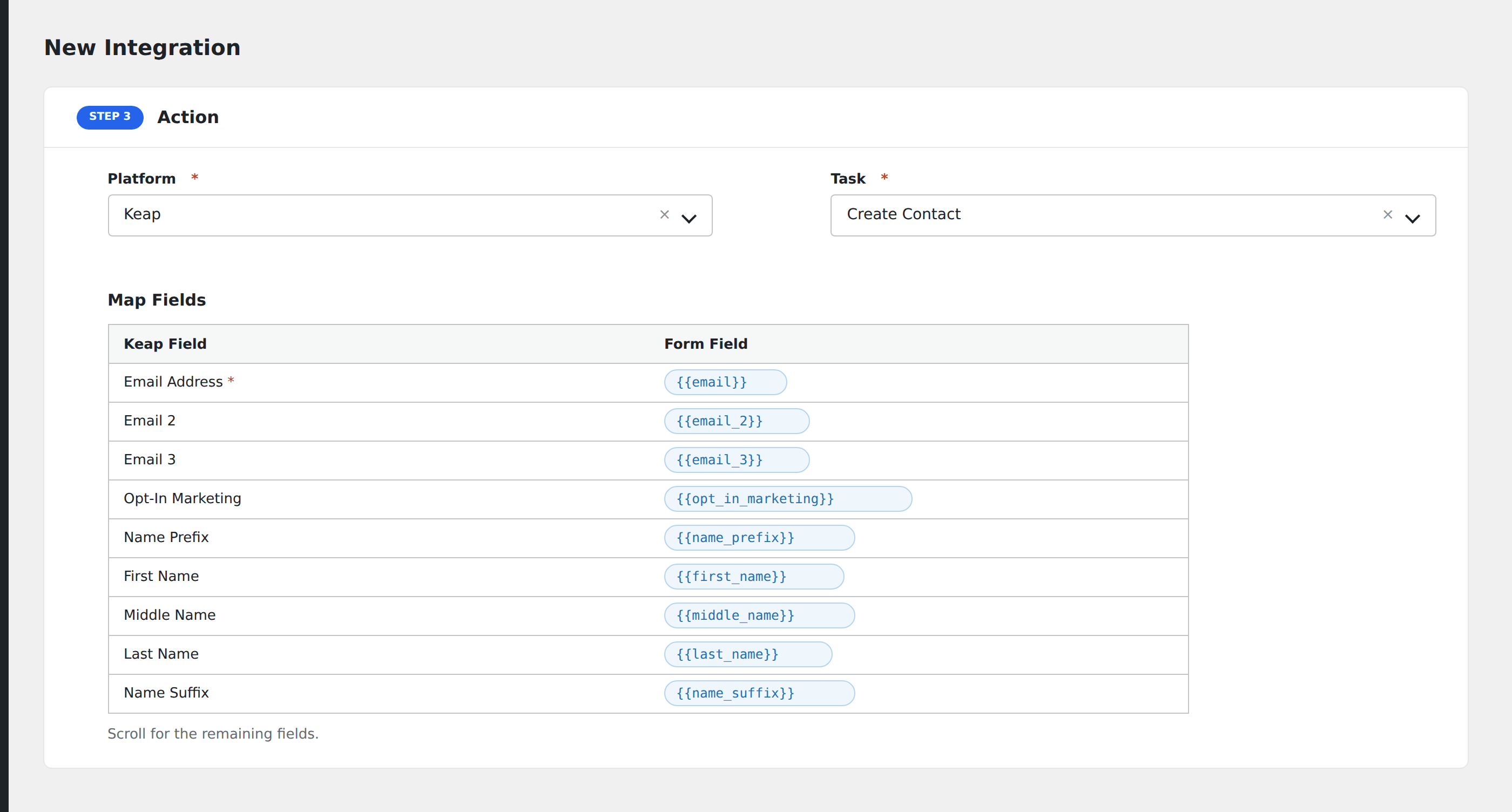
- In Action → Platform, select Keap.
- In Task, choose Create Contact or Apply Tag.
- Map the form fields:
- Email (required), First Name, Last Name, Phone, Company.
- Tags: comma-separated tag IDs.
- Custom contact fields by name.
- Optional: configure Conditional Logic.
- Click Save Integration.
Conditional logic example
Goal: when a new contact opts in for the Premium offer, also apply the premium-prospect tag in Keap.
Open the Conditional Logic panel, add a condition with the offer field, Equal To, value Premium. In the Apply Tag task, set the tag ID for premium-prospect.