 AFI
AFI
Download Monitor
Download Monitor manages downloadable files in WordPress with versioning, access restrictions, and download logging. Advanced Form Integration captures completed file downloads and routes the data to any of 200+ destinations.
What you’ll need
- The Download Monitor plugin installed and activated.
- At least one download published under Downloads → All Downloads.
- The Advanced Form Integration plugin installed and activated.
When the trigger fires
AFI registers a single File Downloaded trigger for Download Monitor. It fires when a download request passes every access check and the file is about to be served.
Data captured
| Field | Field key | Format |
|---|---|---|
| Download ID | download_id |
Numeric ID |
| Download Title | download_title |
Text |
| Download Page URL | download_url |
Absolute URL |
| User ID | user_id |
Numeric ID, empty for guests |
| User Email | user_email |
Email address, only if logged in |
| Download Time | download_time |
YYYY-MM-DD HH:MM:SS, site time |
Create the integration
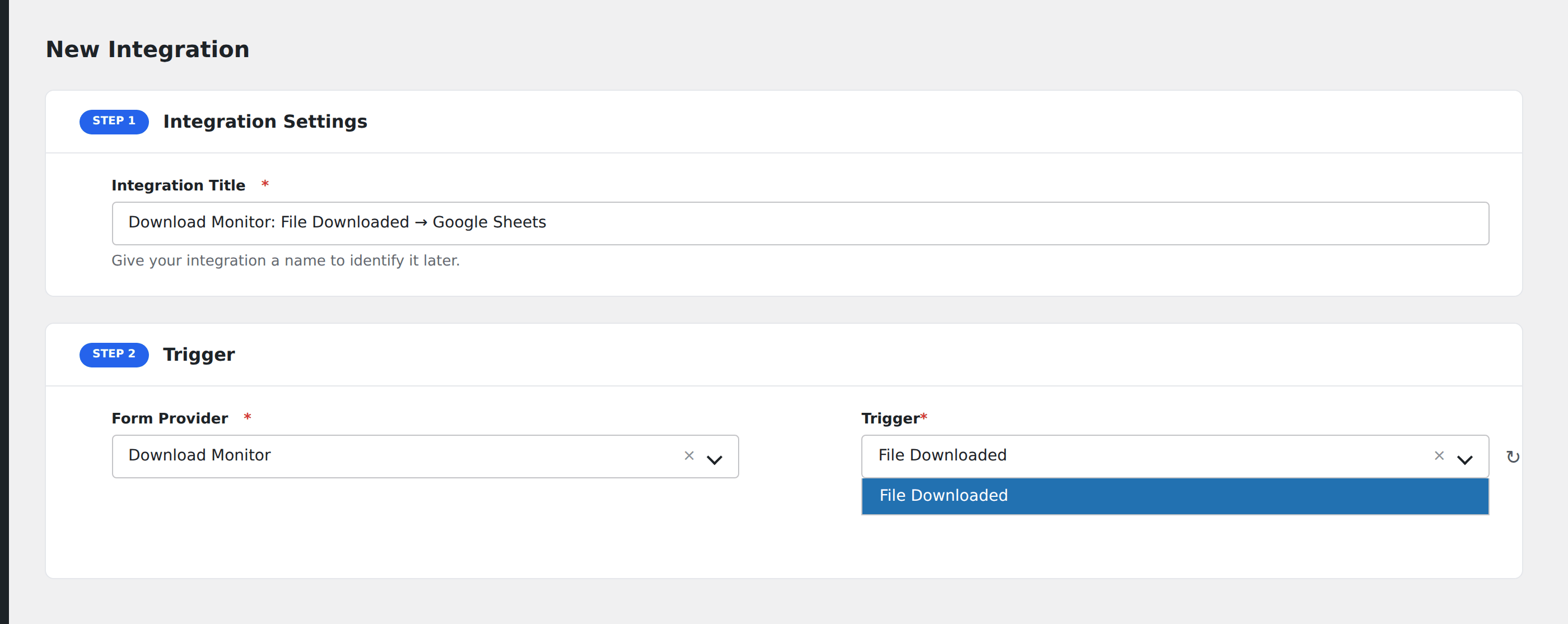
- Go to WP Admin → AFI → Add New.
- Enter an Integration Title, e.g.
Download Monitor: File Downloaded → Google Sheets. - In Trigger → Form/Data Provider, select Download Monitor.
- In Form/Task Name, choose File Downloaded.
- In Action → Platform, pick the destination and complete the field mapping.
- Optional: configure Conditional Logic so only matching events are sent.
- Click Save Integration.
How AFI listens for downloads
AFI hooks dlm_downloading, fired from src/DownloadHandler.php and listed in Download Monitor’s own action and filter reference. Every no-access branch above it has already exited or redirected by the time it runs, so the visitor is confirmed allowed to download, and it fires immediately before the plugin writes its own download log entry. Registration is guarded by defined( 'DLM_VERSION' ).
Identifying the downloader
Download Monitor does not require login by default, so User ID and User Email resolve through wp_get_current_user() and come back empty for anonymous downloads. That is expected. To capture an address on every download, put the file behind a form or enable the plugin’s own access restrictions.
Troubleshooting
Nothing fires for a direct file URL
The hook only runs for downloads served through Download Monitor’s handler. If visitors are hitting the raw path in wp-content/uploads, the plugin is bypassed entirely. Use the download shortcode or the ?download_id= URL, and protect the uploads directory.
Duplicate events
Resumable downloads can trigger more than one request. Deduplicate on Download ID plus Download Time at the destination.