 AFI
AFI
Gravity Forms
Gravity Forms is one of the most-used premium WordPress form builders, trusted by 1M+ sites. Advanced Form Integration captures every Gravity Forms submission and routes the data to any of 200+ destinations.
What you’ll need
- The Gravity Forms plugin installed and activated.
- The Advanced Form Integration plugin installed and activated.
- A form already built in Forms → New Form.
Supported form fields
| Field type | Supported | Output format / notes |
|---|---|---|
| Single line text | Yes | Same as input |
| Yes | Same as input | |
| Phone | Yes | Same as input, formatted as the user typed it |
| Number | Yes | Same as input |
| Website | Yes | Same as input |
| Paragraph | Yes | Same as input, line breaks preserved |
| Date | Yes | YYYY-MM-DD |
| Time | Yes | HH:MM 24-hour |
| Drop down | Yes | The selected option’s value |
| Radio buttons | Yes | The selected option’s value |
| Checkboxes | Yes | Comma-separated selected values |
| Multi select | Yes | Comma-separated selected values |
| Address | Yes | Each sub-field maps separately |
| Name | Yes | First / middle / last each map separately |
| File upload | Yes | Comma-separated public URL(s) |
| Hidden | Yes | Same as the hidden value |
| HTML | Not sent | Display-only field |
| Section break | Not sent | Layout-only |
| Page break | Not sent | Layout-only |
| Consent | Yes | 1 when ticked, empty when not |
| Product / Pricing | Yes | Each priced field captured separately |
| Total | Yes | Numeric, the order’s total |
| Signature | Yes | URL of the signature image (Signature add-on) |
| Survey | Yes | Each survey question captured (Survey add-on) |
Create the integration
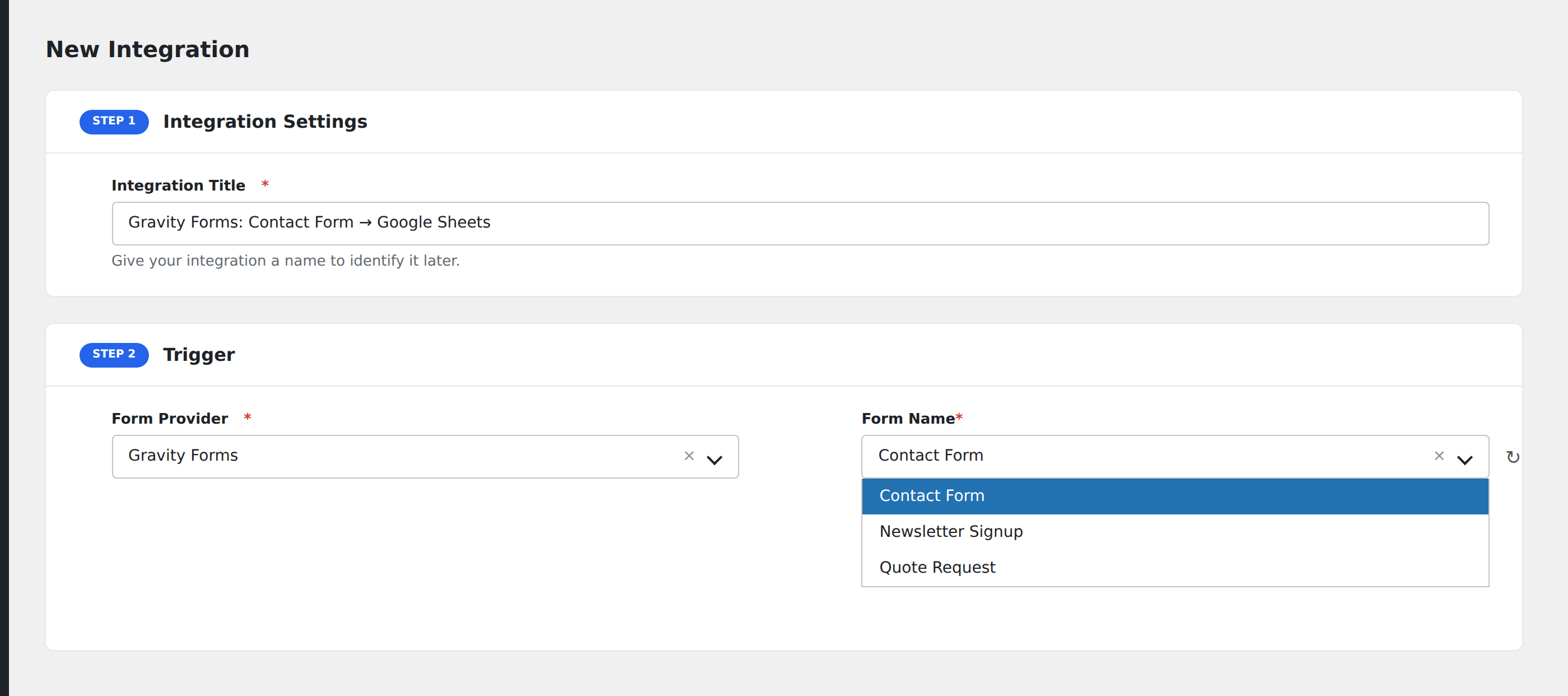
- Go to WP Admin → AFI → Add New.
- Enter an Integration Title that names both the form and the destination, e.g.
Contact form → HubSpot. - In Trigger → Form/Data Provider, select Gravity Forms.
- In Form/Task Name, choose the form you want to connect.
- In Action → Platform, pick the destination and complete the field mapping.
- Optional: configure Conditional Logic to route only matching submissions.
- Click Save Integration.
How AFI listens for submissions
AFI hooks into gform_after_submission, which fires after Gravity Forms validates and saves a submission. AFI runs after Gravity Forms’s own notifications, payment processing, and confirmations, so a submission that fails Gravity Forms’s validation never reaches AFI.
Multi-page forms
Gravity Forms’s multi-page forms fire AFI once, after the final page is submitted. Earlier pages don’t fire individual events. Field values are aggregated across all pages by the time AFI sees the submission.
File uploads
Gravity Forms stores uploaded files in the WordPress media library and exposes a public URL. AFI sends the URL (or comma-separated URLs for multi-file fields) to the destination. Make sure the destination platform can fetch from a URL: most CRMs and spreadsheets handle this fine; some chat apps require the file URL be pasted into the message body.
Conditional logic example
Goal: route premium-plan signups to Salesforce, while every signup also flows to Mailchimp.
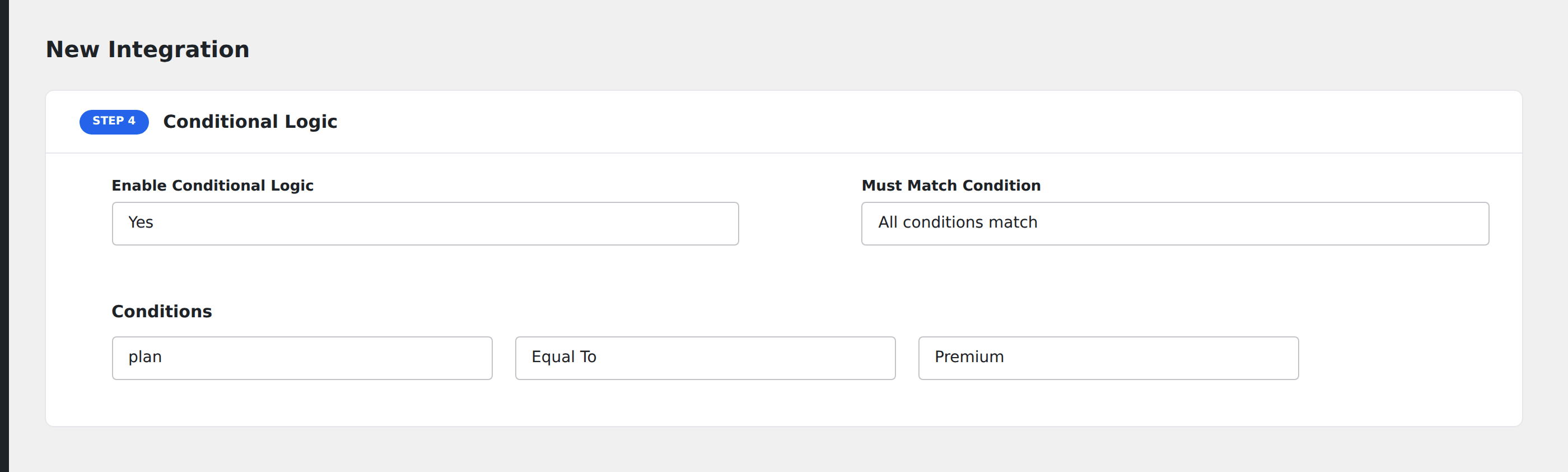
Create two integrations on the same form. On the Salesforce integration, open the Conditional Logic panel, add a condition with the plan field, Equal To, value Premium. The Mailchimp integration stays unconditional.
Troubleshooting
Submissions not reaching the destination
Open AFI → Log and look for the most recent entry. Logs show the exact request payload and the destination’s response, usually pointing straight at the cause (missing required field, expired API key, validation error from the destination). Re-run failed entries with the Replay button.
Form not appearing in the Form/Task Name dropdown
Gravity Forms caches its form list. Visit Forms → Form Settings → General for the form and re-save it to refresh the cache, then reload the AFI integration screen.
Notifications fire but AFI doesn’t
This usually means the form has Save and Continue enabled and the user resumed a partial entry. AFI fires on gform_after_submission, which only triggers on a fully-completed submission, not on partial-entry saves. Use Gravity Forms Partial Entries add-on if you need to capture incomplete submissions.