 AFI
AFI
Keila
Keila is an open-source email newsletter platform (self-hosted or cloud-hosted) built as a privacy-friendly alternative to SaaS email tools. Advanced Form Integration sends form submissions to Keila as new contacts.
What you’ll need
- A Keila instance (self-hosted or cloud).
- A Keila Personal Access Token (Keila → Settings → API Access → Personal Access Tokens).
- The Advanced Form Integration plugin installed and activated.
Get your Keila API key
- Log in to your Keila instance.
- Navigate to Settings → API Access → Personal Access Tokens.
- Generate a new token or copy an existing one.
Connect Keila to AFI
- In WordPress, go to AFI → Settings.
- Enable Keila and click Save Changes.
- Open the Keila tab.
- Click Add New Account, give the credential a title, paste the API Key, and click Save Changes.
You can save credentials for multiple Keila instances (e.g., self-hosted + cloud) and pick which one each integration uses.
Create the integration
- Go to AFI → Add New.
- Configure the trigger.
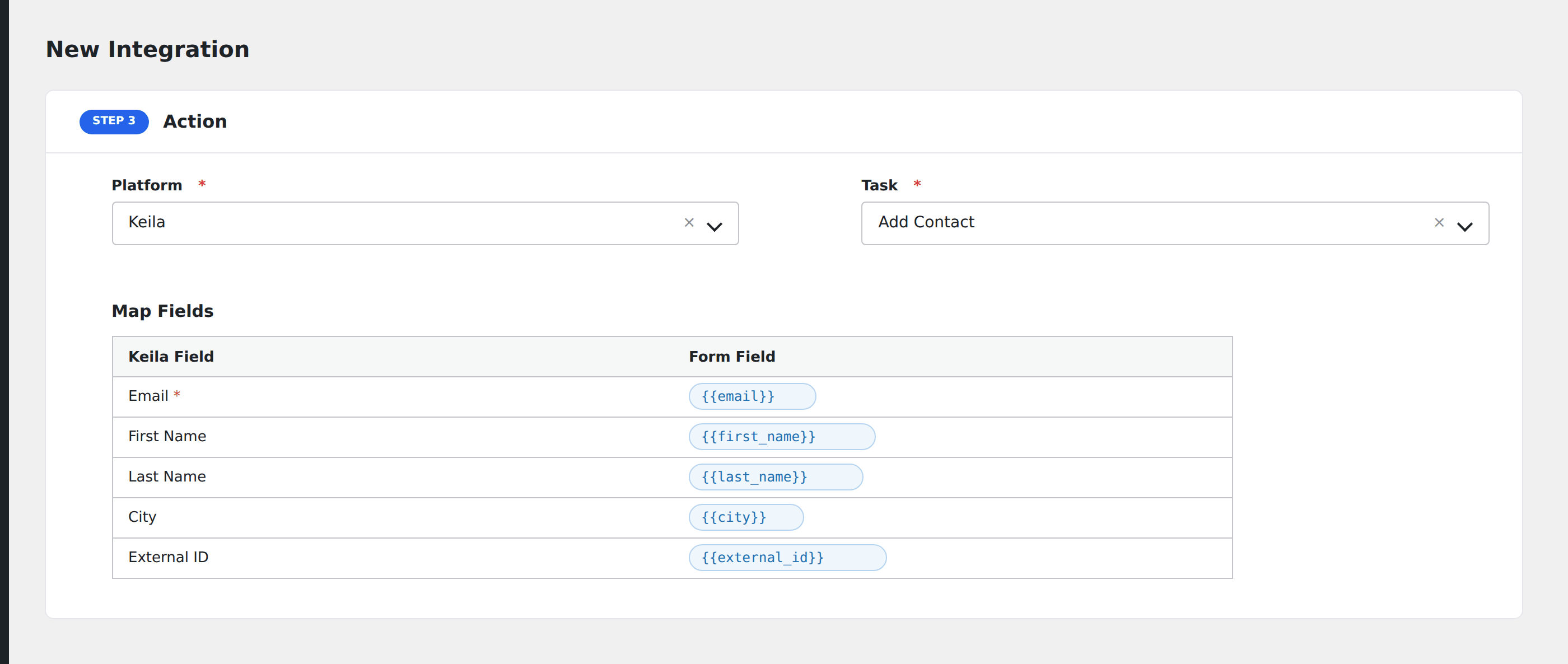
- In Action → Platform, select Keila.
- In Task, choose Add Contact.
- Pick the saved Keila account.
- Map the form fields:
- Email (required).
- First Name, Last Name, City.
- External ID for cross-system identifier mapping.
- Optional: configure Conditional Logic.
- Click Save Integration.
Tasks supported
Add Contact
Creates a new contact in your Keila instance. The contact is automatically subscribed to your default newsletter list once created.
Conditional logic example
Add to Keila only when the form’s region field is “EU”. Keila’s privacy-friendly approach is well-suited to EU compliance flows. Non-EU submissions go to a different newsletter platform via a separate integration.
Troubleshooting
Integration doesn’t fire
Open AFI → Log and find the most recent entry. The log shows the request payload sent to Keila and the response received, usually pointing straight at the cause.
Self-hosted Keila not reachable
Self-hosted Keila must be publicly accessible from your WordPress server. If Keila sits behind a VPN or IP allowlist, whitelist your WordPress server IP at Keila’s web-server level.
Email field empty
Keila requires email as the canonical identifier. If the form doesn’t include email or AFI didn’t map it, the API rejects the request.