 AFI
AFI
Sarbacane
Sarbacane is a French email-marketing platform popular with EU-based small businesses for newsletter signups and lead capture. Advanced Form Integration sends form submissions to Sarbacane as new subscribers on a chosen list.
What you’ll need
- An active Sarbacane account.
- Your Sarbacane Account ID and API Key (Campaigns → Settings → API & Webhooks).
- The Advanced Form Integration plugin installed and activated.
Get your Sarbacane credentials
- Log in to your Sarbacane dashboard.
- Navigate to Campaigns → Settings → API & Webhooks.
- Create a new API Key and copy it.
- Note your Account ID shown alongside.
Connect Sarbacane to AFI
- In WordPress, go to AFI → Settings.
- Enable Sarbacane and click Save Changes.
- Open the Sarbacane tab.
- Enter the Account ID and API Key.
- Click Save Changes.
Create the integration
- Go to AFI → Add New.
- Configure the trigger.
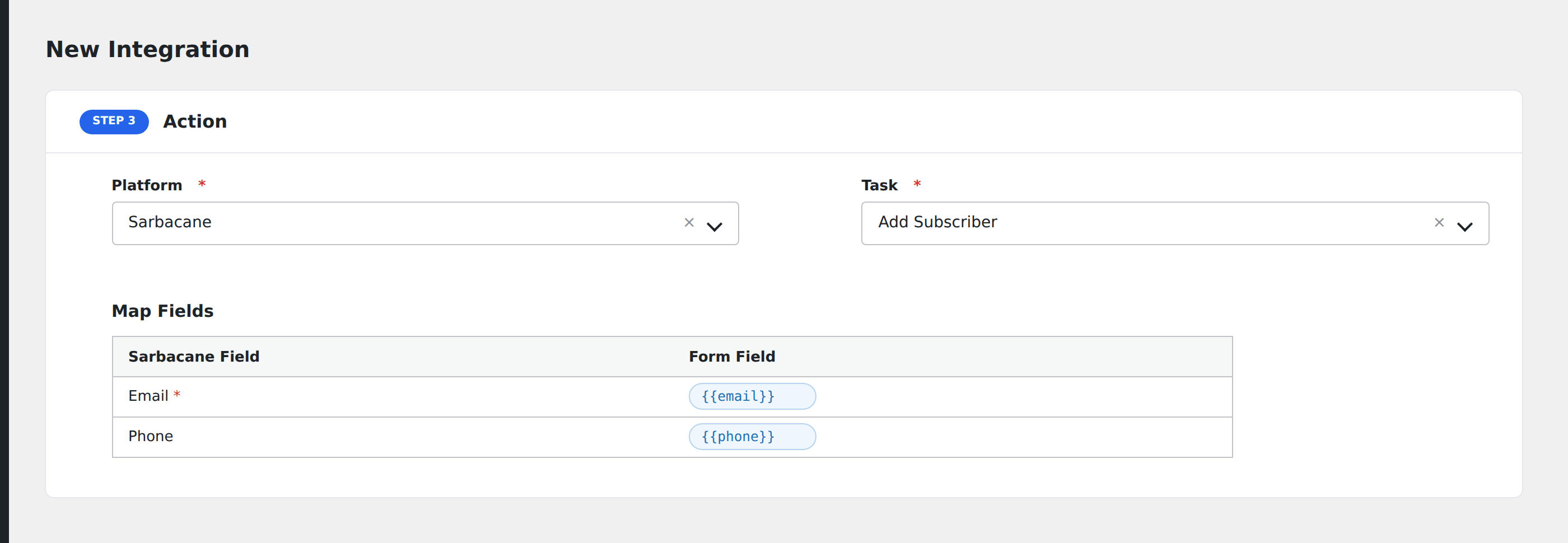
- In Action → Platform, select Sarbacane.
- In Task, choose Add Subscriber.
- Pick the Mailing List: AFI loads your lists from Sarbacane automatically.
- Click Get Fields to load the list’s field schema, then map the form fields:
- Email (required), Phone, First Name, Last Name.
- Custom fields configured on the chosen list.
- Optional: configure Conditional Logic.
- Click Save Integration.
Tasks supported
Add Subscriber
Adds the form submitter as a subscriber on the chosen Sarbacane list. Re-submissions update the existing subscriber rather than creating duplicates.
Conditional logic example
Subscribe to your “FR” Sarbacane list only when the form’s language field equals “FR”. English submissions go to the “EN” list via a separate integration.
Troubleshooting
Integration doesn’t fire
Open AFI → Log and find the most recent entry. The log shows the request payload sent to Sarbacane and the response received, usually pointing straight at the cause.
“Credentials not working”
Sarbacane requires both Account ID AND API Key. Double-check both, and confirm the key hasn’t been revoked from the API & Webhooks page.
Mailing lists not loading
Ensure you’ve selected the correct Sarbacane account. Try refreshing or re-saving credentials. Click Get Fields to refresh.
Invalid email format rejected
Sarbacane validates email format strictly. If a form sends a value like “Joe Smith <jo*@*****le.com>” with the name prefix, it’s rejected. Strip the name prefix on the form side before mapping.