 AFI
AFI
Bigin
Bigin is Zoho’s pipeline-focused CRM, built for small businesses. Advanced Form Integration sends form submissions to Bigin as new contacts or deals, with field mapping to standard and custom Bigin properties.
What you’ll need
- An active Bigin account.
- The Advanced Form Integration plugin installed and activated.
Connect Bigin to AFI
- In WordPress, go to AFI → Settings → Bigin.
- Pick your Zoho data center.
- Click Connect with Zoho → sign in → authorize.
- AFI shows Connected.
Create the integration
- Go to AFI → Add New.
- Configure the trigger.
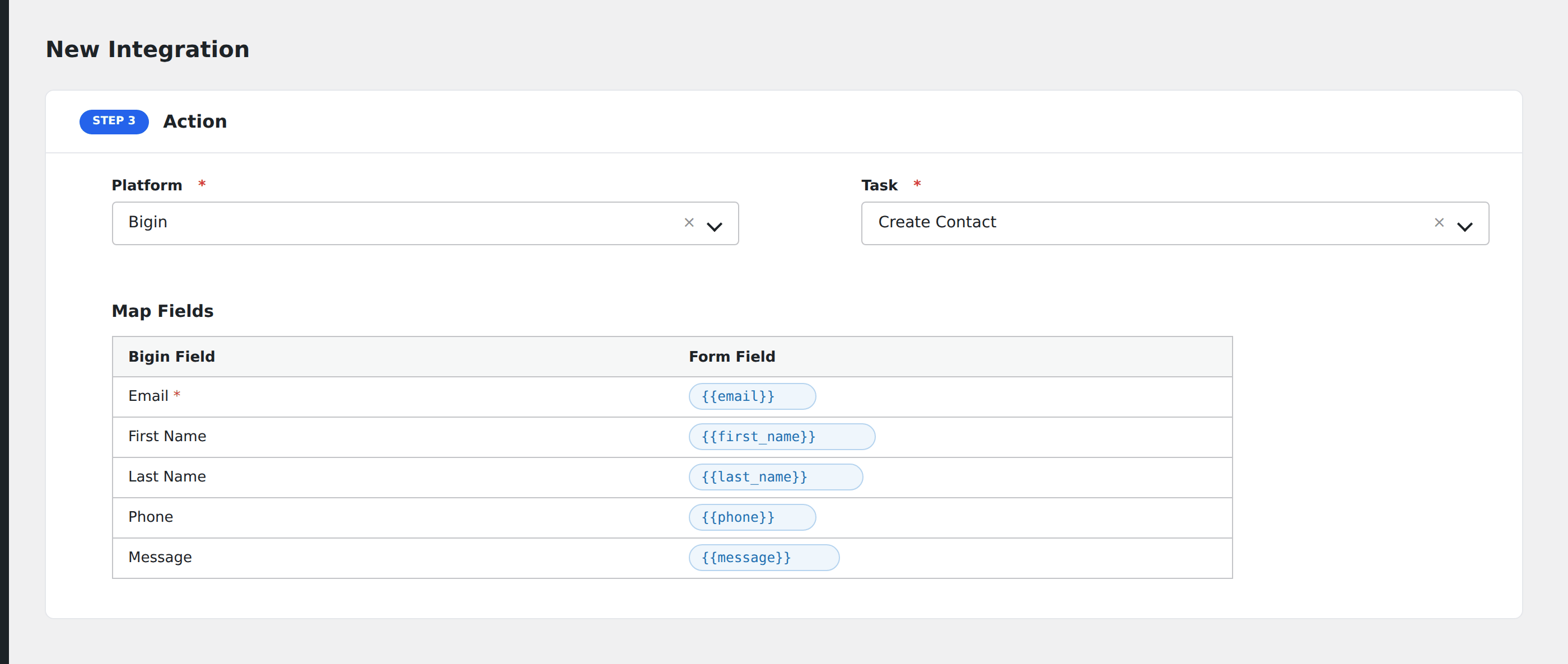
- In Action → Platform, select Bigin.
- In Task, choose Create Contact, Create Deal, or Create Company.
- Map the form fields to Bigin properties.
- Optional: configure Conditional Logic.
- Click Save Integration.
Related docs
- Zoho CRM: for the full Zoho CRM
- Send Contact Form 7 to Bigin
- Conditional Logic