 AFI
AFI
Zoho Campaigns
Zoho Campaigns is the email-marketing app in the Zoho ecosystem. Advanced Form Integration sends every form submission to Zoho Campaigns as a new contact in your chosen mailing list.
What you’ll need
- An active Zoho account.
- The Advanced Form Integration plugin installed and activated.
Connect Zoho Campaigns to AFI
- In WordPress, go to AFI → Settings → Zoho Campaigns.
- Pick your Zoho data center (US
.com, EU.eu, IN.in, AU.com.au, JP.jp, CN.com.cn). - Click Connect with Zoho.
- Sign in to Zoho and authorize.
- AFI shows Connected.
Create the integration
- Go to AFI → Add New.
- Configure the trigger.
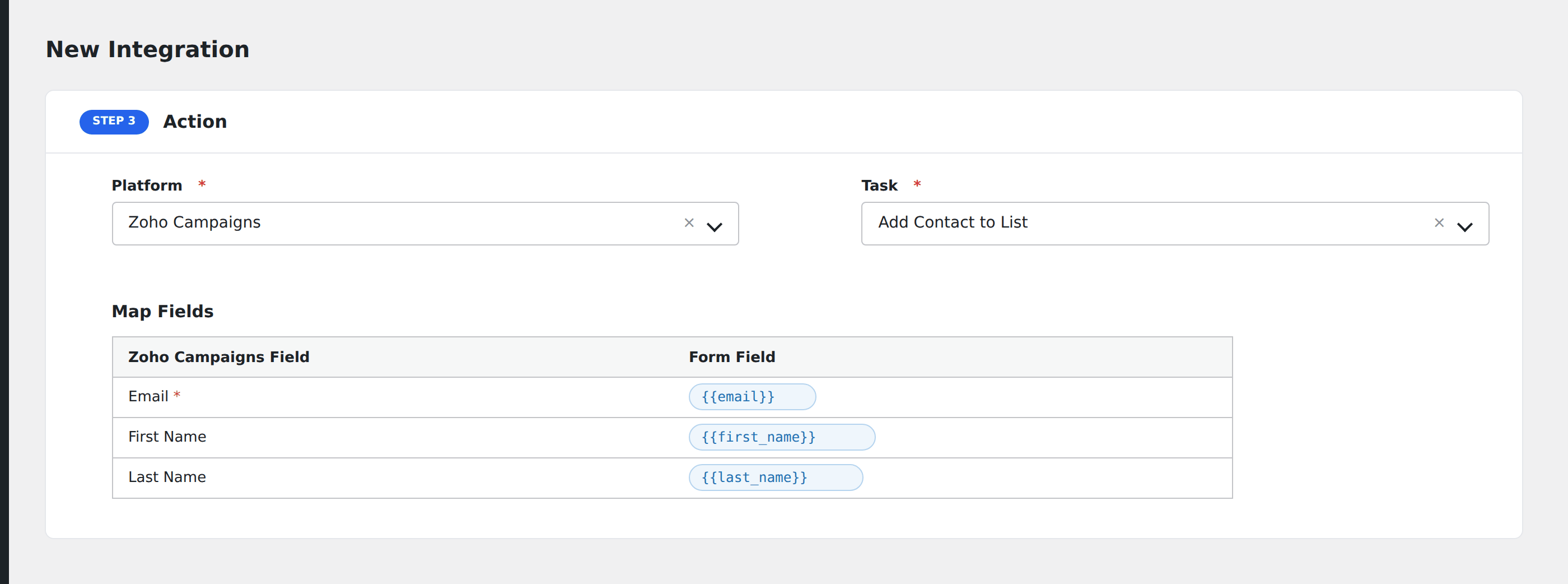
- In Action → Platform, select Zoho Campaigns.
- In Task, choose Add Contact to List.
- Pick the Mailing List.
- Map the form fields:
- Email (required).
- First Name, Last Name, Phone, Company.
- Custom contact fields by name.
- Optional: configure Conditional Logic.
- Click Save Integration.
Conditional logic example
Goal: route enterprise leads to a “B2B Prospects” Zoho Campaigns list, individual signups to the “Newsletter” list.
Create two integrations on the same form, each pointing at a different list. Add the matching Equal To condition on each.