 AFI
AFI
Woodpecker.co
Woodpecker.co is a cold-email and follow-up automation platform popular with B2B sales teams. Advanced Form Integration sends form submissions to Woodpecker.co as new prospects with optional tags, custom fields, and campaign assignment. the Pro version adds custom fields, tags, and campaign assignment.
What you’ll need
- An active Woodpecker.co account.
- A Woodpecker API Key (Settings → Integrations → API Keys → Create A Key).
- The Advanced Form Integration plugin installed and activated.
Get your Woodpecker API key
- Log in to your Woodpecker.co account.
- Go to Settings → Integrations → API Keys.
- Click Create A Key and copy the API Key.
Connect Woodpecker.co to AFI
- In WordPress, go to AFI → Settings.
- Enable Woodpecker and click Save Changes.
- Open the Woodpecker.co tab.
- Paste the API Key into the Access Token field and click Save Changes.
Create the integration
- Go to AFI → Add New.
- Configure the trigger.
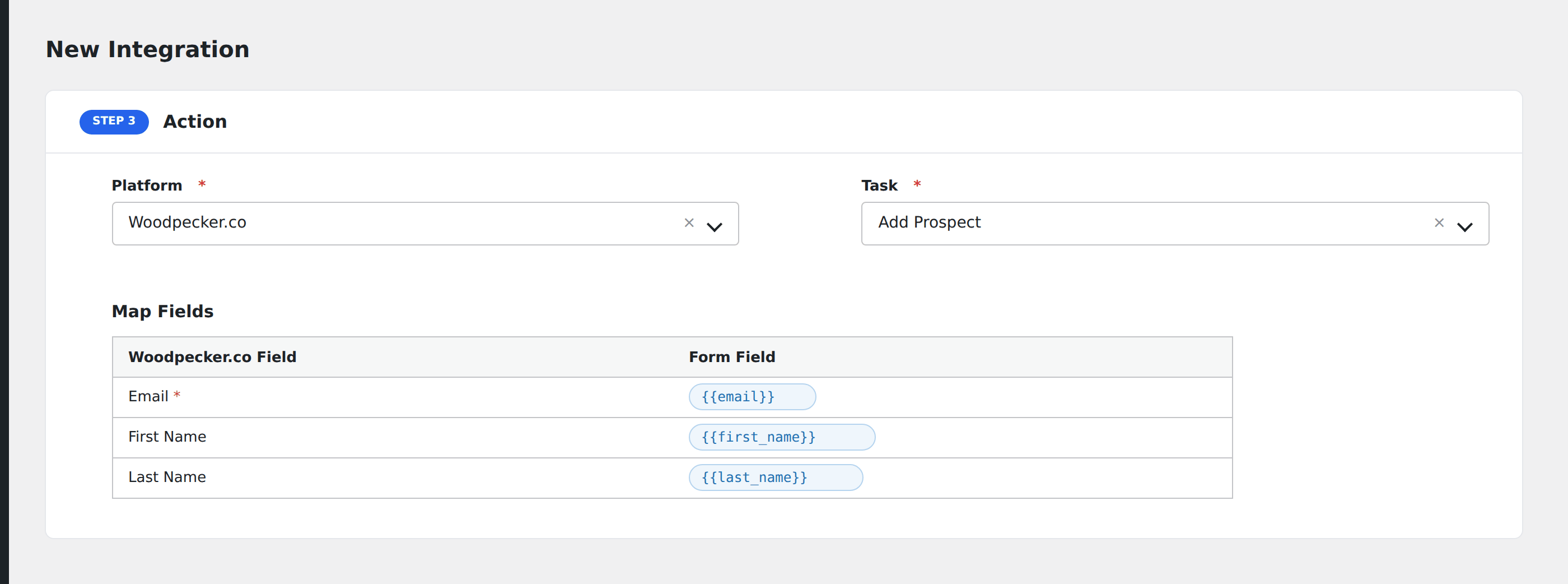
- In Action → Platform, select Woodpecker.co (or Woodpecker.co [PRO] if using Pro).
- In Task, choose Add Prospect.
- On Pro, pick the target Campaign: AFI loads campaigns from your account automatically.
- Map the form fields:
- Email (required), First Name, Last Name, Phone.
- On Pro: tags, custom fields, and campaign assignment in addition to the basics.
- Optional: configure Conditional Logic.
- Click Save Integration.
Tasks supported
Add Prospect
Creates a new prospect in Woodpecker.co. On Pro, the prospect can be added to a specific campaign with tags applied. Re-submissions update the existing prospect rather than creating duplicates.
Pro features
The Pro Woodpecker.co integration adds:
- Campaign assignment: drop new prospects directly into a chosen Woodpecker campaign.
- Tag application: assign one or more tags to the prospect.
- Custom field mapping: map any custom field defined on your Woodpecker.co account.
Conditional logic example
Add to your “Enterprise outreach” Woodpecker campaign only when the form’s company_size field is greater than 500. Smaller leads go to the SMB campaign via a separate integration.
Troubleshooting
Integration doesn’t fire
Open AFI → Log and find the most recent entry. The log shows the request payload sent to Woodpecker.co and the response received, usually pointing straight at the cause.
“Prospect already in campaign”
Woodpecker enforces uniqueness per campaign. The same email can’t be added to a campaign twice. AFI logs this as a non-fatal warning.