 AFI
AFI
Defender Security
Defender Security from WPMU DEV adds login protection, firewall rules, malware scanning, and IP lockouts to WordPress. Advanced Form Integration captures login lockouts and IP bans and routes the data to any of 200+ destinations.
What you’ll need
- The Defender Security plugin installed and activated.
- Login Protection enabled under Defender → Firewall → Login Protection.
- The Advanced Form Integration plugin installed and activated.
When the trigger fires
AFI registers a single Login Locked Out / IP Banned trigger for Defender Security. It fires when Defender locks out an IP for crossing the failed-attempt threshold, or bans it for using a banned username.
Data captured
| Field | Field key | Format |
|---|---|---|
| IP Address | ip_address |
IP address |
| Scenario | scenario |
ban or login_lockout |
| Failed Attempt Count | attempt_count |
Numeric |
| Lockout Message | lockout_message |
Text, the message Defender shows the blocked visitor |
| Lock Time | lock_time |
Unix timestamp in seconds |
| Release Time | release_time |
Unix timestamp in seconds, empty on a permanent ban |
Create the integration
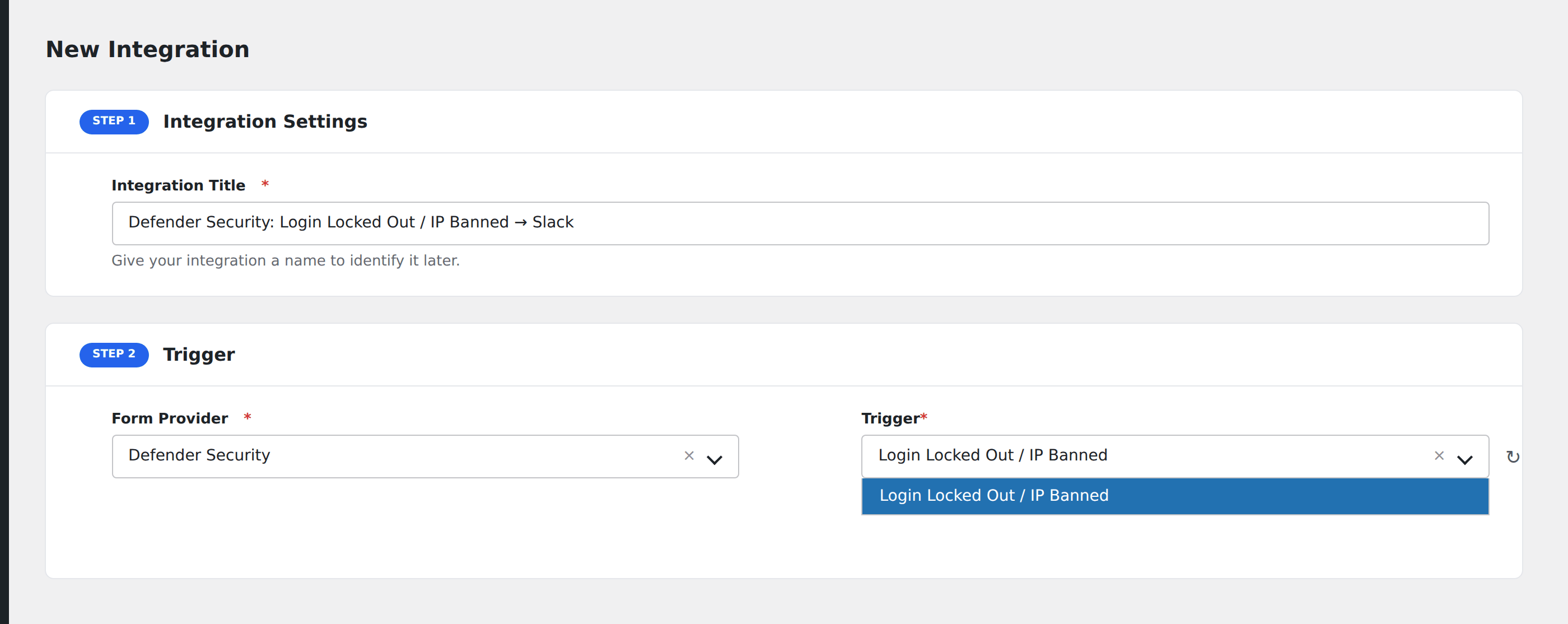
- Go to WP Admin → AFI → Add New.
- Enter an Integration Title, e.g.
Defender Security: Login Locked Out / IP Banned → Slack. - In Trigger → Form/Data Provider, select Defender Security.
- In Form/Task Name, choose Login Locked Out / IP Banned.
- In Action → Platform, pick the destination and complete the field mapping.
- Optional: configure Conditional Logic so only matching events are sent.
- Click Save Integration.
How AFI listens for lockouts
AFI hooks wd_login_lockout, fired from process_fail_attempt() in src/component/class-login-lockout.php. Defender raises it on both of the branches that matter: a banned-username hit (SCENARIO_BAN) and a genuine attempt-threshold lockout (SCENARIO_LOGIN_LOCKOUT). It is not the per-attempt logging that happens on every single failed try, so you get one event per lockout rather than one per wrong password. The Scenario field tells the two cases apart. Registration is guarded by defined( 'DEFENDER_VERSION' ).
No username is available
Defender’s lockout table is keyed by IP, not by username, and the Lockout_Ip model it passes to the hook carries no attempted-username property. AFI exposes everything the model does expose (IP, scenario, attempt count, message, lock and release timestamps) but a username field is genuinely not obtainable here. If you need the attempted username, All-In-One Security’s lockout trigger provides it.
Lock and release times
Both arrive as raw timestamps straight off the model. Most destinations accept them as-is; if yours needs a formatted date, convert it on the destination side or use a spreadsheet formula.
Troubleshooting
The event fires more often than expected
Defender counts attempts per IP across the whole site, including XML-RPC and REST authentication. A misconfigured mobile app or plugin retrying stale credentials can trip lockouts repeatedly. Check Defender → Firewall → Logs to see the source.
Release Time is empty
That is expected for a permanent ban. Only temporary lockouts carry a release timestamp.