 AFI
AFI
Download Manager
Download Manager (WPDM) is a file and document manager for WordPress with access control, download counters, and paid packages. Advanced Form Integration captures completed file downloads and routes the data to any of 200+ destinations.
What you’ll need
- The Download Manager plugin installed and activated.
- At least one package published under Downloads → All Packages.
- The Advanced Form Integration plugin installed and activated.
When the trigger fires
AFI registers a single File Downloaded trigger for Download Manager. It fires when a file has been fully streamed to the visitor.
Data captured
| Field | Field key | Format |
|---|---|---|
| Package/File ID | package_id |
Numeric ID |
| Package/File Title | package_title |
Text |
| Package/File Page URL | package_url |
Absolute URL |
| User ID | user_id |
Numeric ID, empty for guests |
| User Email | user_email |
Email address, only if logged in |
| Client IP | client_ip |
IP address |
| Download Time | download_time |
YYYY-MM-DD HH:MM:SS, site time |
Create the integration
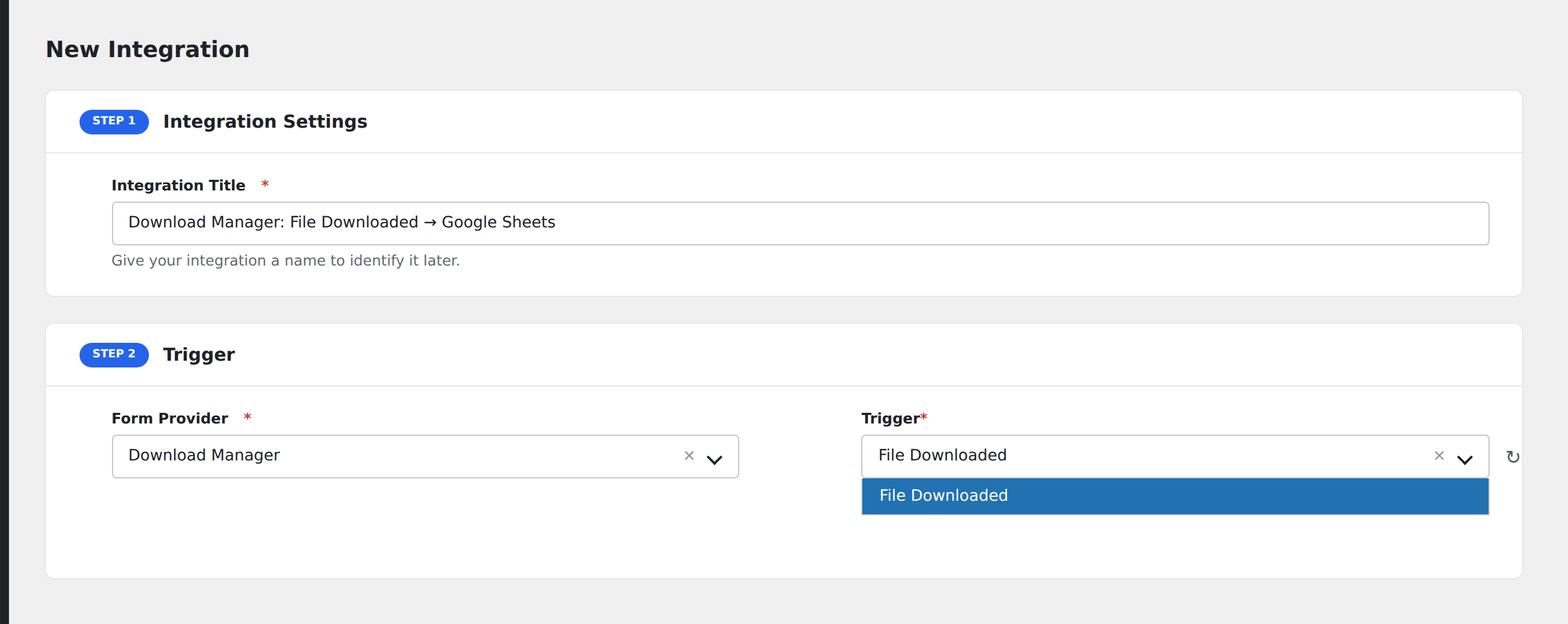
- Go to WP Admin → AFI → Add New.
- Enter an Integration Title, e.g.
Download Manager: File Downloaded → Google Sheets. - In Trigger → Form/Data Provider, select Download Manager.
- In Form/Task Name, choose File Downloaded.
- In Action → Platform, pick the destination and complete the field mapping.
- Optional: configure Conditional Logic so only matching events are sent.
- Click Save Integration.
How AFI listens for downloads
AFI hooks after_download, fired at the end of src/wpdm-start-download.php right before the script exits, once wpdm_download_file() has already streamed the file. AFI deliberately avoids the earlier wpdm_onstart_download hook, which runs before the IP and blocked-email checks and before any bytes are sent, so it can fire for a download that is subsequently rejected. Registration is guarded by function_exists( 'WPDM' ).
Identifying the downloader
User ID and User Email come from the logged-in user and are empty for anonymous downloads. If you are running a lead-magnet funnel and need an address on every event, gate the package behind login or behind WPDM’s own email-lock option, otherwise expect the IP address to be your only identifier.
Troubleshooting
Events fire twice for one click
Some browsers and download accelerators issue a range request followed by a full request. Deduplicate on the destination side using Package ID plus Client IP plus Download Time.
User Email is always empty
The package is publicly downloadable. Restrict it to logged-in users in the package’s access settings if you need identity on every event.