 AFI
AFI
Business Directory Plugin
Business Directory Plugin turns WordPress into a searchable directory of businesses, members, or classifieds, with paid listing plans and category-specific custom fields. Advanced Form Integration captures new listing submissions and routes the data to any of 200+ destinations. AFI’s Business Directory Plugin integration runs on the free version of AFI, with the field limit noted below.
What you’ll need
- The Business Directory Plugin installed and activated.
- At least one directory form field set configured under Directory → Form Fields.
- The Advanced Form Integration plugin installed and activated.
When the trigger fires
AFI registers a single New Listing Submitted trigger for Business Directory Plugin. It fires when a visitor or admin creates a new directory listing.
Data captured
The field list is built from your own directory at runtime. AFI calls wpbdp_formfields_api()->get_fields(), so every standard and category-specific field you have configured shows up in the mapping dropdown as field_<id>, labelled exactly as it is labelled in Directory → Form Fields. Two identifiers are always present:
| Field | Field key | Format |
|---|---|---|
| Listing ID | listing_id |
Numeric ID |
| Listing Title | listing_title |
Text |
Free plan limit: The basic AFI plugin supports the listing title and email fields only. Every other directory field, including phone, website, address, and your category-specific custom fields, needs an AFI Professional licence.
Create the integration
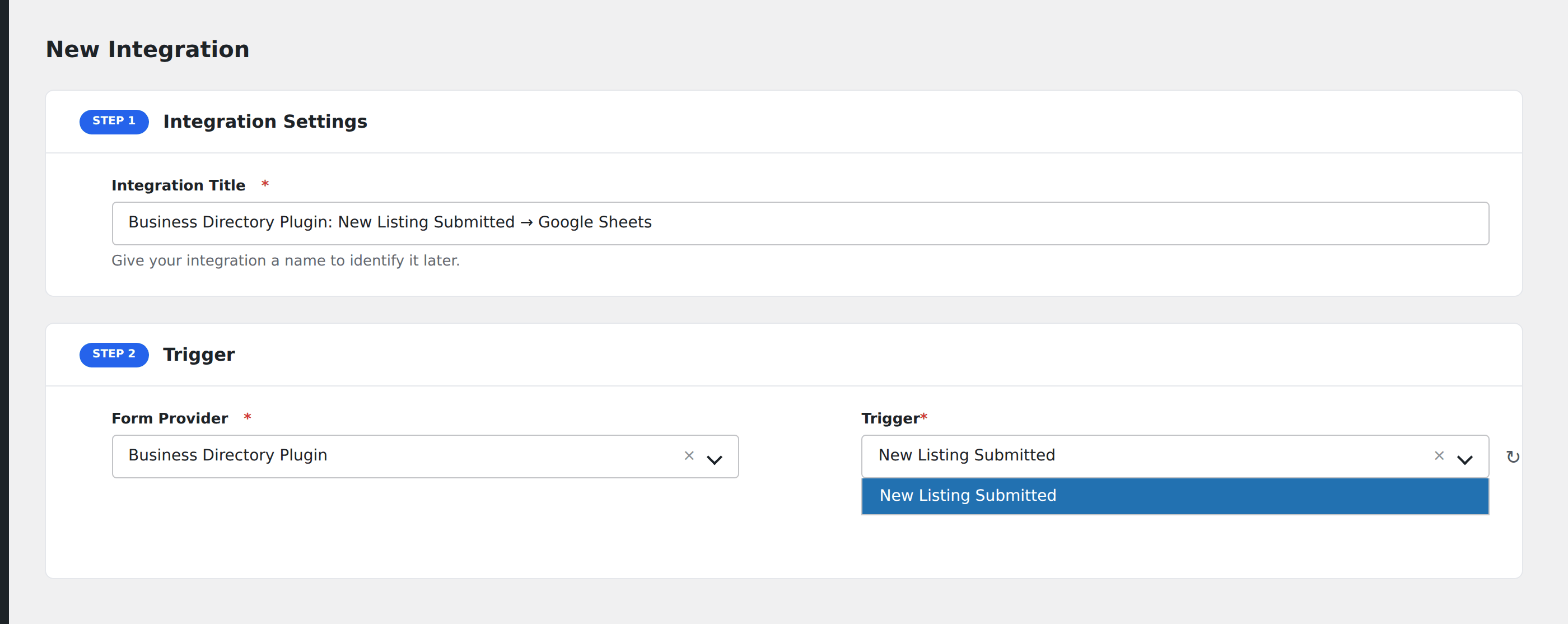
- Go to WP Admin → AFI → Add New.
- Enter an Integration Title, e.g.
Business Directory Plugin: New Listing Submitted → Google Sheets. - In Trigger → Form/Data Provider, select Business Directory Plugin.
- In Form/Task Name, choose New Listing Submitted.
- In Action → Platform, pick the destination and complete the field mapping.
- Optional: configure Conditional Logic so only matching events are sent.
- Click Save Integration.
How AFI listens for new listings
AFI hooks the class-scoped action WPBDP_Listing::listing_created, which the directory fires through do_action_ref_array() with the WPBDP_Listing instance. That is the same hook the plugin’s own core code uses to send its built-in new-listing notification emails, which makes it a more reliable signal than watching for a generic post-status transition on the listing post type. Values are read with WPBDP_Form_Field::value( $listing_id, true ); the true skips the wpbdp_form_field_value display filter so your destination receives the stored value rather than rendered HTML.
Why only the title and email are free
Business Directory Plugin has no dedicated name or email field type. A listing’s name is always the post title, and Email is a validator attached to an ordinary text field rather than a field type of its own. AFI detects it with has_validator( 'email' ), which is the only reliable free-versus-pro signal the directory exposes.
Troubleshooting
A custom field is missing from the mapping dropdown
On the free AFI tier only email-validated fields are listed. Confirm the field really has the Email validator applied in Directory → Form Fields → Edit, or upgrade to route the full field set.
Values arrive with HTML markup
That happens when something else on the site re-applies the display filter downstream. AFI itself requests raw values. Check any snippet hooked to wpbdp_form_field_value on your site.
Listings created by import do not fire
Bulk CSV imports bypass the listing-created action in some directory versions. Create one listing through the front-end form to confirm the integration works before judging it by an import.