 AFI
AFI
WooCommerce Analytics
Advanced Form Integration (AFI) can watch the WooCommerce Analytics plugin and fire an integration whenever order stats are synced, deleted, or when missing orders are detected. That means you can push analytics data to other tools automatically. For example, you can log every synced order in Google Sheets, tag returning customers in Mailchimp, or send revenue and attribution data to a CRM.
What You’ll Need
- WooCommerce installed and active
- The WooCommerce Analytics plugin installed and active
- Advanced Form Integration (free version works, AFI Pro also supported)
- An account on the receiving platform, such as Google Sheets or Mailchimp
How to Create the Integration
- Log in to your WordPress dashboard and go to AFI > Add New.
- AFI fills in a default Integration Title. Rename it to something you will recognize later, like “Analytics Orders to Google Sheets”.
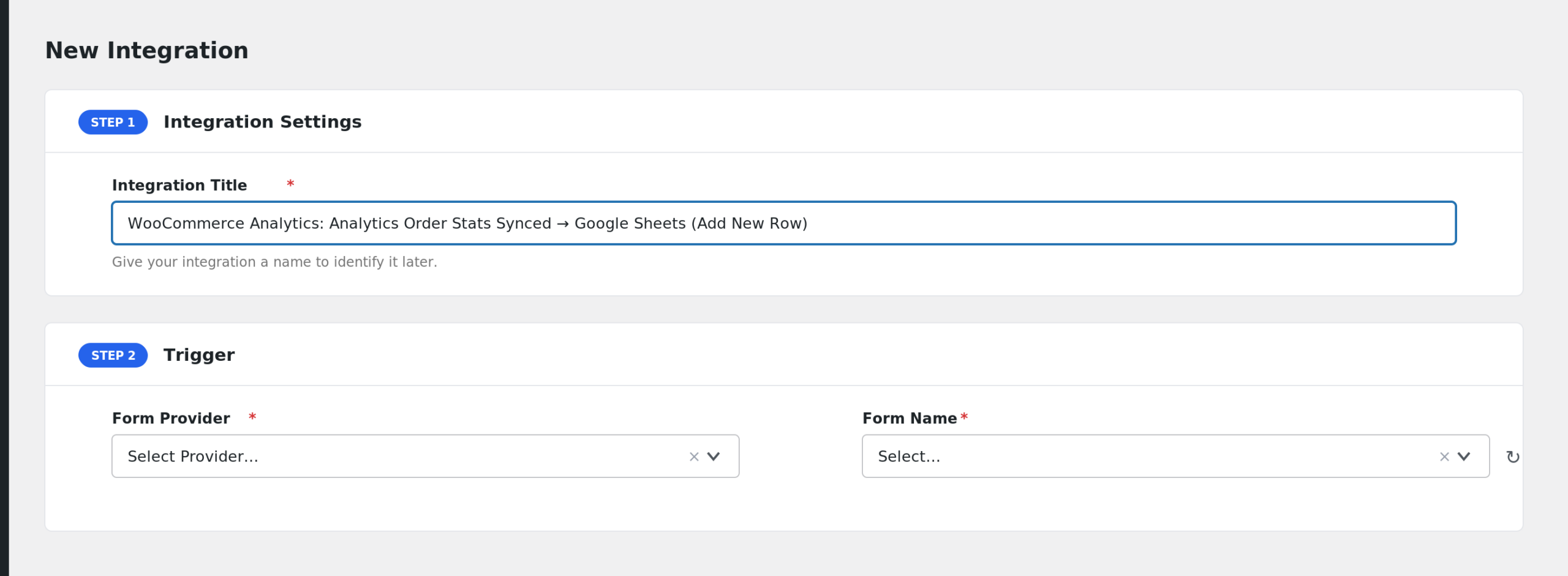
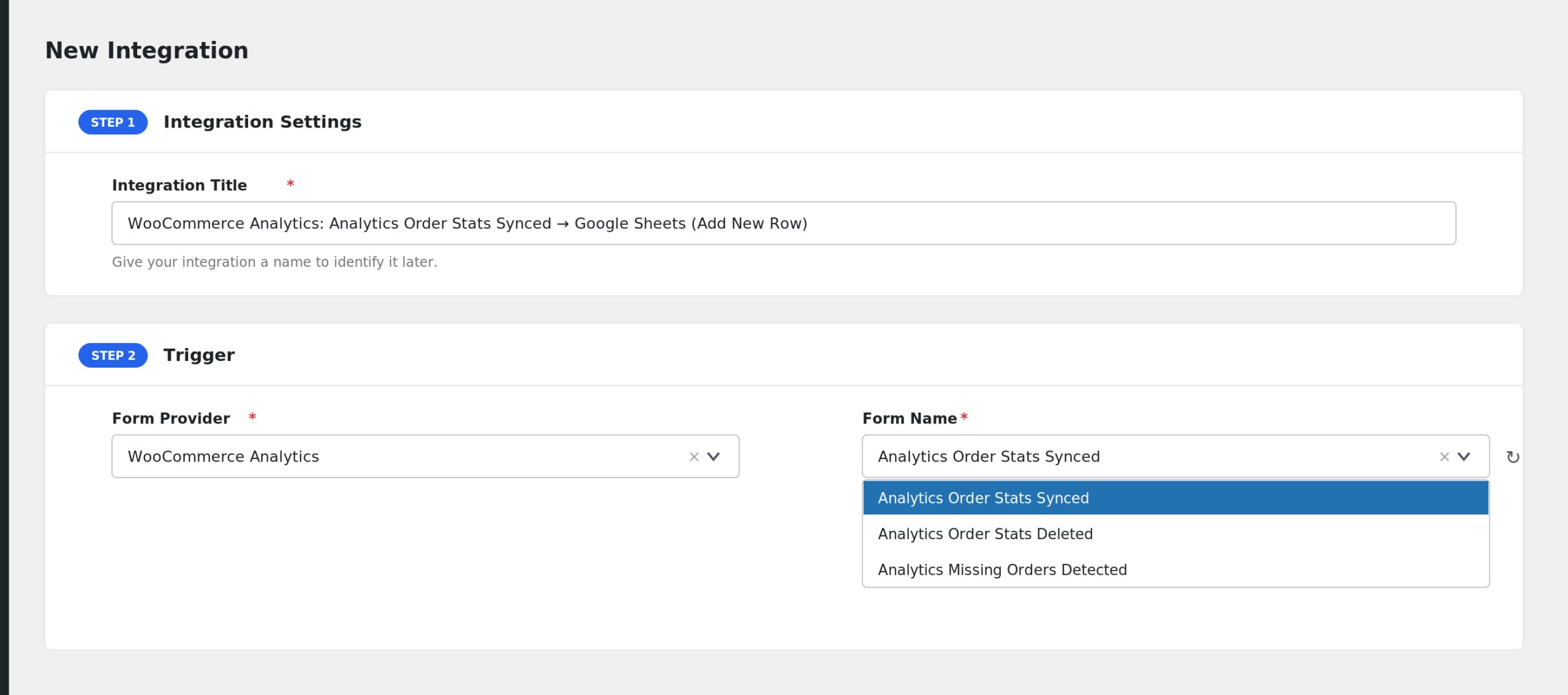
- In the Trigger section, open the Form Provider dropdown and select WooCommerce Analytics. If you do not see it, the WooCommerce Analytics plugin is not active on your site.
- In the Form/Task Name dropdown, pick the event you want. You will see three options: Analytics Order Stats Synced, Analytics Order Stats Deleted, and Analytics Missing Orders Detected.
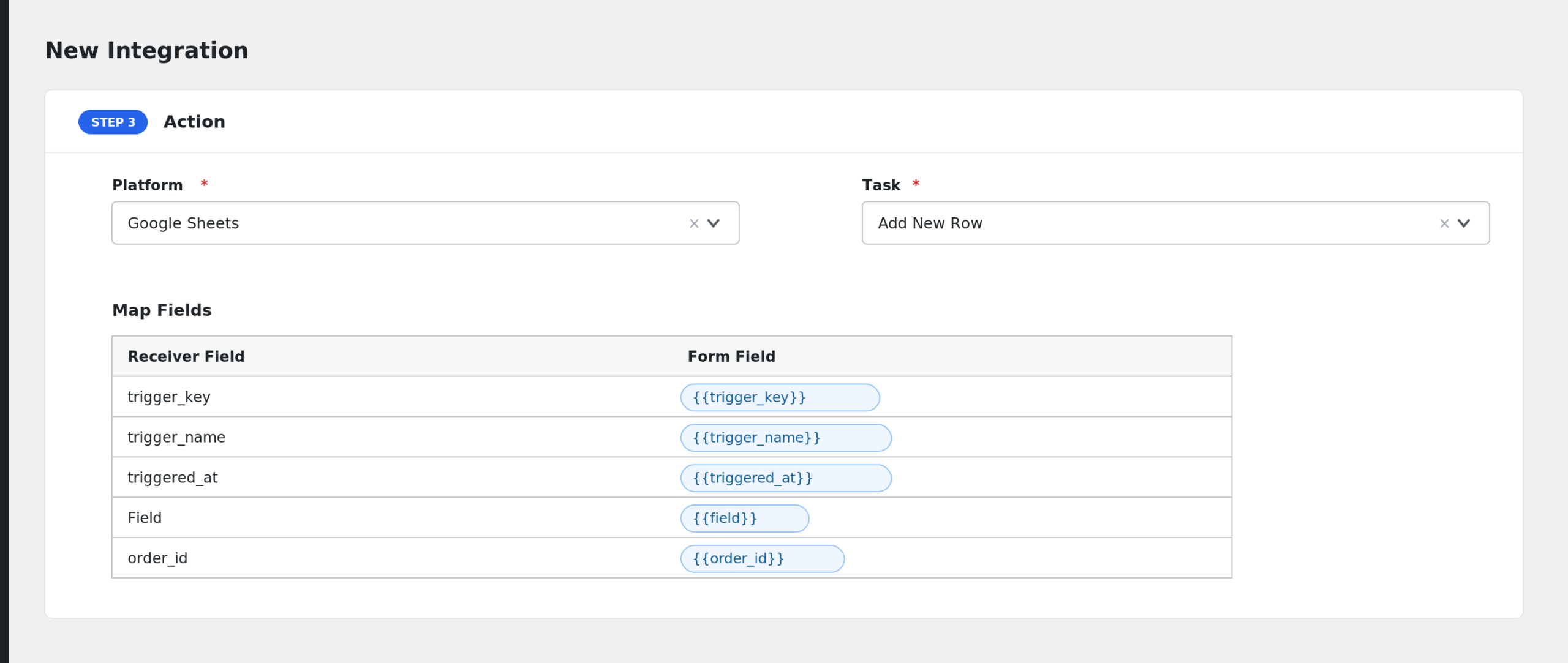
- In the Action section, choose your receiver platform, for example Google Sheets, and connect your account.
- Map the WooCommerce Analytics fields to the fields on the receiving platform.
- Click Save Integration.
Available Events
- Analytics Order Stats Synced: fires when WooCommerce Analytics syncs report data for an order. Sends full order stats plus attribution data.
- Analytics Order Stats Deleted: fires when analytics report data for an order is deleted.
- Analytics Missing Orders Detected: fires when the plugin detects orders that are missing from the analytics tables.
Fields You Can Send
Every event includes these common fields:
| Field | Description |
|---|---|
| trigger_key | The internal event key, such as orderSynced |
| trigger_name | The readable event name |
| triggered_at | Date and time the event fired |
The Analytics Order Stats Synced event adds order and attribution fields:
| Field | Description |
|---|---|
| order_id | WooCommerce order ID |
| order_parent_id | Parent order ID, if any |
| order_status | Order status |
| order_date_created | Date the order was created |
| order_date_paid | Date the order was paid |
| order_date_completed | Date the order was completed |
| order_num_items_sold | Number of items sold |
| order_total_sales | Total sales amount |
| order_tax_total | Tax total |
| order_total_fees | Total fees |
| order_total_fees_tax | Tax on fees |
| order_shipping_total | Shipping total |
| order_shipping_tax | Shipping tax |
| order_discount_total | Discount total |
| order_discount_tax | Discount tax |
| order_net_total | Net total |
| order_returning_customer | Whether the buyer is a returning customer |
| order_customer_id | Analytics customer ID |
| order_stats_raw | Full order stats as JSON |
| attr_utm_campaign | UTM campaign from order attribution |
| attr_utm_source | UTM source |
| attr_utm_medium | UTM medium |
| attr_utm_content | UTM content |
| attr_utm_term | UTM term |
| attr_utm_source_platform | UTM source platform |
| attr_origin | Attribution origin |
| attr_device_type | Device type used for the purchase |
| attr_source_type | Attribution source type |
| attr_raw | Full attribution data as JSON |
The Analytics Order Stats Deleted event adds:
| Field | Description |
|---|---|
| order_id | ID of the deleted order record |
| deletion_data_raw | The deletion payload as JSON |
The Analytics Missing Orders Detected event adds:
| Field | Description |
|---|---|
| missing_order_ids | Missing order IDs as JSON |
| missing_order_ids_csv | Missing order IDs as a comma separated list |
Only Send New Customer Orders
You can use AFI’s conditional logic to filter events. For example, to record only first time buyers in your spreadsheet, add a condition on the Analytics Order Stats Synced event: send only when order_returning_customer equals false. You could also filter by attr_utm_source to track a single campaign.
Troubleshooting
WooCommerce Analytics is not in the Form Provider dropdown
AFI only shows the provider when the WooCommerce Analytics plugin is active. Go to Plugins and confirm both WooCommerce and WooCommerce Analytics are active, then reload the AFI screen.
The integration is not firing
Open AFI > Log and check for entries. If nothing appears, the analytics event never fired. Order stats sync runs on WooCommerce Analytics’ own schedule, so it may not be instant. Confirm the correct event is selected in Form/Task Name.
Fields arrive blank
The deleted and missing orders events only carry a small set of fields. If you mapped order fields like order_total_sales on those events, they will be empty. Use the Analytics Order Stats Synced event for full order data.