 AFI
AFI
Easy Digital Downloads
Easy Digital Downloads (EDD) is the leading WordPress plugin for selling digital products. Advanced Form Integration captures EDD events (new sales, refunds, customer registrations) and routes the data to any of 200+ destinations.
What you’ll need
- The Easy Digital Downloads plugin installed and activated.
- At least one digital product published.
- The Advanced Form Integration plugin installed and activated.
Sale data captured
| Field | Format |
|---|---|
| Customer name | First and last separately |
| Customer email | Same as input |
| Customer ID | Numeric EDD customer ID |
| Order ID | Numeric EDD order/payment ID |
| Order total | Numeric, in your default currency |
| Subtotal | Numeric |
| Tax | Numeric |
| Discount | Numeric |
| Currency | 3-letter code |
| Items | Comma-separated download names |
| Item count | Numeric |
| Discount code | If used |
| Payment gateway | The gateway used |
| Payment status | pending / complete / refunded / failed / cancelled |
| First purchase | 1 if this is the customer’s first purchase, empty if returning |
EDD’s custom checkout fields also appear in the field-mapping dropdown.
Create the integration
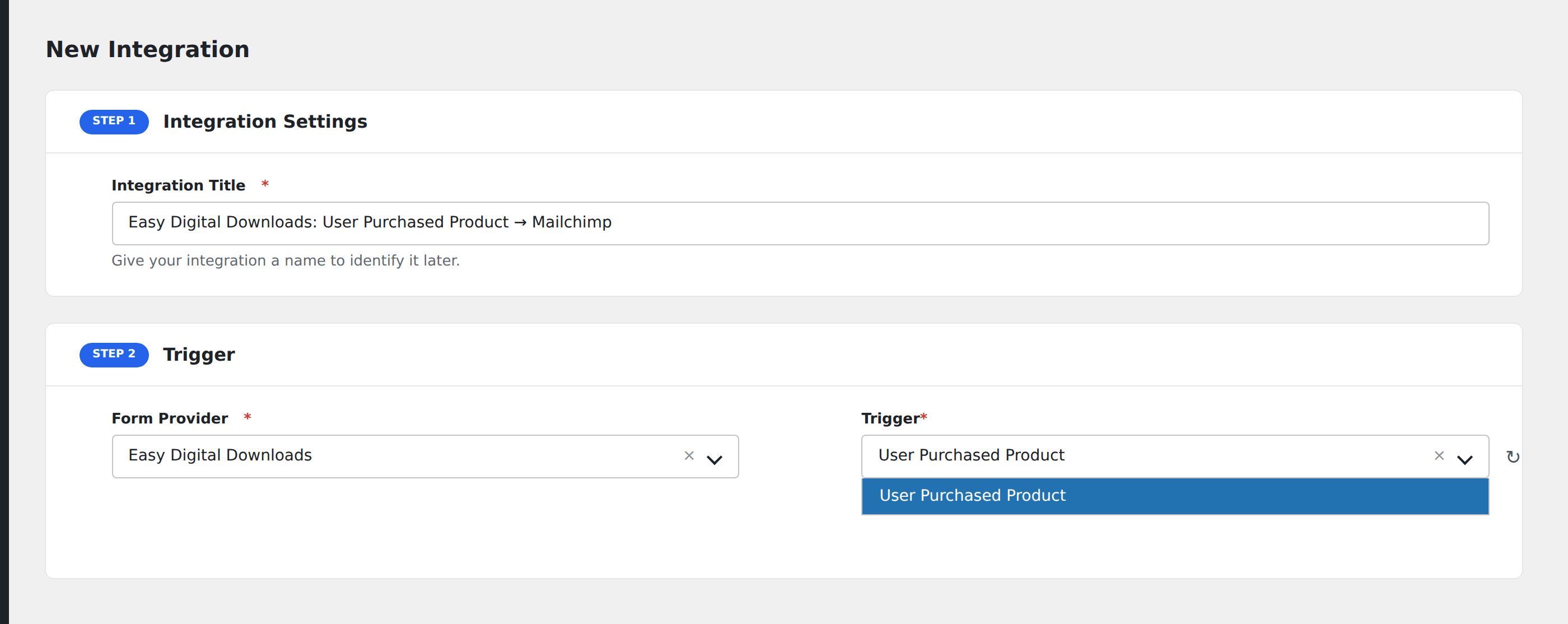
- Go to WP Admin → AFI → Add New.
- Enter an Integration Title, e.g.
EDD purchase → Mailchimp customer segment. - In Trigger → Form/Data Provider, select Easy Digital Downloads.
- In Form/Task Name, choose the event (Sale Complete, Refund, etc.).
- In Action → Platform, pick the destination and complete the field mapping.
- Optional: configure Conditional Logic.
- Click Save Integration.
Conditional logic example
Goal: when a customer’s first purchase is over $100, also add them to a “VIP onboarding” Mailchimp sequence.
Create the Mailchimp integration on the Sale Complete event. Open the Conditional Logic panel, add two conditions: order total Greater Than 99, AND first purchase Equal To 1. Set Must Match Condition to All.
Troubleshooting
Pending sales clutter the destination
Free downloads and orders awaiting payment fire Sale Complete with status pending. To filter to only paid sales, add a condition on payment status, Equal To, value complete.
EDD Recurring Payments
EDD’s recurring extension fires its own renewal events that AFI captures separately. Listen for Subscription Renewed if you need recurring revenue tracking.
Custom checkout field not visible
Custom fields are exposed only after the first sale with that field populated. Submit a test order to surface them.