 AFI
AFI
Kadence Security (formerly Solid Security / iThemes Security)
Kadence Security, previously Solid Security and before that iThemes Security, hardens WordPress with brute-force protection, file change detection, and IP banning. Advanced Form Integration captures permanent IP bans and routes the data to any of 200+ destinations.
What you’ll need
- The Kadence Security plugin (
better-wp-security) installed and activated. - Banned Users or Local Brute Force protection enabled in the plugin’s settings.
- The Advanced Form Integration plugin installed and activated.
When the trigger fires
AFI registers a single IP Banned trigger for Kadence Security. It fires when a lockout escalates into a permanent IP ban.
Data captured
| Field | Field key | Format |
|---|---|---|
| Banned IP Address | ip_address |
IP address |
| Lockout Module | lockout_module |
Text, the module that asked for the ban |
| Username | username |
Text, empty unless the ban came from a username lockout |
| Ban Time | ban_time |
YYYY-MM-DD HH:MM:SS, site time |
Create the integration
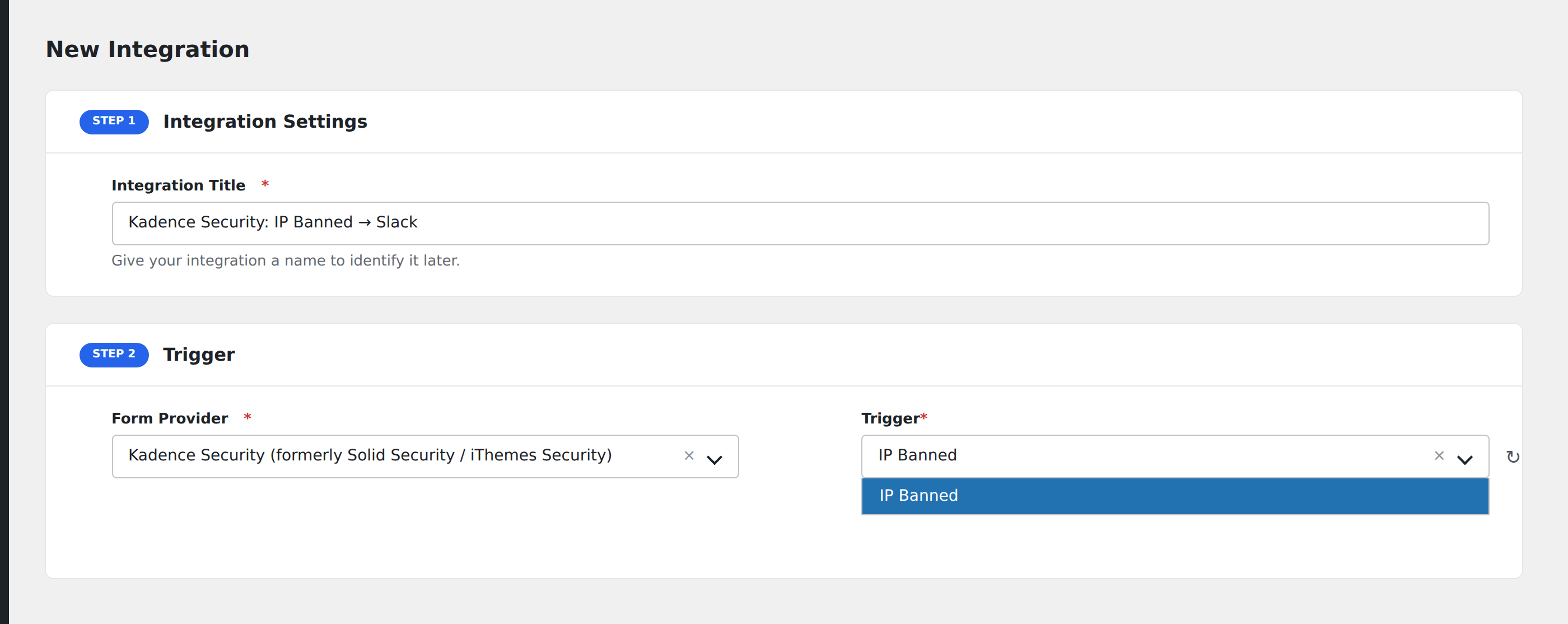
- Go to WP Admin → AFI → Add New.
- Enter an Integration Title, e.g.
Kadence Security: IP Banned → Slack. - In Trigger → Form/Data Provider, select Kadence Security (formerly Solid Security / iThemes Security).
- In Form/Task Name, choose IP Banned.
- In Action → Platform, pick the destination and complete the field mapping.
- Optional: configure Conditional Logic so only matching events are sent.
- Click Save Integration.
How AFI listens for bans
AFI hooks itsec_new_banned_ip, fired from blacklist_ip() in core/lockout.php with the banned IP and an optional lockout context object. Registration is guarded by class_exists( 'ITSEC_Core' ). Note that this is the ban event, not every temporary lockout, so it fires once per IP that crosses into the permanent blacklist.
Why the username is often empty
Only the Username_Context subclass exposes a get_username() method. Host_Context and the other module contexts carry nothing beyond the IP itself, and most bans originate from IP or firewall rules rather than from a specific username lockout. AFI reads the username when the context offers it and leaves the field blank otherwise. Lockout Module tells you which subsystem raised the ban.
Troubleshooting
Temporary lockouts do not fire
Correct. This trigger is scoped to permanent bans. A temporary lockout that later expires without escalating never reaches the blacklist and never dispatches.
Bans added manually do not fire
Adding an IP by hand to the Banned Users list writes it directly to the ban table in some versions without going through blacklist_ip(). Test with an automated lockout rather than a manual entry.