 AFI
AFI
Flodesk
Flodesk is an email marketing platform known for its beautiful templates and simple interface. Advanced Form Integration subscribes form submitters to your Flodesk segments from WordPress form submissions, with double opt-in support.
What you’ll need
- An active Flodesk account.
- A Flodesk API Key (see below).
- The Advanced Form Integration plugin installed and activated.
Get your Flodesk API key
- Sign in to your Flodesk dashboard.
- Go to Profile → Integrations → API Keys.
- Create an API Key and copy it.
- In WordPress, go to AFI → Settings → Flodesk.
- Click Add Account, paste the API key, and give the account a name.
- Click Save.
Flodesk uses HTTP Basic Auth with the API key as the username and an empty password.
Create the integration
- Go to AFI → Add New.
- Give the integration a name, for example
Newsletter signup to Flodesk. - Under Trigger, pick the form plugin and the specific form.
- Under Action → Platform, select Flodesk.
- In Task, choose Subscribe.
- Pick the saved account in the Flodesk Account dropdown.
- Select a Segment. AFI loads your segments from the API.
- Check Double Opt-In if you want subscribers to receive a confirmation email.
- Map your form fields onto the Flodesk fields listed below.
- Optional: open Conditional Logic to limit which submissions are sent.
- Click Save Integration.
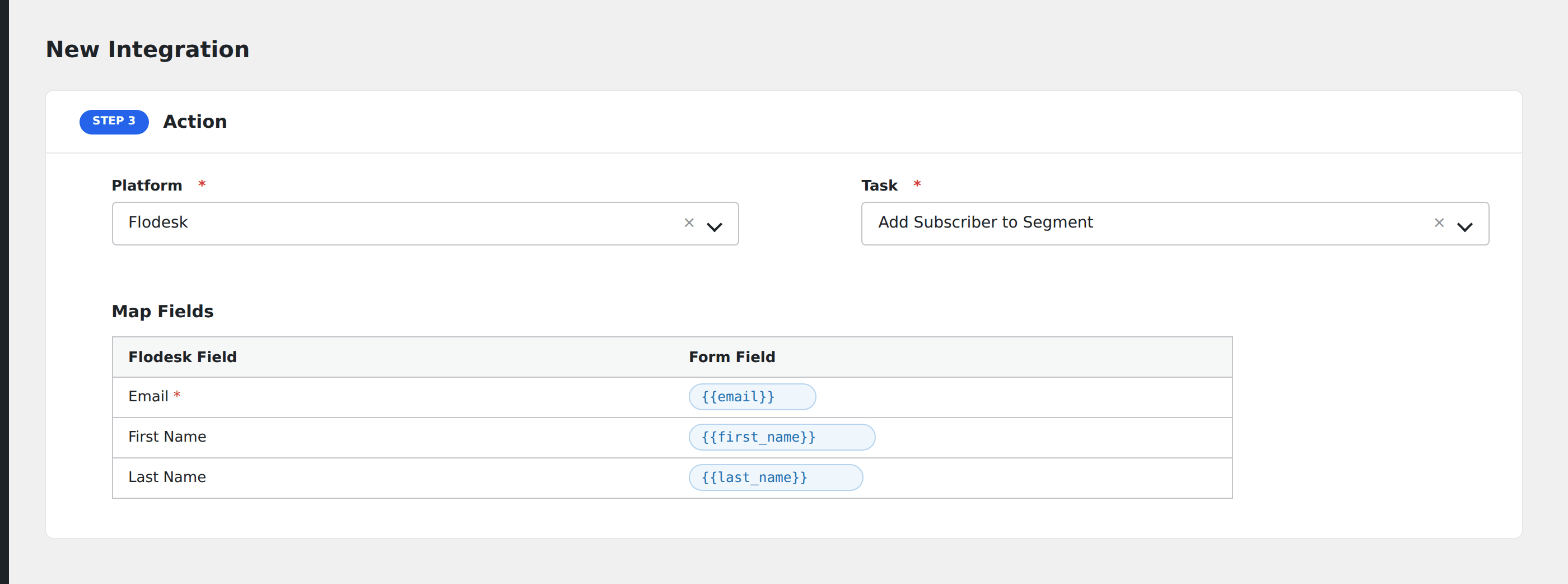
Tasks supported
Subscribe
Creates a subscriber via POST /v1/subscribers. After the subscriber is created, if a segment was selected, AFI adds the subscriber to the segment via POST /v1/subscribers/{email}/segments. When double opt-in is enabled, Flodesk sends a confirmation email before activating the subscription.
| Field | Field key | Required | Notes |
|---|---|---|---|
email |
Yes | Subscriber email address | |
| First Name | firstName |
No | |
| Last Name | lastName |
No | |
| Double Opt-In | doptin |
No | Checkbox; sends confirmation email |
Pro features
The Pro integration extends the free version with auto-loaded custom fields. Pro uses the same Flodesk API key connection and the same task.
Custom fields (auto-loaded)
Pro fetches your custom field definitions from GET /v1/custom-fields/all. Each field appears in the mapper with its label. Custom field values are sent under the custom_fields object in the subscriber payload, alongside the segment IDs in a single create call.
Feature comparison
| Feature | Free | Pro |
|---|---|---|
| Subscribe to segment | ✅ | ✅ |
| Email + name fields | ✅ | ✅ |
| Double opt-in | ✅ | ✅ |
| Custom fields (auto-loaded from API) | No | ✅ |
Conditional logic example
Only subscribe contacts to your “Workshop Attendees” segment when the form’s event_type field is “workshop”. Other signups go to a general segment via a separate integration.
Troubleshooting
Nothing arrives in Flodesk
Open AFI → Log and find the most recent entry. AFI stores the request URL, JSON body, and raw response.
Subscriber not added to segment
The subscriber is created first, then added to the segment in a second API call. If the first call fails, the second never runs. Check the log for errors on the subscriber creation step.
API key rejected
Verify the API key in Profile → Integrations → API Keys. Flodesk keys are long strings; make sure there are no leading or trailing spaces when pasting.