 AFI
AFI
Systeme.io
Systeme.io is an all-in-one marketing platform combining email marketing, sales funnels, online courses, and affiliate management. Advanced Form Integration sends form submissions to Systeme.io as new or updated contacts on a chosen list, with optional tag assignment.
What you’ll need
- An active Systeme.io account.
- A Systeme.io Public API Key (Profile → Settings → Public API Keys).
- The Advanced Form Integration plugin installed and activated.
Get your Systeme.io API key
- Log in to your Systeme.io Dashboard.
- Click Profile → Settings → Public API Keys.
- Create a new API key or copy your existing one.
Connect Systeme.io to AFI
- In WordPress, go to AFI → Settings.
- Enable Systeme.io and click Save Changes.
- Open the Systeme.io tab.
- Paste the API Key and click Save Changes.
Create the integration
- Go to AFI → Add New.
- Configure the trigger.
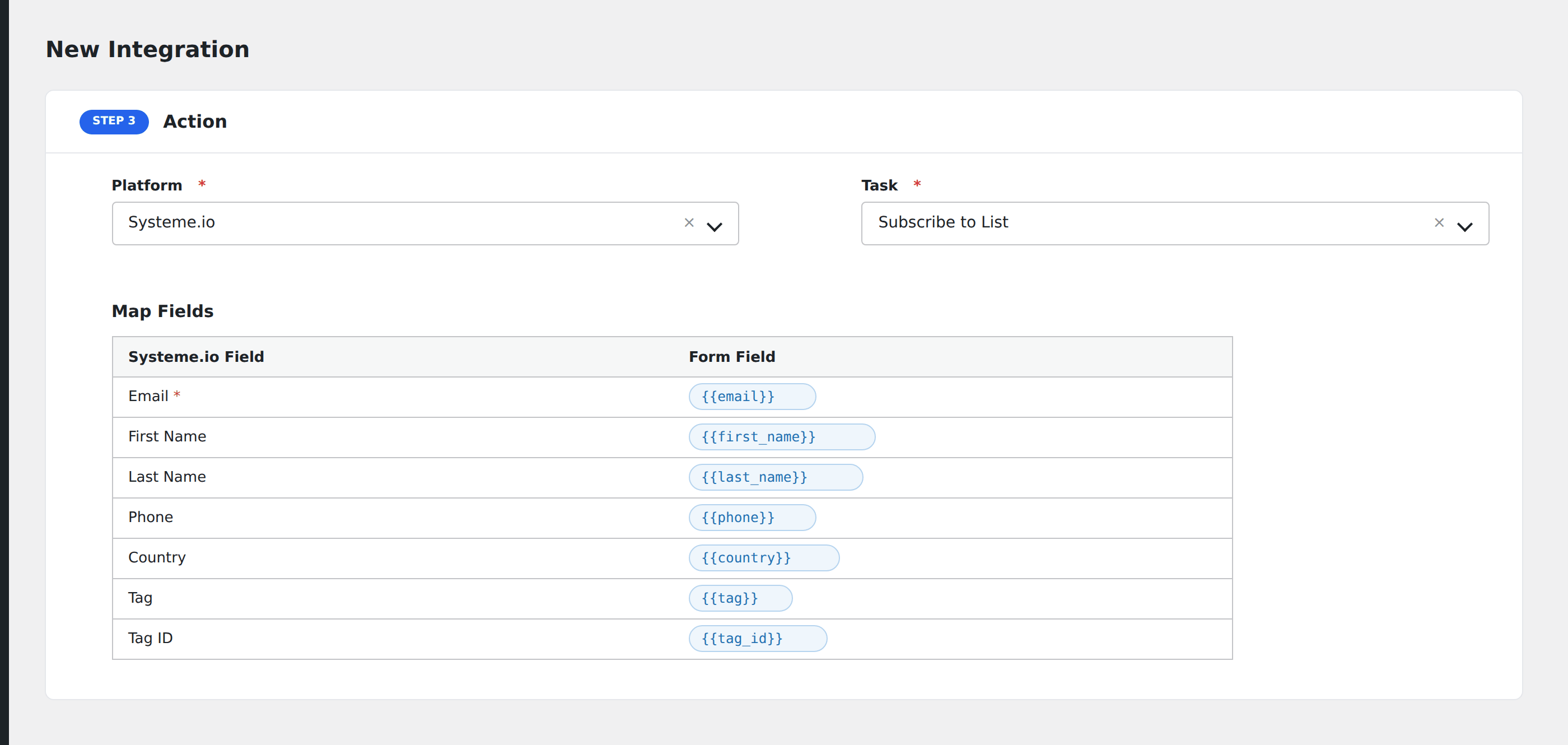
- In Action → Platform, select Systeme.io.
- In Task, choose Subscribe to List.
- Map the form fields:
- Email (required).
- First Name, Last Name, Phone, Country.
- Custom contact fields defined in your Systeme.io account.
- Tag: pass a Systeme.io Tag ID (numeric). Format example:
Event Volunteer: 123456: only the ID123456gets sent to the API.
- Optional: configure Conditional Logic.
- Click Save Integration.
Tasks supported
Subscribe to List
Creates or updates a contact in your Systeme.io account, optionally assigning a tag. Re-submissions with a known email update the existing contact and apply the tag.
Conditional logic example
Apply Systeme.io tag ID 123456 (e.g. “Event Volunteer”) only when the form’s volunteer_signup checkbox is checked. Standard signups skip the tag.
Troubleshooting
Integration doesn’t fire
Open AFI → Log and find the most recent entry. The log shows the request payload sent to Systeme.io and the response received, usually pointing straight at the cause.
“422 – Unprocessable Entity”
Common causes:
- Long text fields: Systeme.io enforces a 255 character limit on each custom field. Submissions with longer values are rejected. Limit long-text fields in your form settings.
- Invalid tag ID: confirm the Tag ID exists in your Systeme.io account.
- Country name mismatch: Systeme.io expects ISO codes, not full country names.
Test minimally first
If a complex integration fails, simplify: try a minimal integration with only Email and a valid Tag ID. Once that works, incrementally add more fields and re-test each time.