 AFI
AFI
CartFlows
CartFlows is a sales-funnel and checkout-page builder for WooCommerce by Brainstorm Force. Advanced Form Integration captures every CartFlows checkout submission and routes the data to any of 200+ destinations, useful for syncing customers and orders to a CRM, archiving sales in a spreadsheet, or pinging the team on a new sale.
What you’ll need
- WooCommerce installed and activated.
- The CartFlows plugin installed and activated.
- The Advanced Form Integration plugin installed and activated.
- At least one CartFlows funnel built with a Checkout step.
Submission data captured
| Field | Format |
|---|---|
| Customer name | First and last separately |
| Customer email | Same as input |
| Customer phone | Same as input |
| Billing address | Each sub-field separately |
| Shipping address | Each sub-field separately |
| Order total | Numeric, in your default currency |
| Currency | 3-letter code (USD, EUR, GBP) |
| Order items | Comma-separated product names |
| Funnel name | The CartFlows funnel that triggered |
| Step name | The checkout step name |
| UTM parameters | If UTM Parameters is also active |
Create the integration
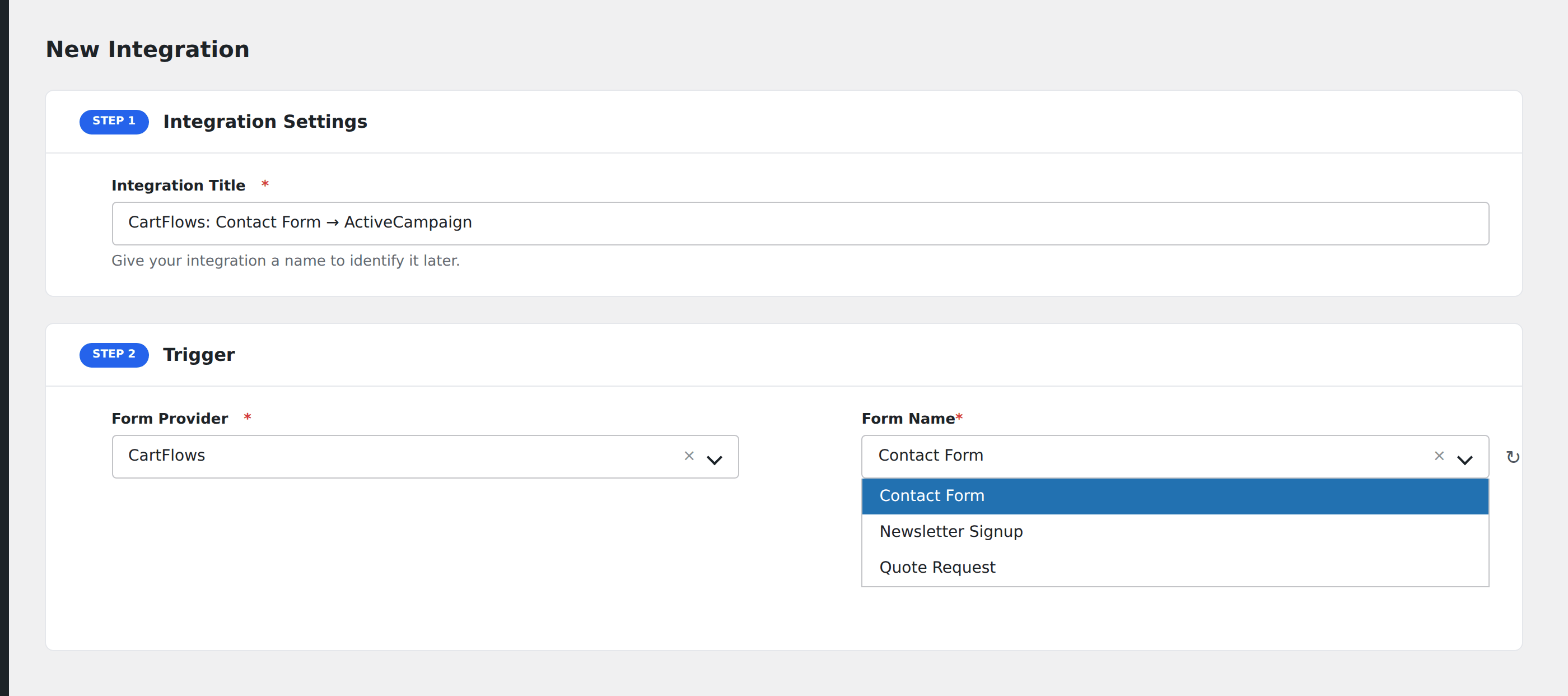
- Go to WP Admin → AFI → Add New.
- Enter an Integration Title, e.g.
CartFlows → ActiveCampaign. - In Trigger → Form/Data Provider, select CartFlows.
- In Form/Task Name, choose the funnel + step combination to listen on.
- In Action → Platform, pick the destination and complete the field mapping.
- Optional: configure Conditional Logic.
- Click Save Integration.
Useful integrations
- Email marketing (Mailchimp, ActiveCampaign, Klaviyo, Brevo): add buyers to a “Customer” segment for upsell campaigns.
- CRM (HubSpot, Pipedrive, Salesforce): every checkout becomes a CRM contact and deal.
- Slack: ping the team in real time on big sales.
- Google Sheets: log orders alongside other tools.
Conditional logic example
Goal: when a CartFlows checkout total exceeds $500, ping a #vip-orders Slack channel for white-glove fulfillment.
Create a Slack integration on the CartFlows trigger pointing at the #vip-orders webhook. Open the Conditional Logic panel, add a condition with the order total field, Greater Than, value 500.
Troubleshooting
Order created in WooCommerce but no AFI fire
CartFlows’ AFI hook fires only on the CartFlows checkout step, not on every WooCommerce order. If the customer skipped the funnel and went straight to the regular Woo checkout, use the WooCommerce trigger instead.
Funnel/step not appearing in dropdown
CartFlows registers the funnel + step combo on first front-end load. Visit the funnel’s checkout page once, then reload the AFI screen.
UTM parameters not captured
UTM tracking is a separate AFI sender. Activate UTM Parameters and re-save your integration to expose UTM fields in the mapping.