 AFI
AFI
Monday.com
monday.com is a popular work-management platform with a flexible board-based UI. Advanced Form Integration creates a new item on a monday board for every form submission, mapping form fields to board columns.
What you’ll need
- An active monday.com account.
- A monday API token (v2).
- A board configured in monday with the columns you want to populate.
- The Advanced Form Integration plugin installed and activated.
Get your monday API token
- Log in to monday.com.
- Click your profile avatar (bottom left) → Developers.
- Open the My Access Tokens tab.
- Copy the token (long string starting with
eyJ...).
Connect monday to AFI
- In WordPress, go to AFI → Settings → Monday.com.
- Paste the API Token and click Save Changes.
Create the integration
- Go to AFI → Add New.
- Configure the trigger.
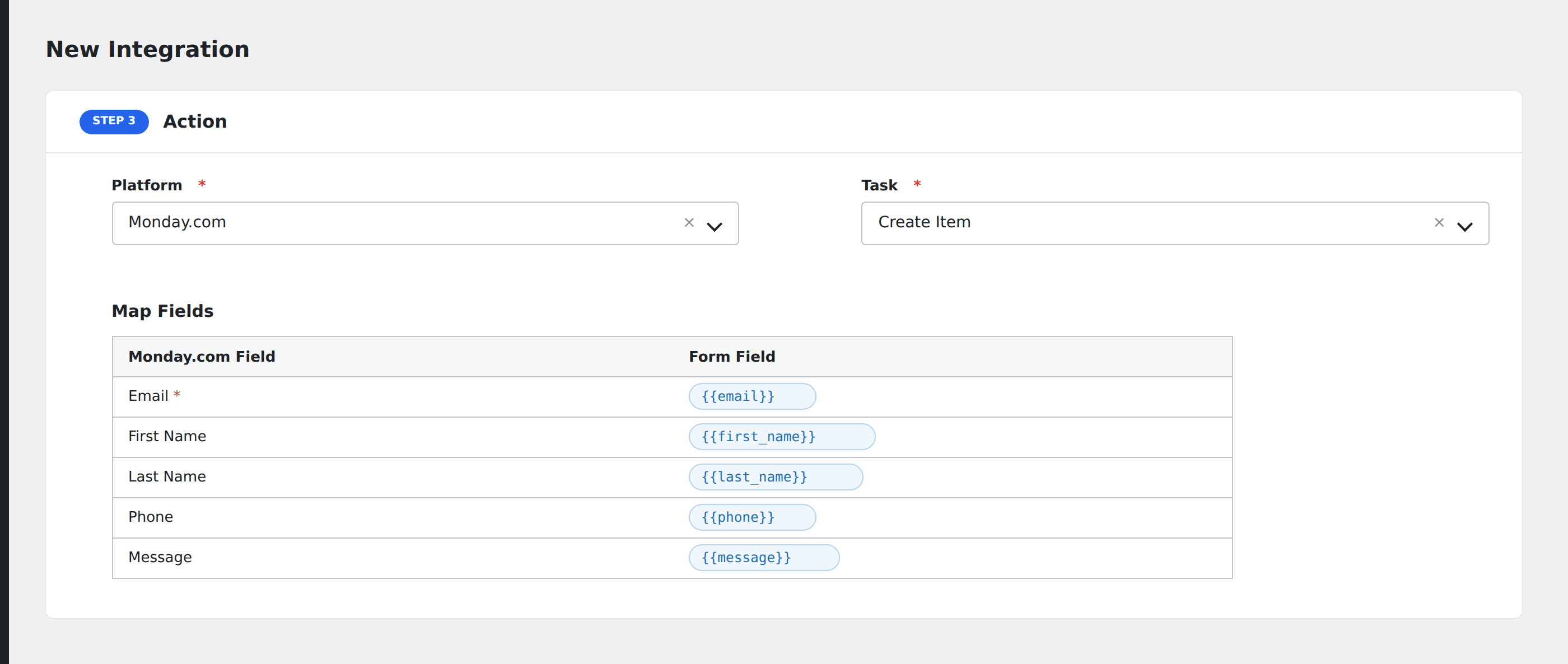
- In Action → Platform, select Monday.com.
- In Task, choose Create Item.
- Pick the Board from the dropdown.
- Map the form fields to monday columns.
- Optional: configure Conditional Logic.
- Click Save Integration.
Tasks supported
Create Item
Adds a new item to the chosen board. Each item lands in the first group of the board by default.
Column type notes:
- Text, Long Text, Email, Phone, URL, Numbers: map directly.
- Status: value must match an existing status label.
- Dropdown: value must match an existing dropdown option (or comma-separated list for multi-select).
- Date:
YYYY-MM-DD. - People: monday user ID(s), comma-separated.
- Tags: comma-separated tag names.
- Files: provide a publicly accessible URL.
Conditional logic example
Goal: route enterprise inquiries to the sales team’s monday board, and self-serve inquiries to the support board.
Create two integrations on the same form, each pointing at a different monday board. Add the matching Equal To condition on each.
Troubleshooting
Item not created
Common monday API errors:
InvalidUserError: token is wrong or revoked.Column value is invalid: the value doesn’t match the column’s allowed format (e.g. unrecognized status label).Board not found: re-pick the board in AFI to refresh.
Status / dropdown values rejected
monday.com status and dropdown columns reject values that don’t exactly match a predefined option (case-sensitive). Either add the values as options first, or normalize your form’s dropdown options to match.