 AFI
AFI
Pipedrive
Pipedrive is a sales-focused CRM used by 100,000+ companies for pipeline tracking and deal management. Advanced Form Integration sends form submissions straight into Pipedrive as a new person, organization, deal, note, or activity, with field mapping to standard and custom properties.
What you’ll need
- An active Pipedrive account.
- A Pipedrive API token.
- The Advanced Form Integration plugin installed and activated.
Get your Pipedrive API token
- Log in to your Pipedrive account.
- Click your profile avatar (top right) → Personal preferences.
- Open the API tab.
- Copy the Your personal API token value.
The token grants access to your entire Pipedrive workspace. Treat it like a password.
Connect Pipedrive to AFI
- In WordPress, go to AFI → Settings.
- Open the Pipedrive tab and turn it on.
- Paste the API token into the Access Token field and click Save Changes.
Create the integration
- Go to AFI → Add New.
- Configure the trigger.
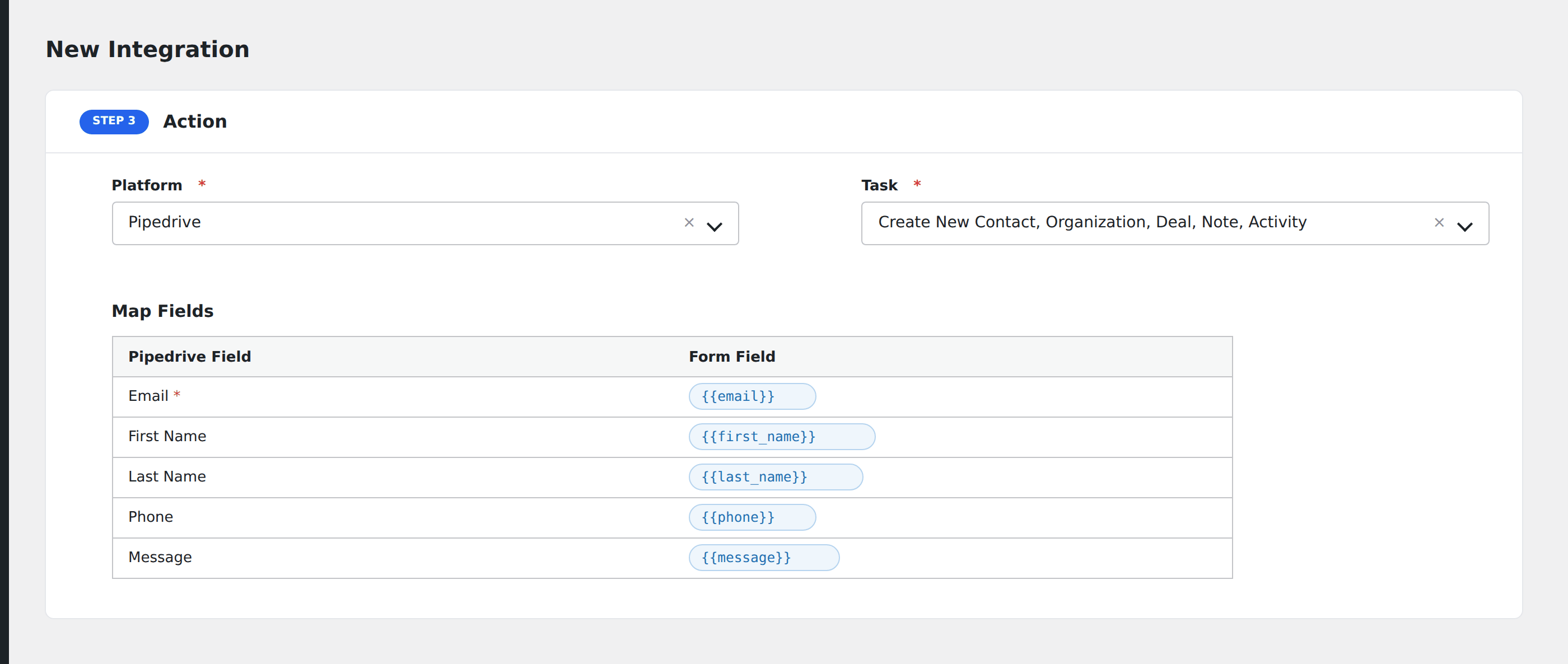
- In Action → Platform, select Pipedrive.
- In Task, choose what to create: Person, Organization, Deal, Note, or Activity.
- Map the form fields to Pipedrive properties.
- Optional: configure Conditional Logic.
- Click Save Integration.
Tasks supported
Create New Person
Adds a new contact (person) to Pipedrive. Pipedrive treats people as the primary contact entity. Name is required.
Create New Organization
Adds a new company / organization. Use this when capturing B2B leads with company info. Name is required.
Create New Deal
Creates a new deal in Pipedrive’s pipeline. Useful for inquiry forms that should generate a sales opportunity. Title is required.
Create New Note
Attaches a note to an existing person, organization, or deal. Map the entity ID and the note content.
Create New Activity
Creates a task / activity (call, meeting, email, etc.) in Pipedrive. Useful for triggering follow-up reminders.
Pro features
The Pro version adds:
- Bulk custom property mapping.
- Multi-select and enumeration field support.
- Person + Deal in one operation (create both with a single submission).
- Pipeline and stage selection on deal creation.
Conditional logic example
Goal: when a contact form’s Inquiry Type is Sales, create both a Person and a Deal in Pipedrive. Other inquiry types only create a Person.
Create two integrations on the same form. The Person integration is unconditional. On the Deal integration, add a condition with the inquiry type field, Equal To, value Sales.
Troubleshooting
Person/Deal not created
Open AFI → Log and find the most recent entry. Common Pipedrive errors:
Authorization has been denied: the API token is wrong or revoked. Re-copy and re-save.Required field missing: name: the name field wasn’t mapped or was empty in the submission.Invalid field key: a custom Pipedrive field was renamed or deleted. Open the integration and re-map.
Custom field doesn’t appear in mapping
Pipedrive custom fields use API keys (long hashes) rather than human names. AFI’s mapping screen shows them by their human label. Hit Refresh fields if a newly created custom field doesn’t show up.