 AFI
AFI
Two Factor
Two Factor is the WordPress community’s official two-factor authentication plugin, supporting TOTP apps, email codes, and backup codes. Advanced Form Integration captures successful 2FA logins and routes the data to any of 200+ destinations.
What you’ll need
- The Two Factor plugin installed and activated.
- At least one 2FA method enabled on a user profile.
- The Advanced Form Integration plugin installed and activated.
When the trigger fires
AFI registers a single 2FA Login Successful trigger for Two Factor. It fires when a user completes the second authentication factor and is signed in.
Data captured
| Field | Field key | Format |
|---|---|---|
| User ID | user_id |
Numeric ID |
| User Email | user_email |
Email address |
| Username | user_login |
Text |
| Display Name | display_name |
Text |
| 2FA Method Used | provider |
Text, for example totp, email, backup_codes |
| Login Time | login_time |
YYYY-MM-DD HH:MM:SS, site time |
Create the integration
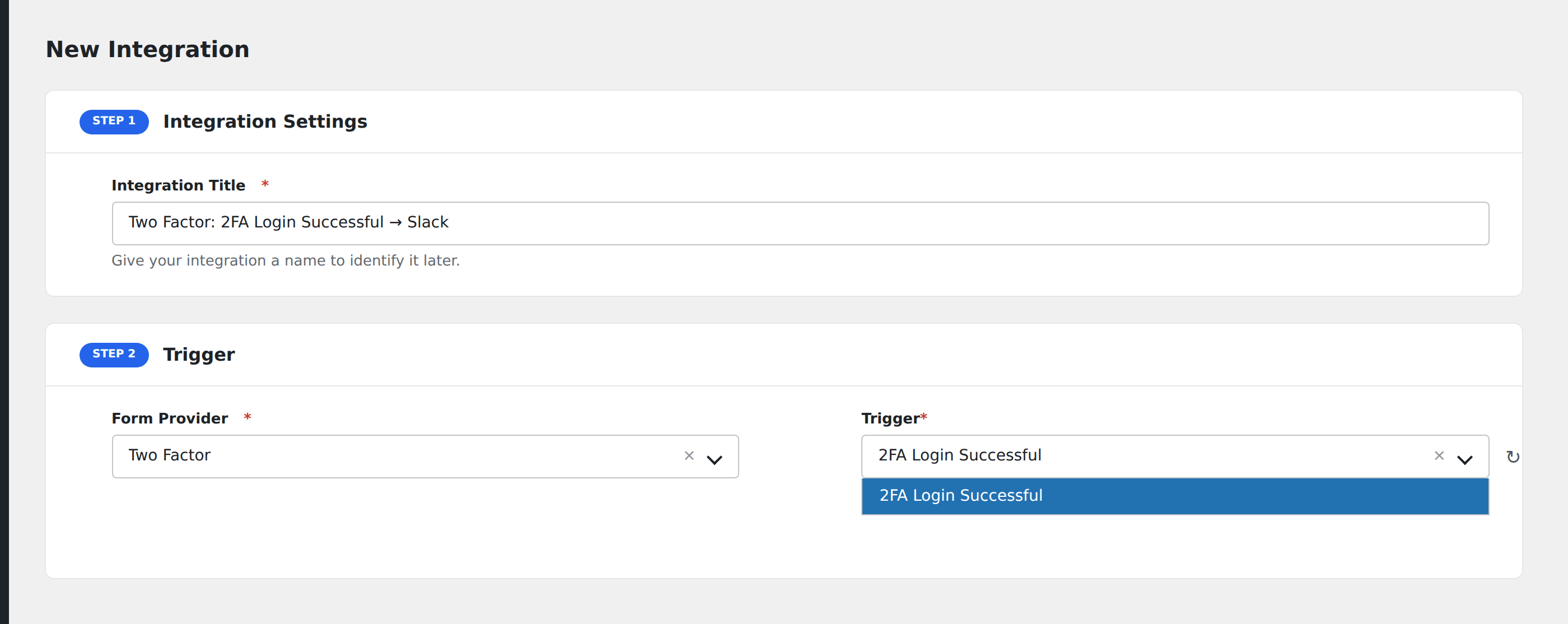
- Go to WP Admin → AFI → Add New.
- Enter an Integration Title, e.g.
Two Factor: 2FA Login Successful → Slack. - In Trigger → Form/Data Provider, select Two Factor.
- In Form/Task Name, choose 2FA Login Successful.
- In Action → Platform, pick the destination and complete the field mapping.
- Optional: configure Conditional Logic so only matching events are sent.
- Click Save Integration.
How AFI listens for 2FA logins
AFI hooks two_factor_user_authenticated, fired from class-two-factor-core.php immediately after wp_set_auth_cookie() and listed in the plugin’s own readme under Actions & Filters. It signals a genuinely completed login rather than an attempt. The provider object exposes get_key(), which AFI maps to 2FA Method Used so you can see whether the person used totp, email, or backup_codes. Registration is guarded by class_exists( 'Two_Factor_Core' ).
A security signal, not a lead
The natural use is monitoring. Post administrator logins into a private channel, append them to an audit spreadsheet, or forward them to a webhook that your SIEM ingests. Combine with Conditional Logic on User ID if you only care about a handful of privileged accounts.
Backup code usage is worth alerting on
A login with backup_codes usually means someone lost their authenticator. Add a second integration with Conditional Logic on 2FA Method Used equal to backup_codes and route it somewhere noisier.
Troubleshooting
Logins by users without 2FA do not fire
Correct. This hook belongs to the Two Factor plugin and only runs when a second factor was actually completed. Users with no 2FA method enabled log in through core and never reach it.
Provider is empty
That happens if a custom provider class does not implement get_key(). Every provider bundled with the plugin does.