 AFI
AFI
EasySendy
EasySendy is a hybrid email-marketing platform combining a SaaS dashboard with Amazon SES (or other) SMTP backends. Advanced Form Integration sends form submissions to EasySendy as new contacts on a chosen list, with full custom-field support in Pro.
What you’ll need
- An active EasySendy account.
- An EasySendy Public API Key (profile dropdown → APIs → Generate).
- The Advanced Form Integration plugin installed and activated.
Get your EasySendy API key
- Log in to your EasySendy account.
- Click the profile dropdown in the top-right of the dashboard.
- Select APIs.
- Generate a new API key if needed, then copy the Public API Key.
Connect EasySendy to AFI
- In WordPress, go to AFI → Settings.
- Enable EasySendy and click Save Changes.
- Open the EasySendy tab.
- Paste the API Key and click Save Changes.
Create the integration
- Go to AFI → Add New.
- Configure the trigger.
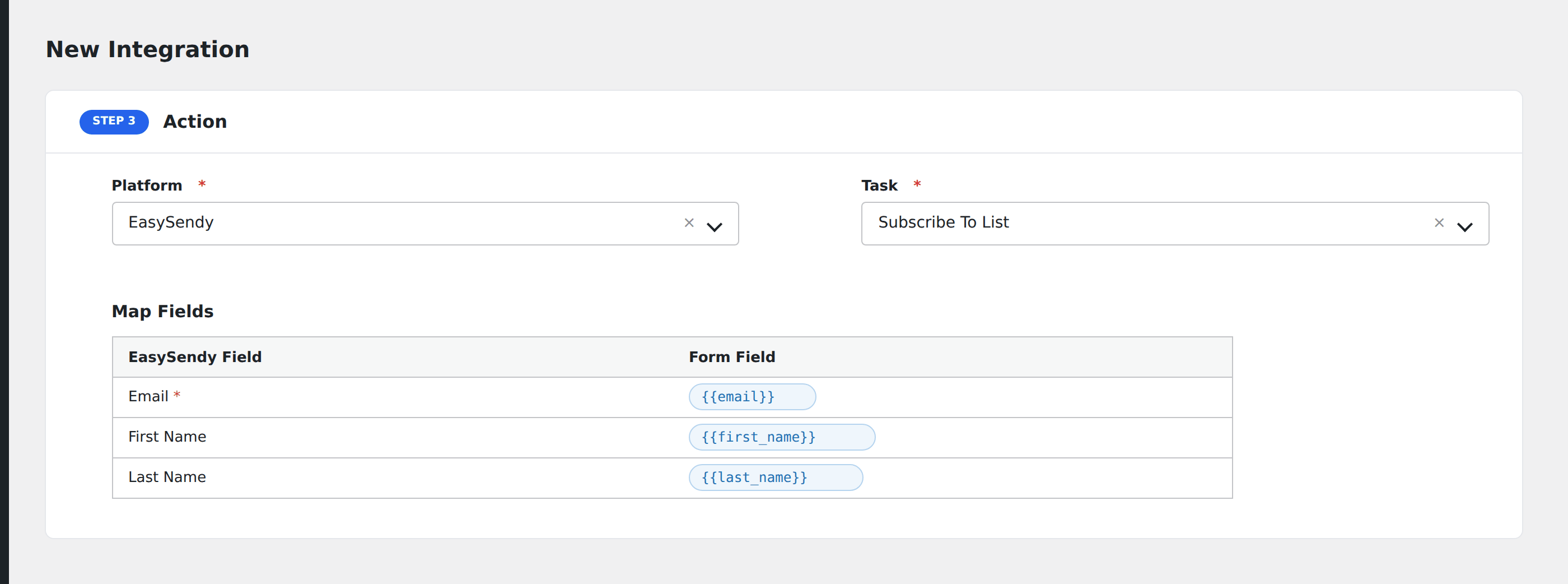
- In Action → Platform, select EasySendy (or EasySendy [PRO] if using Pro).
- In Task, choose Subscribe To List.
- Pick the Contact List: AFI auto-loads your lists.
- Map the form fields:
- Email (required), First Name, Last Name.
- On Pro: any custom fields configured on that list (auto-loaded once you pick the list).
- Optional: configure Conditional Logic.
- Click Save Integration.
Tasks supported
Subscribe To List
Adds the form submitter as a contact on the chosen EasySendy list. Re-submissions update the existing contact rather than creating duplicates.
Pro features
The Pro EasySendy integration adds full custom field mapping. After picking a list, AFI fetches every additional field defined on that list (phone, company, custom attributes) and exposes them in the mapping screen: same workflow as standard fields.
Conditional logic example
Subscribe to your “Premium subscribers” EasySendy list only when the form’s subscription_tier field equals “premium”. Free signups go to the general list via a separate integration.
Troubleshooting
Integration doesn’t fire
Open AFI → Log and find the most recent entry. The log shows the request payload sent to EasySendy and the response received, usually pointing straight at the cause.
Custom field not visible
Custom fields are available in the Pro version. The free integration includes Email, First Name, and Last Name.