 AFI
AFI
SharpSpring
SharpSpring (now Constant Contact Lead Gen & CRM) is a marketing-automation and CRM platform popular with agencies. Advanced Form Integration sends form submissions to SharpSpring as new leads.
What you’ll need
- An active SharpSpring (Constant Contact Lead Gen & CRM) account.
- Your SharpSpring Account ID and Secret Key (Settings → API).
- The Advanced Form Integration plugin installed and activated.
Connect SharpSpring to AFI
- In WordPress, go to AFI → Settings → SharpSpring.
- Enter the Account ID and Secret Key.
- Click Save Changes.
Create the integration
- Go to AFI → Add New.
- Configure the trigger.
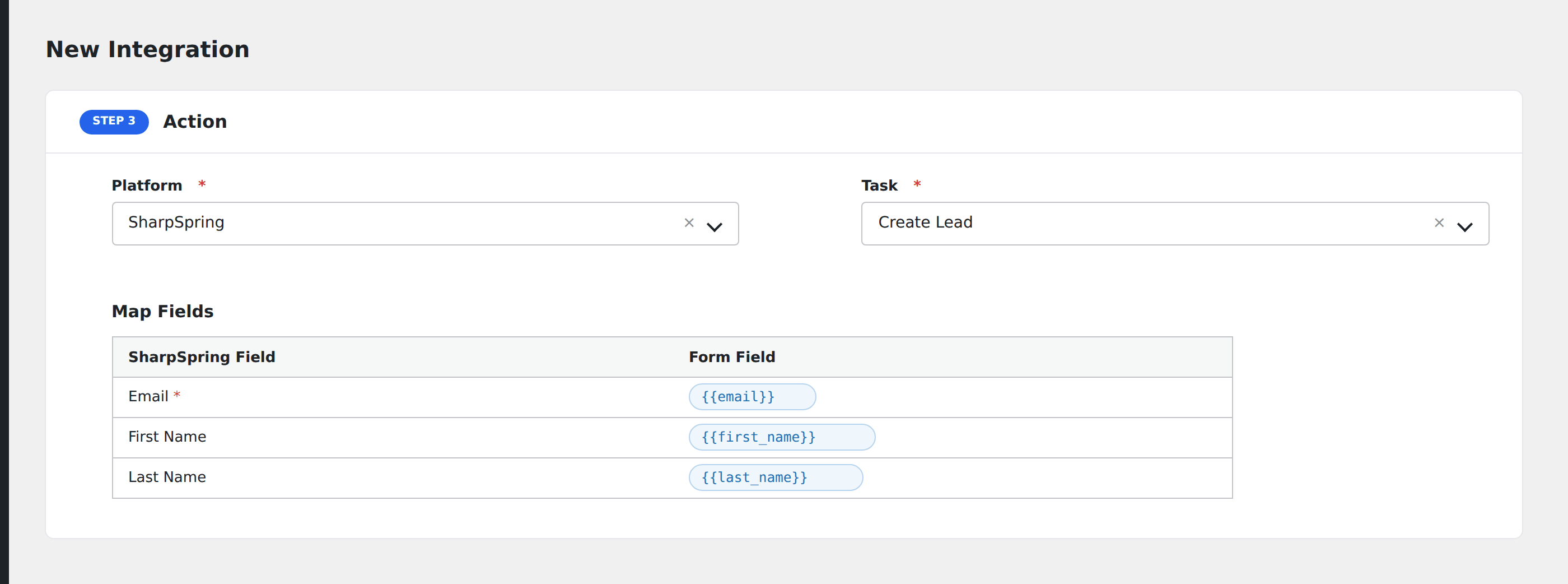
- In Action → Platform, select SharpSpring.
- In Task, choose Create Lead.
- Map the form fields:
- Email Address (required), First Name, Last Name.
- Phone Number, Mobile Phone Number.
- Company Name, Title, Industry, Website.
- Address, City, State, Country, Zip Code.
- Lead Status, Lead Score.
- Custom fields by SharpSpring’s
system_field_id.
- Optional: configure Conditional Logic.
- Click Save Integration.
Conditional logic example
Set the lead’s Lead Score to 75 only when the form’s pricing_page_visited hidden field is “yes”: a behavior signal that warrants prioritization in your sales queue.