 AFI
AFI
Ultimate Member
Ultimate Member is a popular free WordPress plugin for user profiles, member directories, and community features. Advanced Form Integration captures Ultimate Member events (registrations, profile updates, account approvals) and routes the data to any of 200+ destinations.
What you’ll need
- The Ultimate Member plugin installed and activated.
- At least one Ultimate Member registration form configured.
- The Advanced Form Integration plugin installed and activated.
Event data captured
| Field | Format |
|---|---|
| Event type | registration, account_approved, profile_updated, account_deactivated |
| Member name | First and last separately |
| Member email | Same as input |
| Username | Same as input |
| User ID | Numeric WordPress user ID |
| User role | WordPress role |
| Account status | active / pending / inactive / rejected |
| Registered on | YYYY-MM-DD HH:MM:SS |
All custom Ultimate Member profile fields you’ve added to the form also appear in the field-mapping dropdown.
Create the integration
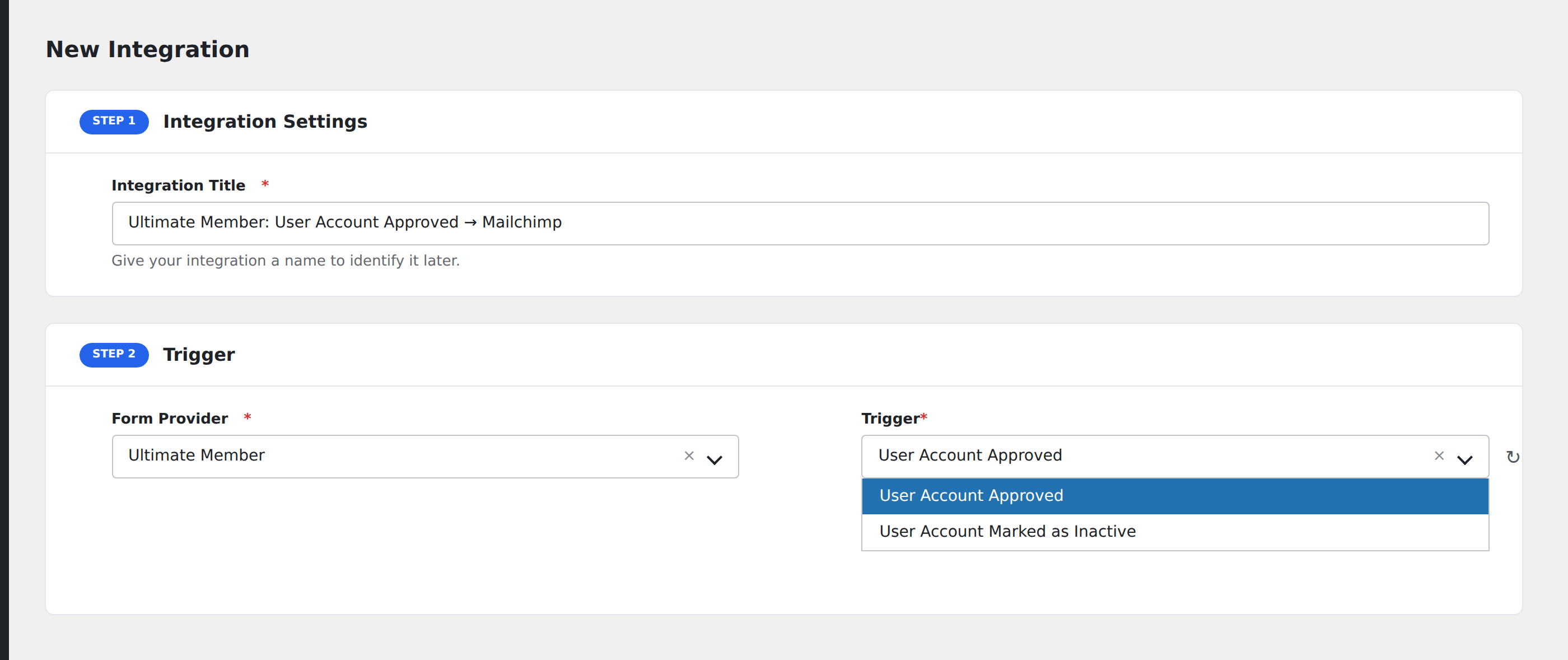
- Go to WP Admin → AFI → Add New.
- Enter an Integration Title, e.g.
UM registration → Mailchimp onboarding. - In Trigger → Form/Data Provider, select Ultimate Member.
- In Form/Task Name, choose the event.
- In Action → Platform, pick the destination and complete the field mapping.
- Optional: configure Conditional Logic.
- Click Save Integration.
Conditional logic example
Goal: when a new Ultimate Member registration comes in with Member Type set to Vendor, also notify the vendor-onboarding team’s Slack channel.
Create a Slack integration on the Registration event. Open the Conditional Logic panel, add a condition with the member type field, Equal To, value Vendor.
Troubleshooting
Account-pending registrations
If your Ultimate Member setup requires admin approval before activation, AFI fires the Registration event when the user submits the form (status pending) and the Account Approved event when the admin approves. Use the right event depending on which moment matters to your downstream system.
Custom field not visible
Custom fields appear in the field-mapping dropdown only after at least one registration with that field populated. Submit a test registration with the field filled to surface it.