 AFI
AFI
Eventin
Eventin is a popular WordPress event-management plugin from Themewinter that handles single events, multi-day conferences, ticket sales, and attendee registration. Advanced Form Integration captures Eventin events (registrations, ticket purchases, attendee check-ins) and routes the data to any of 200+ destinations.
What you’ll need
- The Eventin plugin (free or Pro) installed and activated.
- At least one event published with registration or ticketing enabled.
- The Advanced Form Integration plugin installed and activated.
Registration data captured
| Field | Format |
|---|---|
| Attendee name | First and last separately |
| Attendee email | Same as input |
| Attendee phone | Same as input |
| Event name | The event title |
| Event ID | Numeric Eventin ID |
| Event date | YYYY-MM-DD |
| Event location | The event venue/URL |
| Ticket type | The ticket name |
| Ticket quantity | Numeric |
| Ticket price | Numeric, in your default currency |
| Order ID | Eventin order ID |
| Payment status | pending / completed / failed |
Custom registration fields you’ve added in Eventin also appear in the field-mapping dropdown.
Create the integration
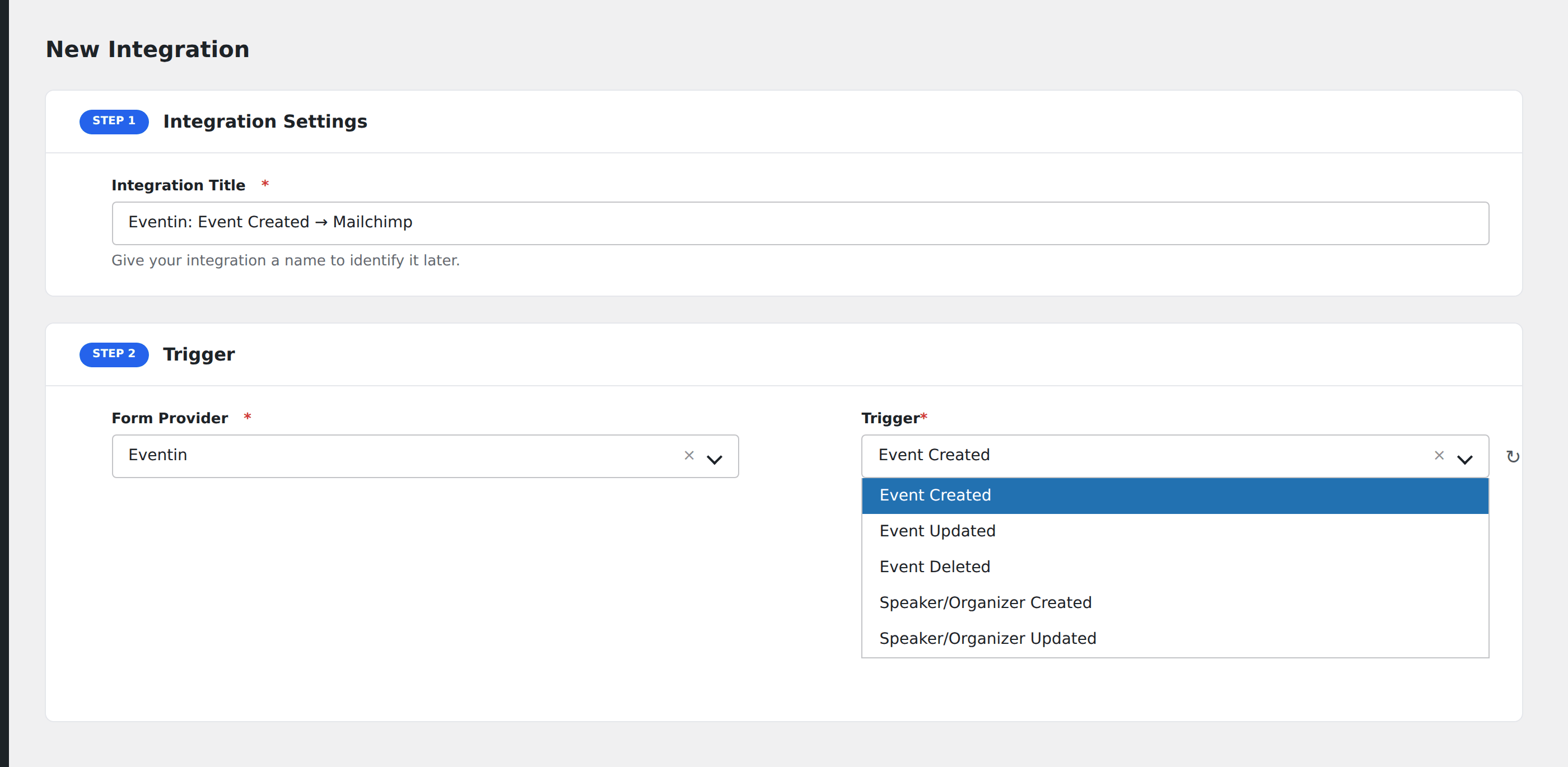
- Go to WP Admin → AFI → Add New.
- Enter an Integration Title, e.g.
Conference registration → Mailchimp segment. - In Trigger → Form/Data Provider, select Eventin.
- In Form/Task Name, choose the event to listen on (or All Events for a global integration).
- In Action → Platform, pick the destination and complete the field mapping.
- Optional: configure Conditional Logic.
- Click Save Integration.
Useful patterns
- Per-event email segment: attendees of the “2026 Conference” event automatically join a “2026 Conference Attendees” segment in Mailchimp for pre-event emails.
- Slack alert on big tickets: ping the team when someone buys VIP-tier tickets.
- CRM enrichment: every attendee becomes a CRM contact tagged with the event they signed up for.
Conditional logic example
Goal: when an attendee buys a VIP ticket, also notify the events team’s Slack channel for white-glove handling.
Create a Slack integration on the Eventin trigger. Open the Conditional Logic panel, add a condition with the ticket type field, Equal To, value VIP.
Troubleshooting
Free events don’t fire payment-status events
Eventin only fires payment events when there’s actually a payment. For free events, listen for the Registration event instead of Order Completed.
Custom fields not appearing in mapping
Custom registration fields are exposed only after the first registration with that field populated. Submit a test registration with the field filled to surface it.