 AFI
AFI
ProfilePress
ProfilePress builds custom registration, login, and profile forms for WordPress, with member directories and content restriction. Advanced Form Integration captures registrations and profile updates and routes the data to any of 200+ destinations.
What you’ll need
- The ProfilePress plugin installed and activated.
- At least one registration or profile form published.
- The Advanced Form Integration plugin installed and activated.
Available triggers
| Trigger | Trigger ID | When it fires |
|---|---|---|
| New User Registered | userRegistered |
Fires when a visitor completes a ProfilePress registration form. |
| User Profile Updated | profileUpdated |
Fires when a logged-in member saves changes on a ProfilePress profile form. |
Data captured
New User Registered
| Field | Field key | Format |
|---|---|---|
| User ID | user_id |
Numeric ID |
| User Login | user_login |
Text |
user_email |
Email address | |
| First Name | first_name |
Text |
| Last Name | last_name |
Text |
User Profile Updated
| Field | Field key | Format |
|---|---|---|
| User ID | user_id |
Numeric ID |
| First Name | first_name |
Text |
| Last Name | last_name |
Text |
user_email |
Email address |
Create the integration
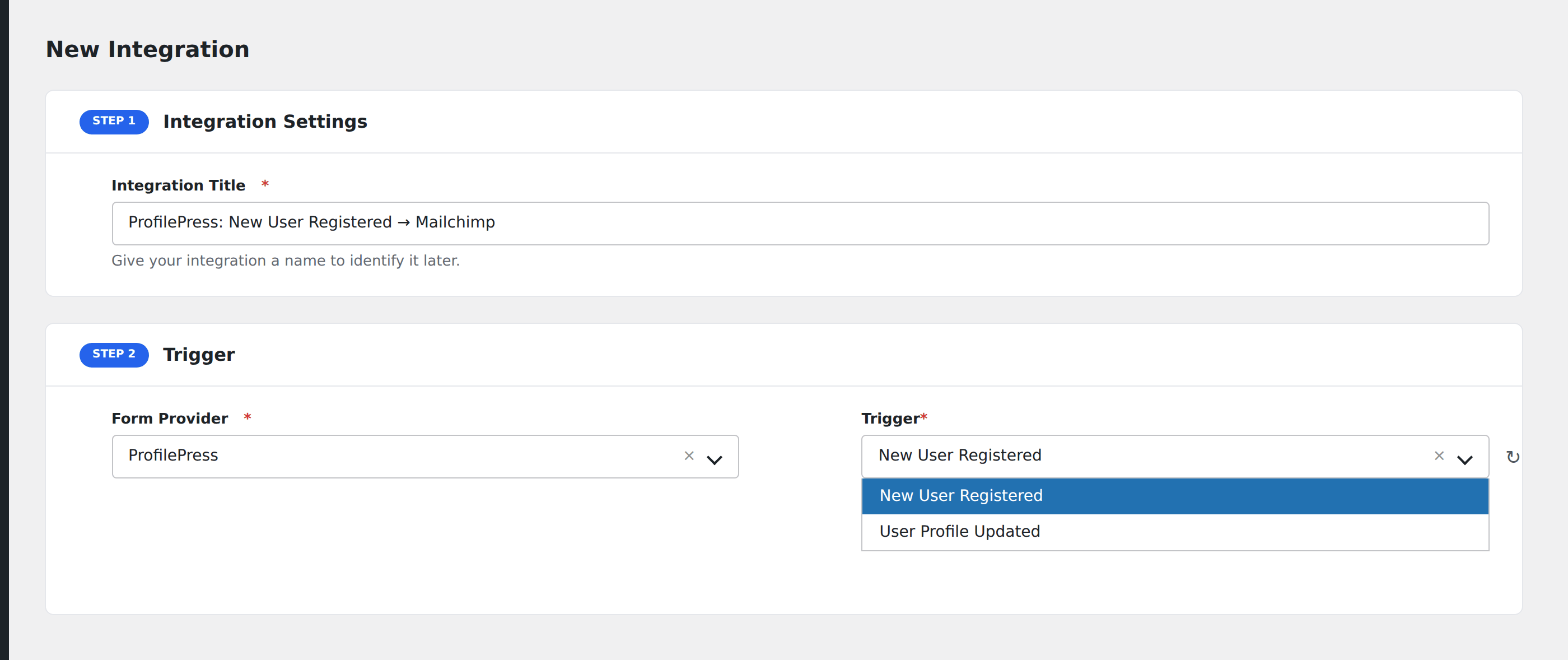
- Go to WP Admin → AFI → Add New.
- Enter an Integration Title, e.g.
ProfilePress: New User Registered → Mailchimp. - In Trigger → Form/Data Provider, select ProfilePress.
- In Form/Task Name, choose the trigger you want.
- In Action → Platform, pick the destination and complete the field mapping.
- Optional: configure Conditional Logic so only matching events are sent.
- Click Save Integration.
How AFI listens for member events
ProfilePress uses two hook prefixes depending on which edition is installed. AFI detects the paid edition with class_exists( 'ProfilePress_Dir' ) and hooks pp_after_registration and pp_after_profile_update; on the free edition it hooks ppress_after_registration and ppress_after_profile_update instead. Either way the same two triggers appear in the AFI interface and you do not need to configure anything differently.
Registration data is re-read from WordPress
Rather than trusting the raw form payload, the registration trigger looks the new account up with get_userdata() and sends the stored username, email, first name, and last name. That means the values reaching your destination are exactly what WordPress persisted.
Troubleshooting
Custom profile fields are not listed
The two triggers expose the core account fields. Custom ProfilePress fields are stored as user meta and are not enumerated by this integration.
Registrations through the default WordPress form do not fire
Correct. These hooks belong to ProfilePress forms only. Use AFI’s WordPress user trigger if you also want accounts created through wp-login.php?action=register.