 AFI
AFI
SAP Marketing Cloud
SAP Marketing Cloud is SAP’s marketing-automation product for enterprise teams running campaigns across email, web, and mobile. Advanced Form Integration sends form submissions to SAP Marketing Cloud as new contacts.
What you’ll need
- An active SAP Marketing Cloud tenant.
- A communication arrangement set up for the Marketing Cloud OData service with Basic Auth or OAuth credentials.
- Your SAP Marketing Cloud base URL.
- The Advanced Form Integration plugin installed and activated.
Connect SAP Marketing Cloud to AFI
- In WordPress, go to AFI → Settings → SAP Marketing Cloud.
- Enter the base URL, username, and password (or OAuth client ID/secret).
- Click Save Changes.
Create the integration
- Go to AFI → Add New.
- Configure the trigger.
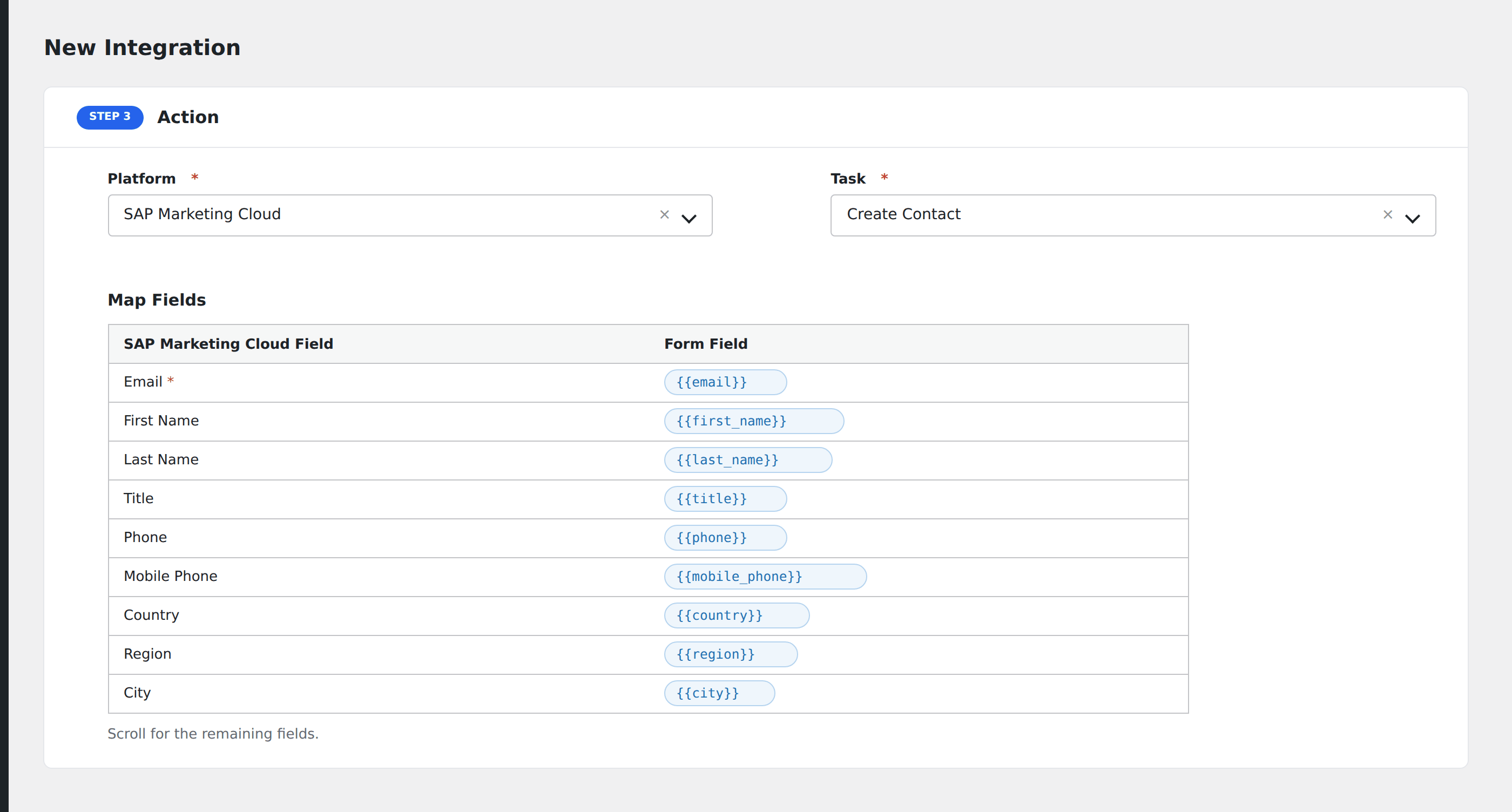
- In Action → Platform, select SAP Marketing Cloud.
- In Task, choose Create Contact.
- Map the form fields:
- Email (required), First Name, Last Name, Title.
- Phone, Mobile Phone.
- Country, Region, City, Postal Code, Street.
- Date of Birth, Gender, Marketing Permission Status.
- Custom marketing attributes by ID.
- Optional: configure Conditional Logic.
- Click Save Integration.
Conditional logic example
Record marketing consent only when the form’s email_marketing_consent checkbox is checked. Submissions without consent still create a contact but with consent flagged as denied.