AFI
AFI
ARForms
ARForms is a premium WordPress form builder by Repute InfoSystems available on CodeCanyon. Advanced Form Integration captures every ARForms submission and routes the data to any of 200+ destinations.
What you’ll need
- The ARForms plugin installed and activated.
- The Advanced Form Integration plugin installed and activated.
- An ARForm built and published.
Supported form fields
Standard text, email, number, phone, URL, textarea, date, time, select, radio, checkbox, hidden, and file upload fields. Custom fields you’ve added also appear in the field-mapping dropdown.
Create the integration
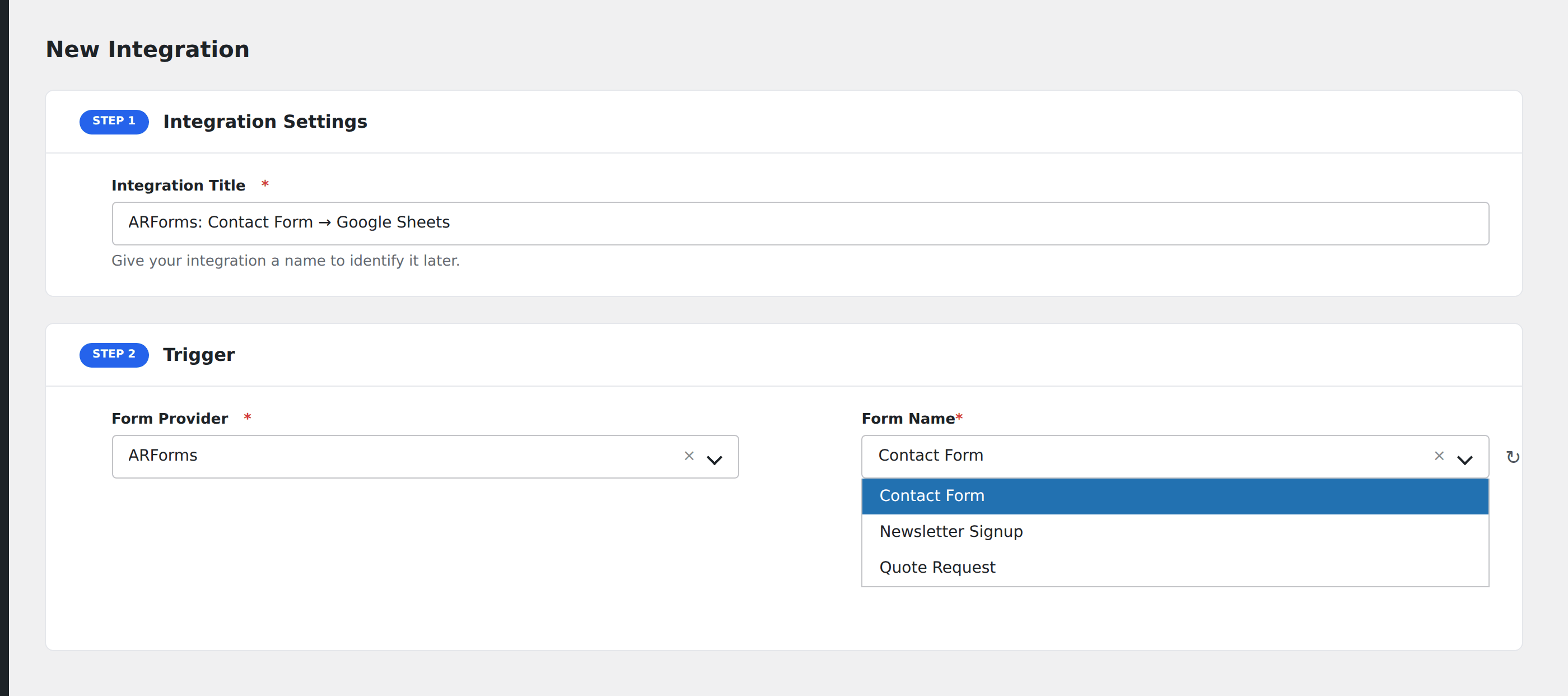
- Go to WP Admin → AFI → Add New.
- Enter an Integration Title.
- In Trigger → Form/Data Provider, select ARForms.
- In Form/Task Name, choose the form to listen on.
- In Action → Platform, pick the destination and complete the field mapping.
- Optional: configure Conditional Logic.
- Click Save Integration.