 AFI
AFI
Bricks Builder Form
Bricks Builder is a modern WordPress site builder with a built-in Form element. Advanced Form Integration captures every Bricks form submission and routes the data to any of 200+ destinations: CRMs, spreadsheets, email tools, chat apps.
What you’ll need
- The Bricks theme installed and activated.
- The Advanced Form Integration plugin installed and activated.
- A Bricks form built with the Form element on a page or template.
Supported form fields
| Field type | Supported | Output format / notes |
|---|---|---|
| Text | Yes | Same as input |
| Textarea | Yes | Same as input |
| Yes | Same as input | |
| Number | Yes | Same as input |
| Tel | Yes | Same as input |
| URL | Yes | Same as input |
| Date | Yes | YYYY-MM-DD |
| Time | Yes | HH:MM |
| Select | Yes | The selected option value |
| Radio | Yes | The selected option value |
| Checkbox | Yes | Comma-separated selected values |
| Hidden | Yes | Same as the hidden value |
| File upload | Yes | Comma-separated public URL(s) |
Create the integration
- Go to WP Admin → AFI → Add New.
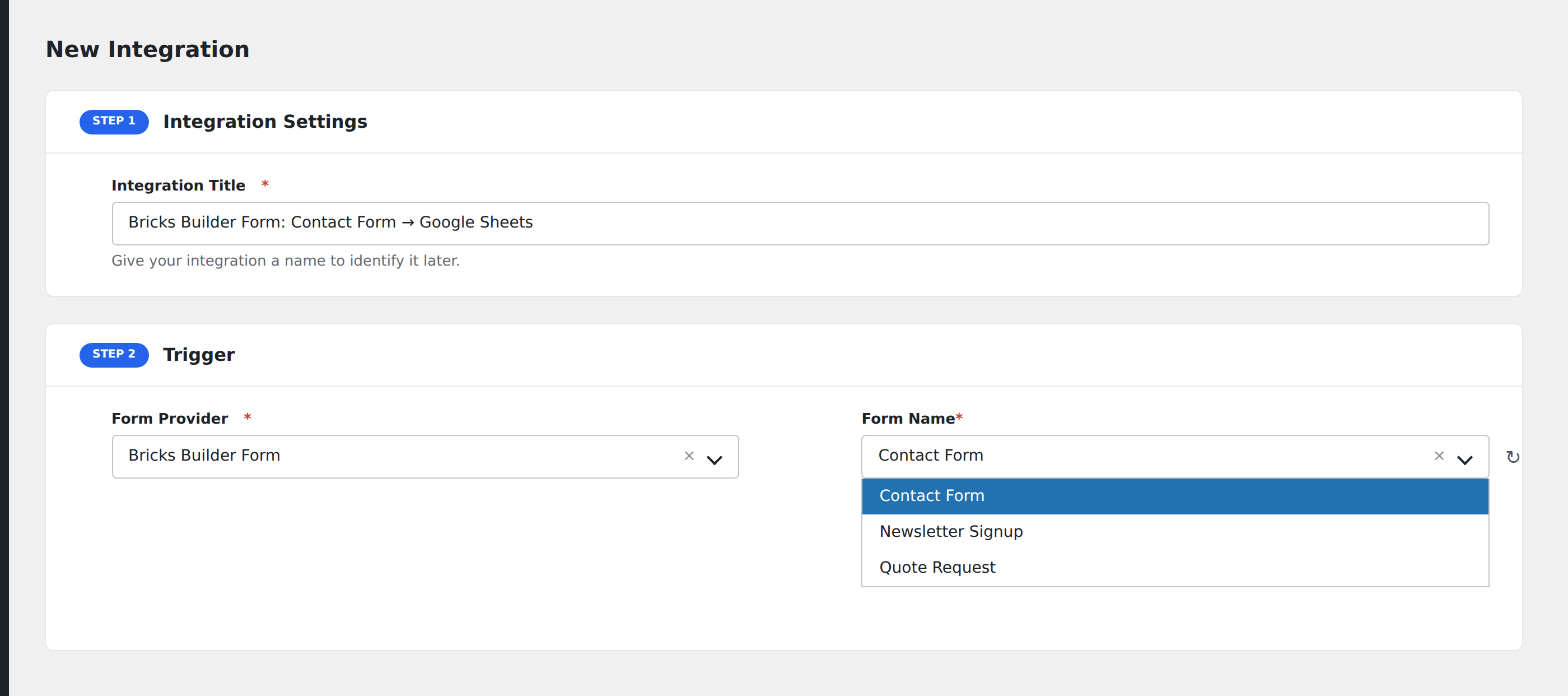
- Enter an Integration Title that names the form and the destination.
- In Trigger → Form/Data Provider, select Bricks Form.
- In Form/Task Name, choose the form. Bricks lists forms by their containing page/template name plus form ID.
- In Action → Platform, pick where the data should go and complete the field mapping.
- Optional: configure Conditional Logic.
- Click Save Integration.
Field naming in Bricks
Bricks generates field IDs automatically. They look like form-field-abc123. To use sensible names in AFI mappings, override each field’s ID in the Bricks Builder:
- Open the form in the Bricks Builder.
- Click a field to open its settings panel.
- In the Custom CSS or Identifier section, set a meaningful ID like
email,first_name,company. - Save and re-open the AFI integration. The field appears with the new name.
Conditional logic example
Goal: when a contact form submission’s Reason dropdown is set to Sales, also notify the sales team’s Slack channel in addition to the standard CRM integration.
Create a Slack integration on the same form pointing at the #sales webhook. Open the Conditional Logic panel, add a condition with the reason field, Equal To, value Sales. Sales submissions ping Slack; other submissions only flow to the CRM.
Troubleshooting
Form not appearing in the Form/Task Name dropdown
Bricks caches its form list. Save the page or template containing the form again to refresh, then reload the AFI screen.
Submissions reach the destination but fields are empty
Bricks’s auto-generated field IDs change if you delete and re-add a field. Use the Identifier field in each Bricks form field’s settings to set a stable ID. That name is what AFI maps from.