 AFI
AFI
YITH WooCommerce Wishlist
YITH WooCommerce Wishlist is one of the most widely installed wishlist plugins for WooCommerce, supporting multiple wishlists per customer and guest wishlists. Advanced Form Integration captures wishlist additions and routes the data to any of 200+ destinations.
What you’ll need
- WooCommerce and the YITH WooCommerce Wishlist plugin installed and activated.
- The Add to Wishlist button enabled on your product pages.
- The Advanced Form Integration plugin installed and activated.
When the trigger fires
AFI registers a single Product Added To Wishlist trigger for YITH WooCommerce Wishlist. It fires when a visitor adds a product to a wishlist and the item is persisted.
Data captured
| Field | Field key | Format |
|---|---|---|
| Product ID | product_id |
Numeric ID |
| Product Name | product_name |
Text |
| Product URL | product_url |
Absolute URL |
| Wishlist ID | wishlist_id |
Numeric ID |
| User ID | user_id |
Numeric ID, 0 for guests |
| User Email | user_email |
Email address, empty for guests |
Create the integration
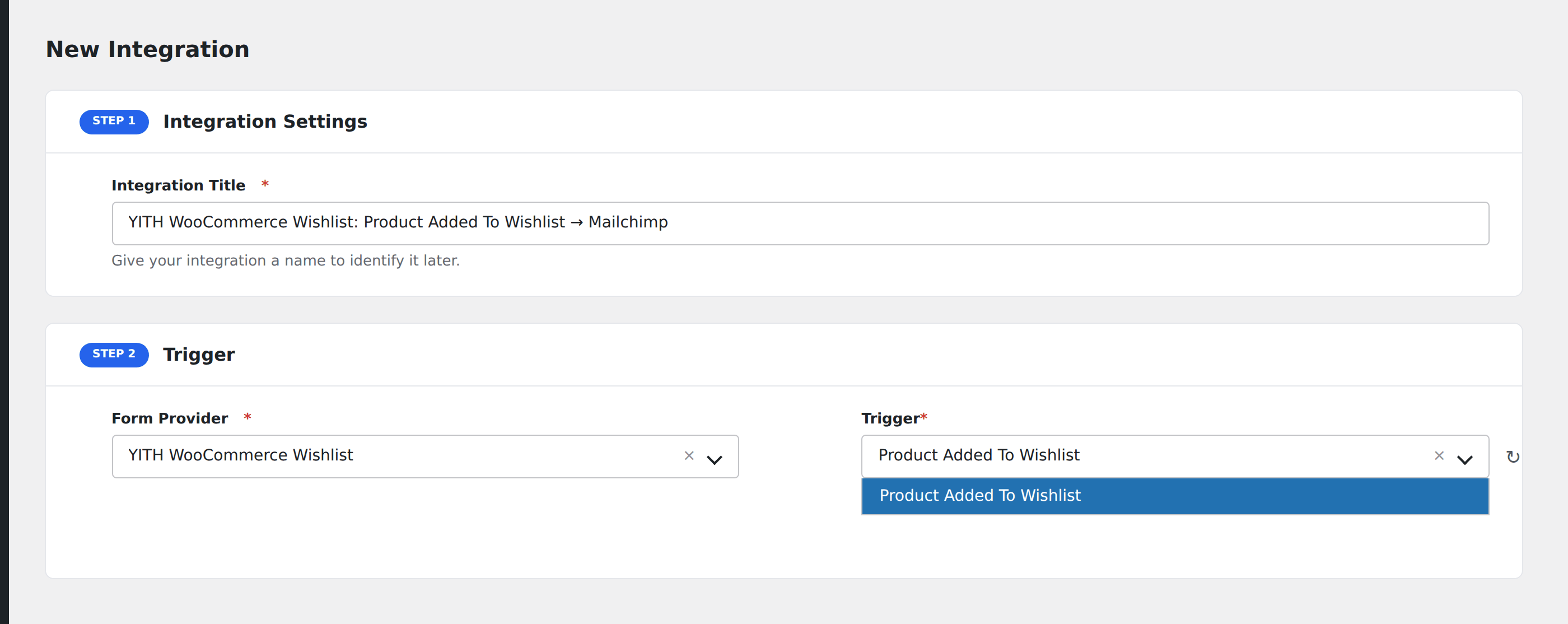
- Go to WP Admin → AFI → Add New.
- Enter an Integration Title, e.g.
YITH WooCommerce Wishlist: Product Added To Wishlist → Mailchimp. - In Trigger → Form/Data Provider, select YITH WooCommerce Wishlist.
- In Form/Task Name, choose Product Added To Wishlist.
- In Action → Platform, pick the destination and complete the field mapping.
- Optional: configure Conditional Logic so only matching events are sent.
- Click Save Integration.
How AFI listens for wishlist activity
AFI hooks yith_wcwl_added_to_wishlist, fired from the add_item() method in includes/class-yith-wcwl-wishlists.php right after the wishlist item is saved. YITH’s own docblock describes it as allowing third parties to act when a product has been added to a wishlist, so it is an officially intended extension point. Registration is guarded by defined( 'YITH_WCWL' ).
Guests are supported, without an email
Guest wishlists are session-based, so User ID is 0 and User Email is empty in that case. Logged-in customers give you both. Add Conditional Logic on User ID if your destination requires an address.
Multiple wishlists
YITH lets a customer keep several named wishlists. Wishlist ID tells them apart, so you can route a shared gift registry differently from a private save-for-later list.
Troubleshooting
Removals do not fire
This trigger covers additions only.
Duplicate events for the same product
A customer can add the same product to more than one wishlist, and can remove and re-add. Deduplicate on User ID plus Product ID at the destination if you only want the first.