 AFI
AFI
Zoho Marketing Automation
Zoho Marketing Automation is Zoho’s marketing-automation product (formerly Zoho MarketingHub) for email campaigns, lead scoring, and nurture journeys. Advanced Form Integration sends form submissions to Zoho MA as new contacts in chosen mailing lists.
What you’ll need
- An active Zoho Marketing Automation account.
- A Zoho OAuth Self Client. See Connect via OAuth.
- The Advanced Form Integration plugin installed and activated.
Connect via OAuth
- Visit the Zoho API Console and create a Self Client.
- Note the Client ID and Client Secret.
- In WordPress, go to AFI → Settings → Zoho Marketing Automation.
- Pick the data center matching your Zoho account.
- Click Authorize and grant the relevant scope (
ZohoCampaigns.contact.ALL). - After redirect, the connection is saved.
Create the integration
- Go to AFI → Add New.
- Configure the trigger.
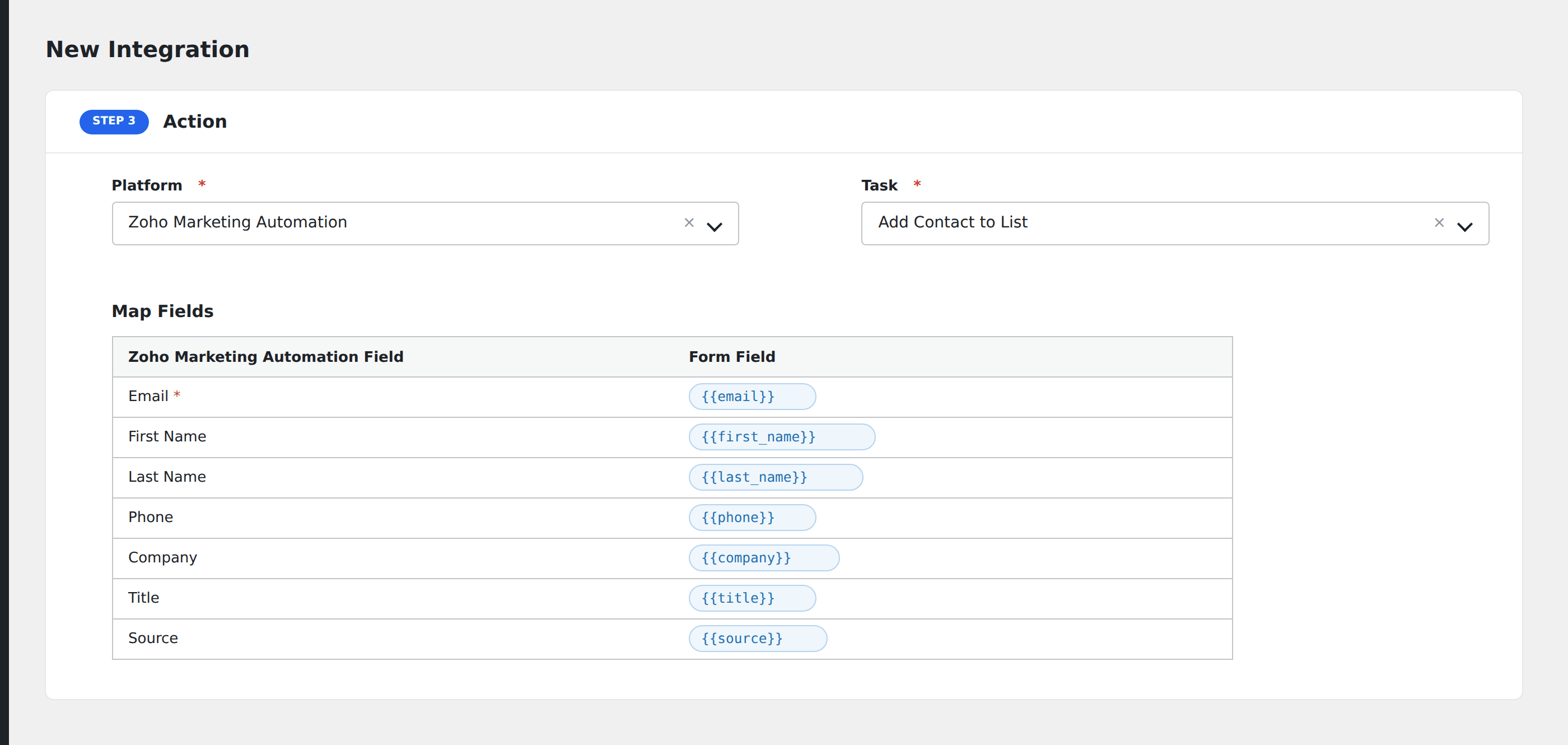
- In Action → Platform, select Zoho Marketing Automation.
- In Task, choose Add Contact to List.
- Pick the target Mailing List.
- Map the form fields:
- Email (required), First Name, Last Name.
- Phone, Company, Title.
- Source (where the contact came from).
- Custom fields by name.
- Optional: configure Conditional Logic.
- Click Save Integration.
Conditional logic example
Add to your “Webinar follow-up” list only when the form’s event_attended field is “yes”. No-show registrants go to a different nurture list via a separate integration.