 AFI
AFI
Fluent Booking
Fluent Booking is the appointment-scheduling plugin from the WPManageNinja team (the makers of Fluent Forms and Fluent CRM). Advanced Form Integration captures every Fluent Booking appointment and routes the data to any of 200+ destinations.
What you’ll need
- The Fluent Booking plugin installed and activated.
- At least one calendar configured with availability and an event type.
- The Advanced Form Integration plugin installed and activated.
Booking data captured
| Field | Format |
|---|---|
| Attendee name | Same as input |
| Attendee email | Same as input |
| Attendee phone | Same as input |
| Event type | The event title |
| Calendar | The calendar name |
| Host | Host’s name |
| Date | YYYY-MM-DD |
| Start time | HH:MM (booker’s timezone) |
| End time | HH:MM |
| Duration | Minutes (numeric) |
| Timezone | Booker’s timezone |
| Meeting link | Zoom/Google Meet URL if generated |
| Notes | Booker’s notes |
Custom questions added to your event type also appear in the field-mapping dropdown.
Create the integration
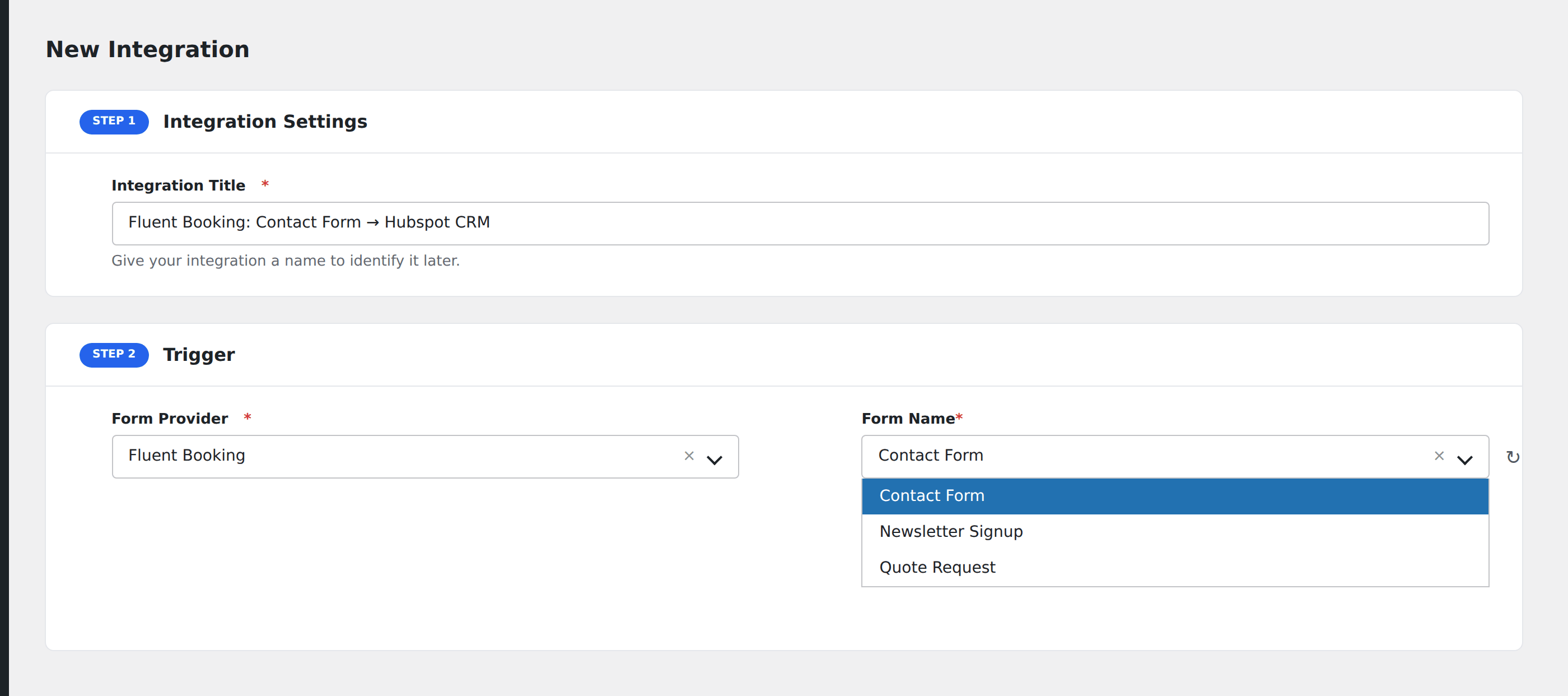
- Go to WP Admin → AFI → Add New.
- Enter an Integration Title, e.g.
Discovery call → Sales CRM. - In Trigger → Form/Data Provider, select Fluent Booking.
- In Form/Task Name, choose the event type to listen on.
- In Action → Platform, pick the destination and complete the field mapping.
- Optional: configure Conditional Logic.
- Click Save Integration.
Conditional logic example
Goal: when someone books the Sales Demo event type, also send the data to the sales team’s HubSpot pipeline. Other booking types only sync to a generic Google Sheet.
Create the HubSpot integration. Open the Conditional Logic panel, add a condition with the event type field, Equal To, value Sales Demo. The Google Sheet integration stays unconditional.
Troubleshooting
Booking made but destination doesn’t fire
Fluent Booking’s booking event fires after the attendee confirms the time slot. Check AFI → Log for the most recent entry to see exactly what was received.
Cancellations and reschedules
AFI captures the initial booking only. To catch cancellations and reschedules, use Inbound Webhooks with Fluent Booking’s webhook add-on (Pro feature).