 AFI
AFI
FluentCart
FluentCart is a modern WordPress e-commerce plugin from the WPManageNinja team. Advanced Form Integration captures FluentCart events (new orders, refunds, subscription renewals) and routes the data to any of 200+ destinations.
What you’ll need
- The FluentCart plugin installed and activated.
- The Advanced Form Integration plugin installed and activated.
Order data captured
| Field | Format |
|---|---|
| Customer name | First and last separately |
| Customer email | Same as input |
| Customer phone | Same as input |
| Billing address | Each sub-field separately |
| Shipping address | Each sub-field separately |
| Order ID | Numeric FluentCart order ID |
| Order total | Numeric, in your default currency |
| Currency | 3-letter code |
| Order items | Comma-separated product names |
| Payment status | paid / pending / refunded |
| Payment method | The gateway used |
| Coupon used | Coupon code if applicable |
Create the integration
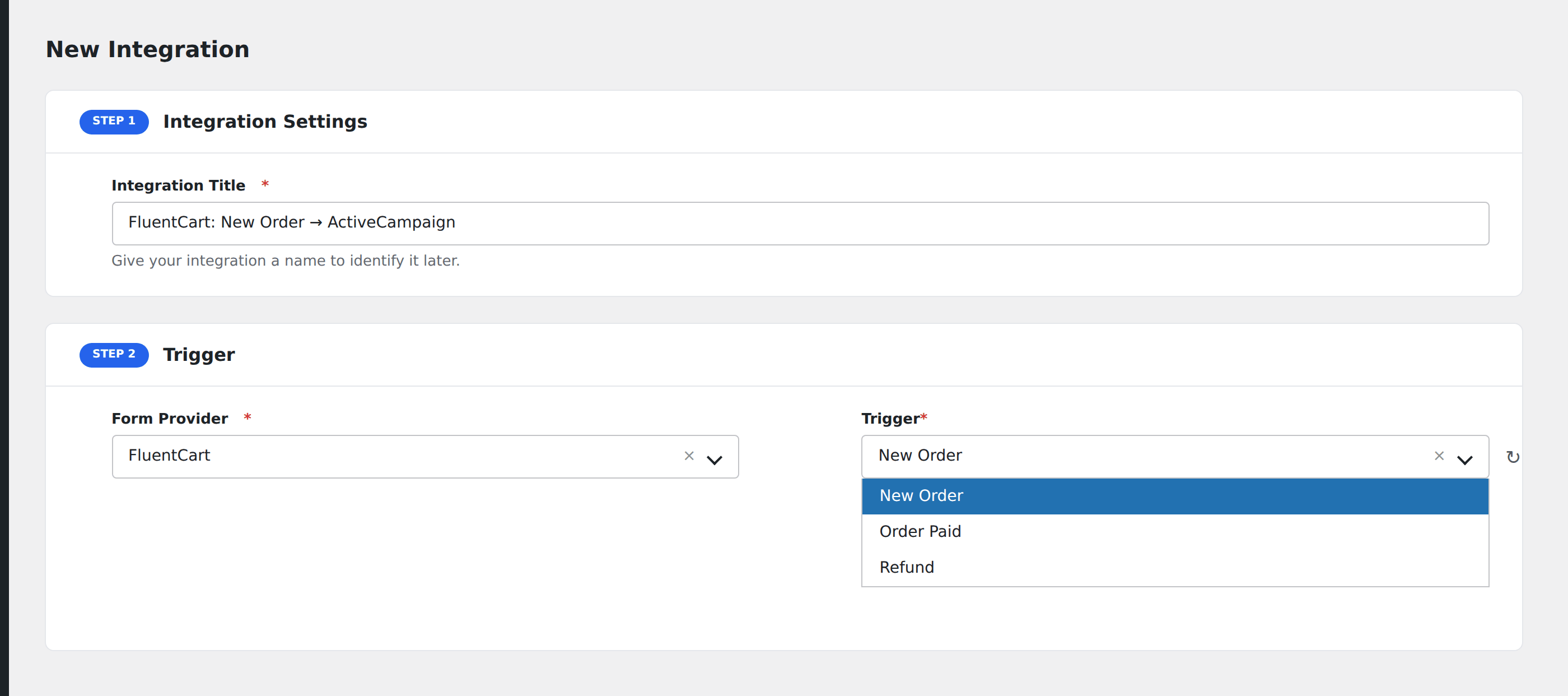
- Go to WP Admin → AFI → Add New.
- Enter an Integration Title, e.g.
FluentCart order → ActiveCampaign. - In Trigger → Form/Data Provider, select FluentCart.
- In Form/Task Name, choose the event (New Order, Order Paid, Refund, etc.).
- In Action → Platform, pick the destination and complete the field mapping.
- Optional: configure Conditional Logic.
- Click Save Integration.
Conditional logic example
Goal: when a FluentCart order’s total is $0 (a free download), only add the customer to a “Free Customer” segment in Mailchimp instead of the paid customer pipeline.
Create two Mailchimp integrations on the FluentCart trigger. On the free-customer integration, add a condition with the order total field, Equal To, value 0. On the paid-customer integration, use Greater Than, value 0.
Troubleshooting
Subscription renewal events don’t fire
FluentCart’s subscription module fires its own renewal event. Confirm you’re subscribed to the right event in AFI → Add New. The dropdown lists every event FluentCart exposes, and renewals are separate from new orders.
Custom product fields missing in mapping
Custom checkout fields are exposed only after a real order has been placed with that field populated. Submit a test order to surface custom fields.