 AFI
AFI
LifterLMS
LifterLMS is a popular WordPress LMS plugin used by course creators and training organizations. Advanced Form Integration captures LifterLMS events (course enrollments, lesson completions, quiz attempts, certificates, achievements) and routes the data to any of 200+ destinations.
What you’ll need
- The LifterLMS plugin installed and activated.
- At least one course published.
- The Advanced Form Integration plugin installed and activated.
Event data captured
| Field | Format |
|---|---|
| Event type | course_enrolled, course_completed, lesson_completed, quiz_completed, certificate_earned, achievement_earned |
| Student name | First and last separately |
| Student email | Same as input |
| Student ID | Numeric WordPress user ID |
| Course title | The course name |
| Course ID | Numeric LifterLMS course ID |
| Lesson | If applicable |
| Quiz title | If applicable |
| Quiz score | Numeric, percentage |
| Certificate | Certificate title (if earned) |
| Achievement | Achievement title (if earned) |
| Completion date | YYYY-MM-DD HH:MM:SS |
Create the integration
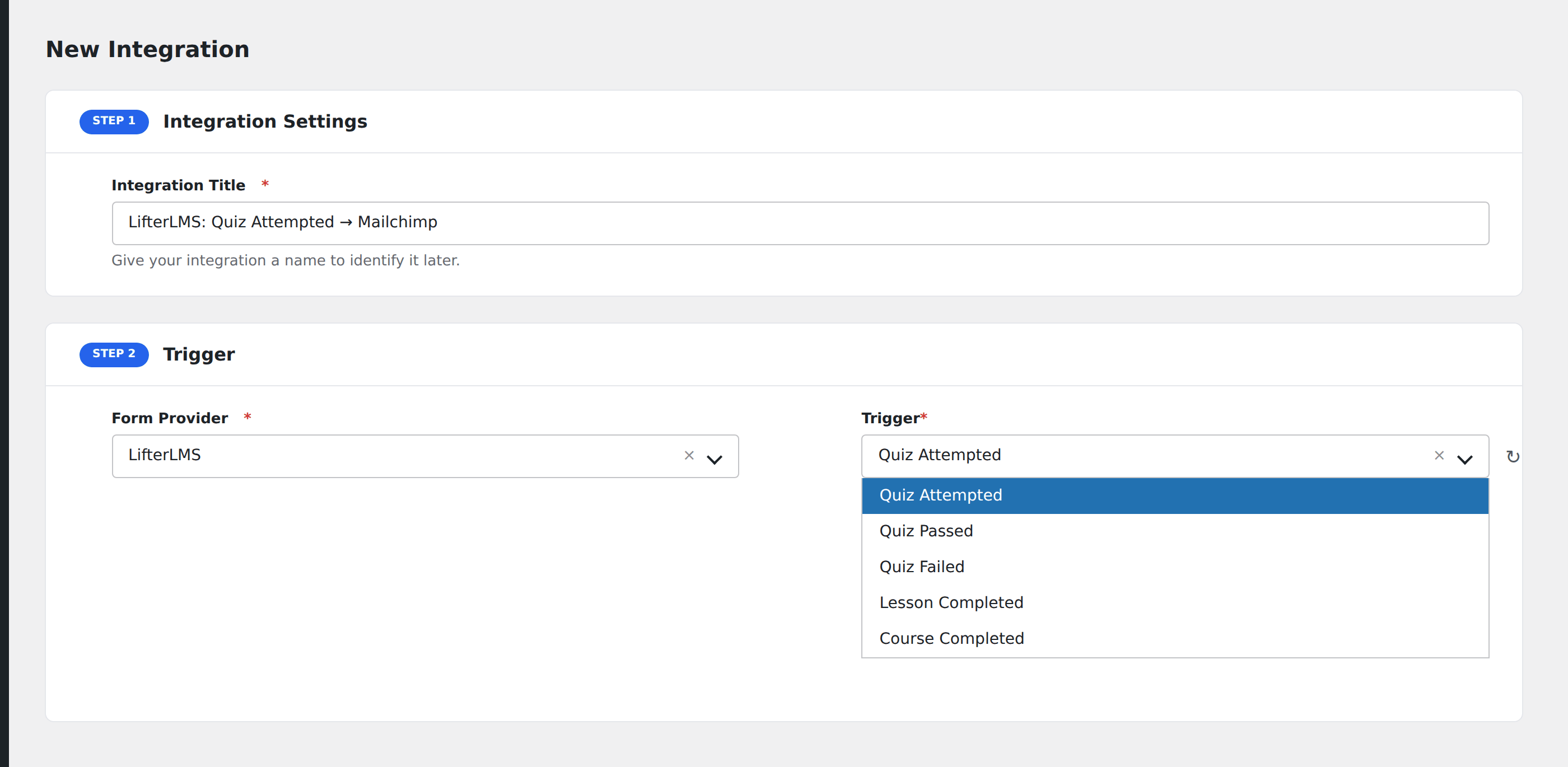
- Go to WP Admin → AFI → Add New.
- Enter an Integration Title.
- In Trigger → Form/Data Provider, select LifterLMS.
- In Form/Task Name, choose the event.
- In Action → Platform, pick the destination and complete the field mapping.
- Optional: configure Conditional Logic.
- Click Save Integration.
Conditional logic example
Goal: when a student earns the Top Performer achievement, also send them a personalized congratulations email and add them to a “Top performers” segment.
Create the email integration on the Achievement Earned event. Open the Conditional Logic panel, add a condition with the achievement field, Equal To, value Top Performer.
Troubleshooting
Free vs. paid course events
LifterLMS treats free and paid enrollments the same way for the enrollment event. To distinguish, check the access plan ID or a membership-tier custom field on the student.
Event doesn’t fire on bulk enrollment
If you bulk-enroll students via WP-CLI or admin tools, AFI may not see those enrollments because they don’t fire the standard front-end action. Manually fire the integration via AFI → Replay for those records.