 AFI
AFI
Charitable
Charitable is a popular WordPress fundraising plugin for nonprofits. Advanced Form Integration captures every Charitable donation and routes the data to any of 200+ destinations, useful for syncing donors into a donor-management system, archiving gifts in a spreadsheet, or alerting the development team.
What you’ll need
- The Charitable plugin (free or paid extensions) installed and activated.
- At least one campaign published.
- The Advanced Form Integration plugin installed and activated.
Donation data captured
| Field | Format |
|---|---|
| Donor name | First and last separately |
| Donor email | Same as input |
| Donor phone | Same as input |
| Donor address | Each sub-field separately |
| Campaign name | The campaign donated to |
| Campaign ID | Numeric Charitable campaign ID |
| Donation amount | Numeric, in your default currency |
| Currency | 3-letter code |
| Payment method | The gateway used |
| Donation status | pending / completed / failed / refunded |
| Recurring | 1 if a recurring donation, empty if one-time |
| Donor message | Optional message left with the donation |
| Anonymous | 1 if donor opted to be anonymous |
Custom donation form fields you’ve added in Charitable also appear in the field-mapping dropdown.
Create the integration
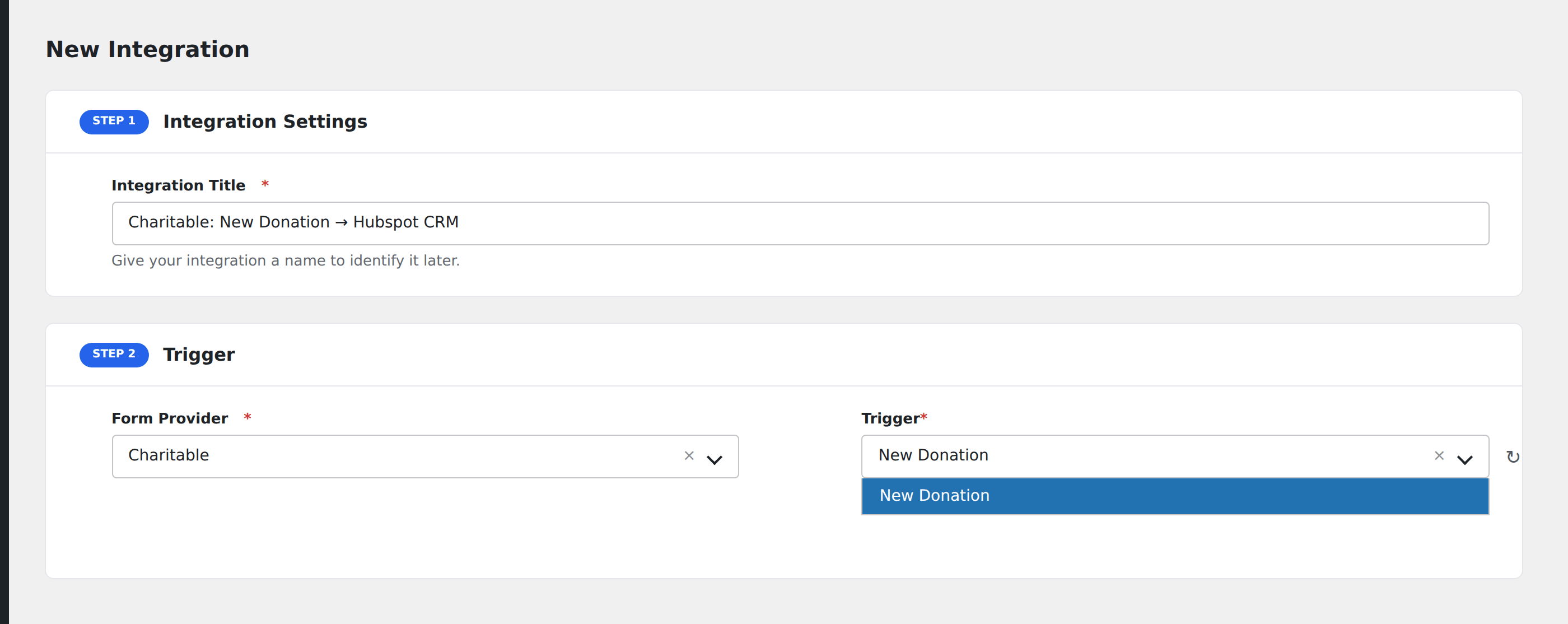
- Go to WP Admin → AFI → Add New.
- Enter an Integration Title, e.g.
Charitable donation → Donor CRM. - In Trigger → Form/Data Provider, select Charitable.
- In Form/Task Name, choose New Donation (or a more specific event if your Charitable extensions expose them).
- In Action → Platform, pick the destination and complete the field mapping.
- Optional: configure Conditional Logic.
- Click Save Integration.
Useful patterns
- Donor CRM: every donor becomes a contact in HubSpot or Salesforce, tagged with the campaign they gave to.
- Thank-you email: pipe the donation event into an email tool to trigger a personalized thank-you with the donation amount.
- Slack alert on big gifts: ping the development director when a donation exceeds a threshold.
Conditional logic example
Goal: alert the development director on Slack when a donation of $1,000 or more comes in.
Create a Slack integration on the New Donation event. Open the Conditional Logic panel, add a condition with the amount field, Greater Than, value 999. (Greater Than 999 matches 1000 and above since the operator is strict.)
Troubleshooting
Recurring donation renewals don’t fire
Recurring renewal events depend on Charitable Recurring Donations (paid extension). Without it, only the initial donation fires. With it, each renewal fires a separate event.
Anonymous donations missing donor info
When a donor opts in to anonymity, Charitable doesn’t expose their identifying fields to AFI. Filter on anonymous != 1 if you want to skip these from a CRM sync.