 AFI
AFI
Mail Mint
Mail Mint is a modern WordPress-native email marketing and CRM plugin. Advanced Form Integration sends form submissions to Mail Mint as new contacts on a chosen list, with status and tag mapping.
Because Mail Mint runs on the same WordPress install, no API key or external auth is needed. AFI talks to Mail Mint’s PHP classes directly.
What you’ll need
- The Mail Mint plugin installed and activated on the same WordPress site.
- The Advanced Form Integration plugin installed and activated.
Connect Mail Mint to AFI
- In WordPress, go to AFI → Settings.
- Enable Mail Mint. No additional credentials required: AFI detects the locally installed Mail Mint automatically.
Create the integration
- Go to AFI → Add New.
- Configure the trigger.
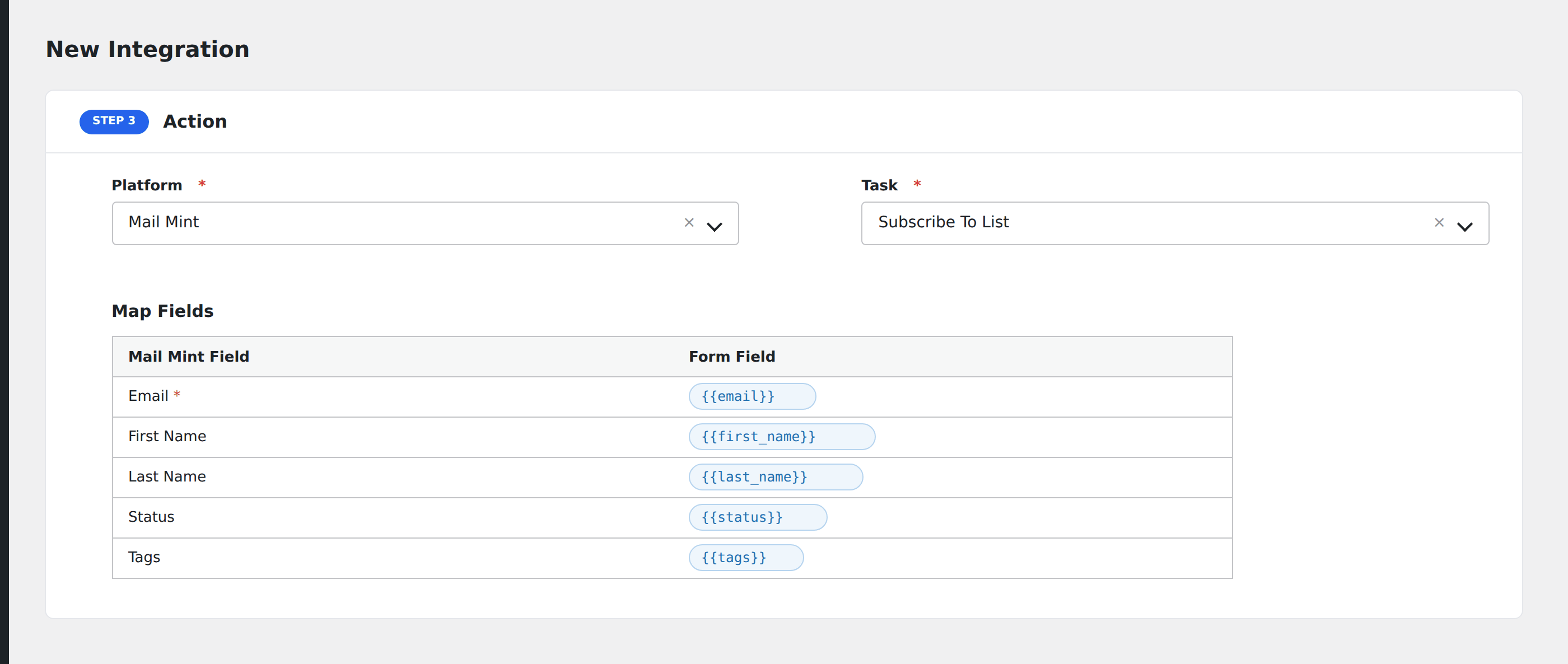
- In Action → Platform, select Mail Mint.
- In Task, choose Subscribe To List.
- Pick the target Mailing List: AFI loads lists directly from Mail Mint.
- Map the form fields:
- Email (required), First Name, Last Name.
- Status: one of
subscribed,pending,unsubscribed,bounced. - Tags (comma-separated Tag IDs, e.g.
101, 102; available IDs are shown next to the input).
- Optional: configure Conditional Logic.
- Click Save Integration.
Tasks supported
Subscribe To List
Adds or updates the form submitter as a contact on the chosen Mail Mint list. Re-submissions update the existing contact rather than creating duplicates. Status and tags are applied on every submission.
Conditional logic example
Apply tag ID 201 (e.g. “premium-customer”) only when the form’s customer_tier field equals “premium”. Standard customers still get added but skip the premium tag.
Troubleshooting
Integration doesn’t fire
Open AFI → Log and find the most recent entry. The log shows the request payload sent to Mail Mint and the response received, usually pointing straight at the cause.
List dropdown empty
Mail Mint must have at least one list configured. Create a list in Mail Mint → Lists before configuring the AFI integration.
Tag IDs vs tag names
Mail Mint’s tags field expects comma-separated IDs, not tag names. Find the IDs in Mail Mint → Tags. Each tag’s edit URL contains its ID.