 AFI
AFI
MailerSend
MailerSend is a transactional and marketing email platform from the team behind MailerLite. Advanced Form Integration sends form submissions to MailerSend as new recipients in a chosen mailing list. the Pro version adds transactional template send.
What you’ll need
- An active MailerSend account.
- A MailerSend API token (Settings → API tokens → Generate new token, with
email-full-accessandrecipients-full-accesspermissions). - The Advanced Form Integration plugin installed and activated.
Connect MailerSend to AFI
- In WordPress, go to AFI → Settings → MailerSend.
- Paste the API token and click Save Changes.
Create the integration
- Go to AFI → Add New.
- Configure the trigger.
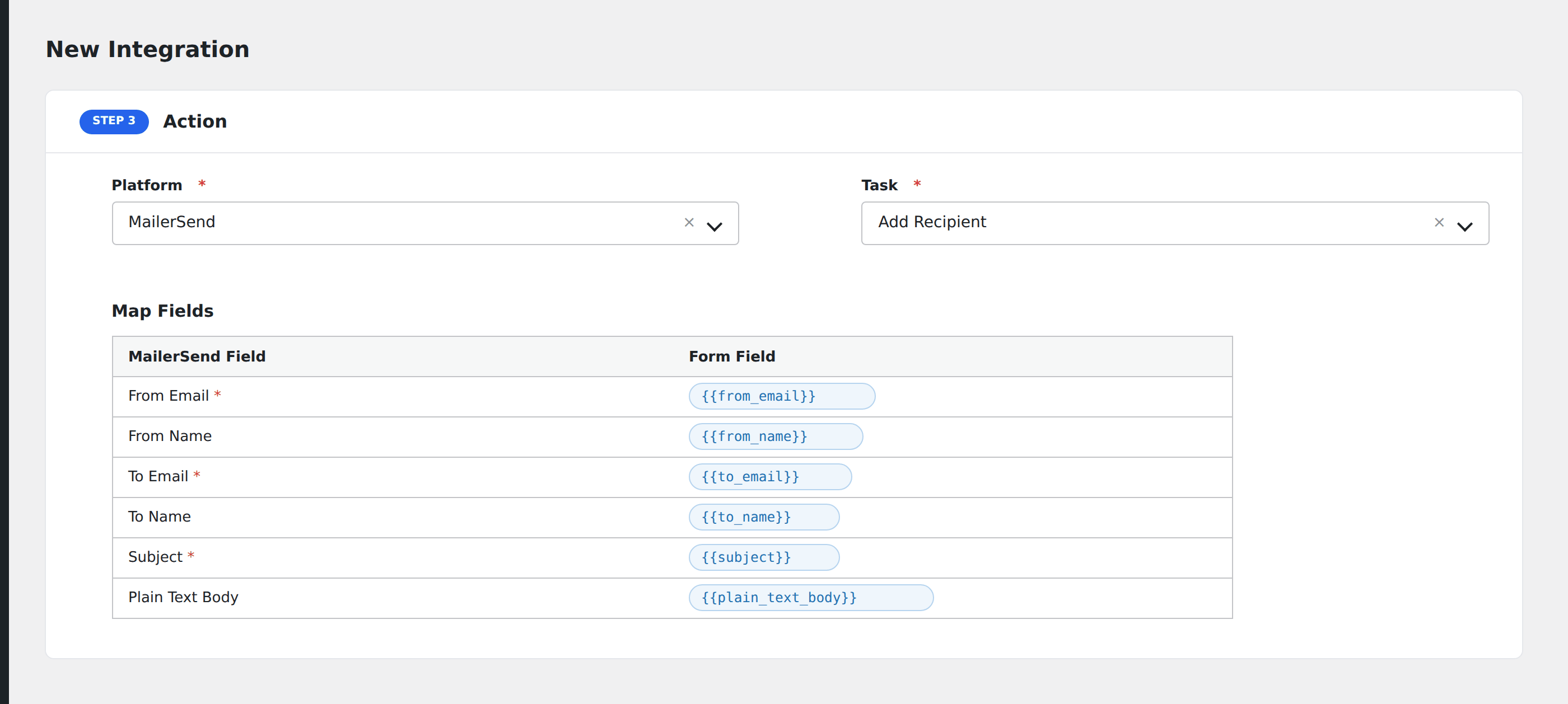
- In Action → Platform, select MailerSend.
- In Task, choose Add Recipient.
- Map the form fields:
- Email (required), Name.
- Optional: configure Conditional Logic.
- Click Save Integration.
Pro features
The Pro MailerSend integration adds transactional template send. Fire one of your saved MailerSend templates from a form submission, with form fields available as personalization variables.
Conditional logic example
Add a recipient to MailerSend only when the form’s email_consent field is “yes”. Submitters without consent are skipped entirely.