 AFI
AFI
Sales.Rocks
Sales.Rocks is a B2B prospecting and sales-engagement platform. Advanced Form Integration sends form submissions to Sales.Rocks as new contacts on a chosen list.
What you’ll need
- An active Sales.Rocks account.
- Your Sales.Rocks Username and Password.
- The Advanced Form Integration plugin installed and activated.
Connect Sales.Rocks to AFI
- In WordPress, go to AFI → Settings.
- Enable Sales.Rocks and click Save Changes.
- Open the Sales.Rocks tab.
- Enter the Username and Password.
- Click Save Changes.
Create the integration
- Go to AFI → Add New.
- Configure the trigger.
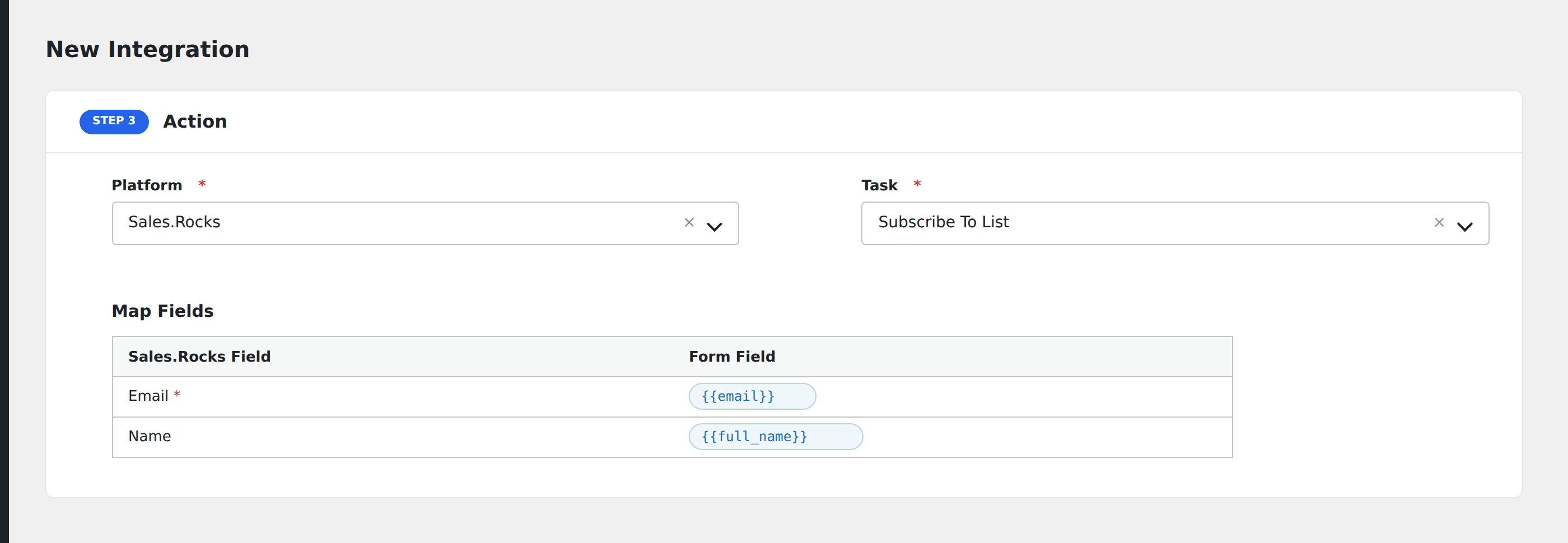
- In Action → Platform, select Sales.Rocks.
- In Task, choose Subscribe to List.
- Pick the Contact List: AFI loads your lists from Sales.Rocks automatically.
- Map the form fields:
- Email (required), First Name, Last Name.
- Optional: configure Conditional Logic.
- Click Save Integration.
Tasks supported
Subscribe to List
Adds the form submitter as a contact on the chosen Sales.Rocks list. Re-submissions update the existing contact rather than creating duplicates.
Conditional logic example
Subscribe to your “Enterprise prospects” Sales.Rocks list only when the form’s company_size field is greater than 500. Smaller leads go to the SMB list via a separate integration.
Troubleshooting
Integration doesn’t fire
Open AFI → Log and find the most recent entry. The log shows the request payload sent to Sales.Rocks and the response received, usually pointing straight at the cause.
“Authentication failed”
Sales.Rocks uses your dashboard login (username/password) for API auth. If you’ve changed your password recently, update it in AFI’s Sales.Rocks settings as well.