 AFI
AFI
ServiceTitan
ServiceTitan is a field service management platform for home and commercial service businesses. Advanced Form Integration creates leads in ServiceTitan from WordPress form submissions using the ServiceTitan API.
What you’ll need
- An active ServiceTitan account.
- Your ServiceTitan API credentials (see below).
- The Advanced Form Integration plugin installed and activated.
Get your ServiceTitan API credentials
- Sign in to the ServiceTitan Developer Portal.
- Create a new application and note the App Key, Tenant ID, Client ID, and Client Secret.
- Select your Environment (Production or Sandbox).
- In WordPress, go to AFI → Settings → ServiceTitan.
- Click Add Account, enter all four credentials plus the environment, and give the account a name.
- Click Save.
AFI authenticates via the OAuth2 client credentials flow. The token is cached and refreshed automatically. The App Key is sent as a header on every request, and the Tenant ID identifies your ServiceTitan environment.
Create the integration
- Go to AFI → Add New.
- Give the integration a name, for example
Form to ServiceTitan. - Under Trigger, pick the form plugin and the specific form.
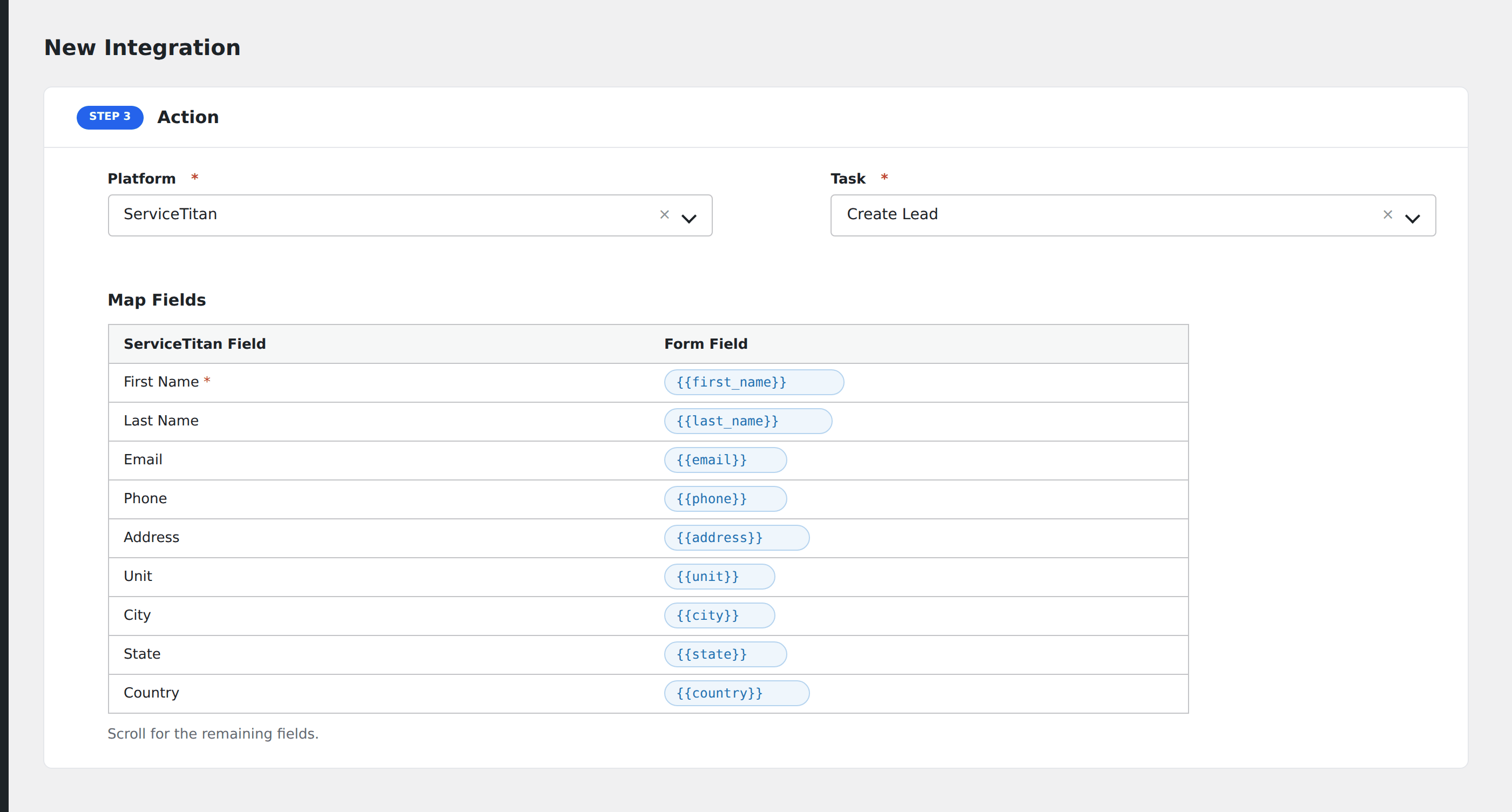
- Under Action → Platform, select ServiceTitan.
- In Task, choose Create Lead.
- Pick the saved account.
- Map your form fields onto the fields listed below.
- Optional: open Conditional Logic to limit which submissions are sent.
- Click Save Integration.
Tasks supported
Create Lead
Creates a lead in ServiceTitan via the leads API.
| Field | Field key | Required | Notes |
|---|---|---|---|
| Name | name |
No | |
| Phone | phone |
Recommended | |
email |
No | ||
| Address | address |
No | |
| City | city |
No | |
| State | state |
No | |
| Zip | zip |
No | |
| Business Unit ID | business_unit_id |
No | |
| Job Type ID | job_type_id |
No | |
| Campaign ID | campaign_id |
No |
Pro features
The Pro integration extends the free version with additional capabilities. Pro uses the same ServiceTitan connection.
Feature comparison
| Feature | Free | Pro |
|---|---|---|
| Create lead | ✅ | ✅ |
| Standard lead fields | ✅ | ✅ |
| OAuth2 client credentials flow | ✅ | ✅ |
| Custom fields | No | ✅ |
Conditional logic example
Only send data to ServiceTitan when specific conditions are met. For example, add a condition on a form field to control which submissions are forwarded.
Troubleshooting
Nothing arrives in ServiceTitan
Open AFI → Log and find the most recent entry. AFI stores the request URL, body, and raw response.
API credentials rejected
Verify your credentials in your ServiceTitan account settings. If they were regenerated, update them in AFI → Settings → ServiceTitan.