 AFI
AFI
Field Nation
Field Nation is an on-demand marketplace for IT and field-service contractors in North America. Advanced Form Integration sends form submissions to Field Nation as new work orders.
What you’ll need
- An active Field Nation buyer account.
- A Field Nation API access token (Settings → API Access).
- The Advanced Form Integration plugin installed and activated.
Connect Field Nation to AFI
- In WordPress, go to AFI → Settings → Field Nation.
- Paste the API access token and click Save Changes.
Create the integration
- Go to AFI → Add New.
- Configure the trigger.
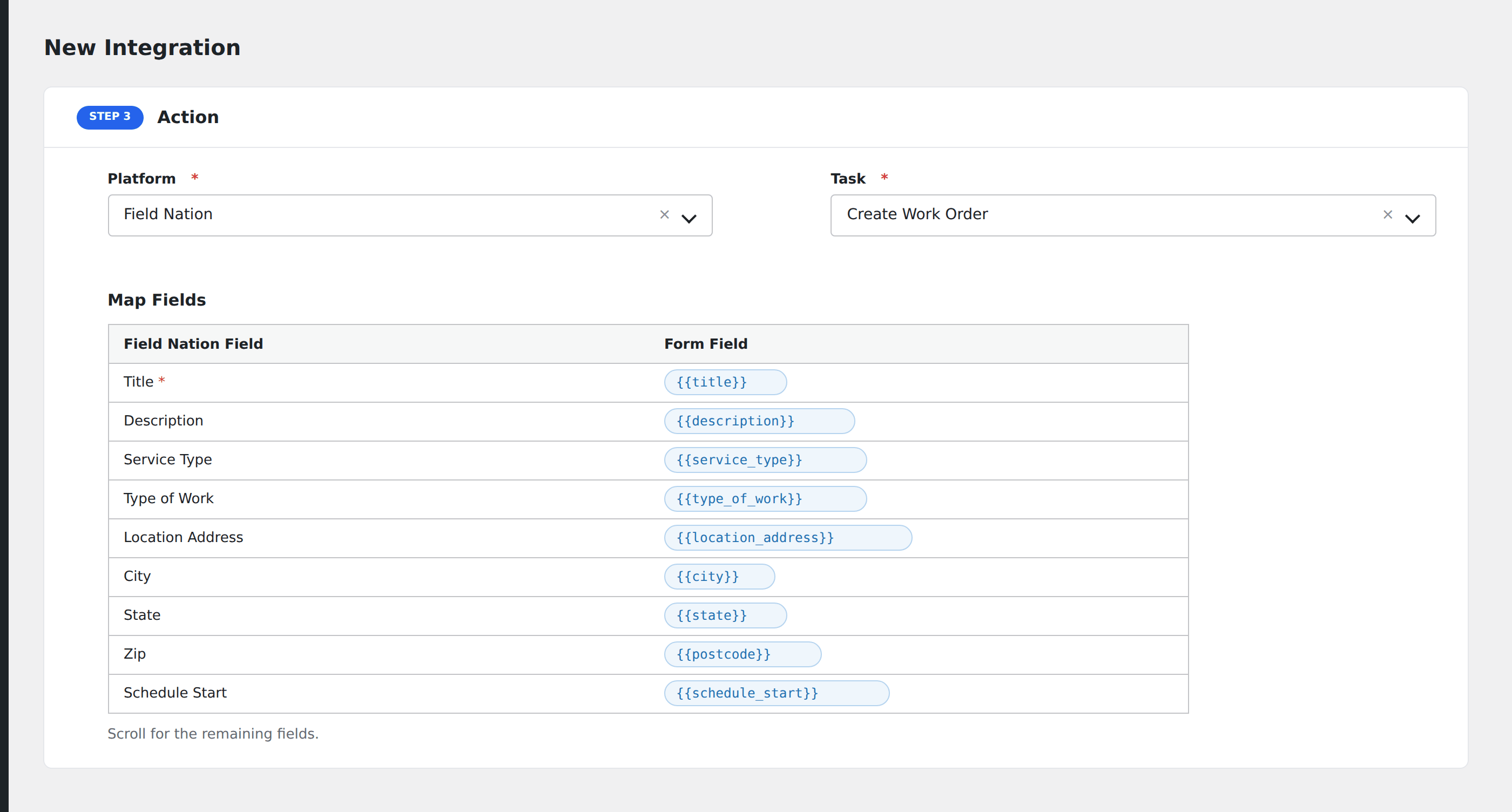
- In Action → Platform, select Field Nation.
- In Task, choose Create Work Order.
- Map the form fields:
- Title (required), Description.
- Service Type / Type of Work.
- Location Address, City, State, Zip.
- Schedule Start and Schedule End in ISO format.
- Pay Type (Fixed / Hourly), Pay Amount.
- Contact Name, Contact Email, Contact Phone for the on-site contact.
- Optional: configure Conditional Logic.
- Click Save Integration.
Conditional logic example
Create a Field Nation work order only when the form’s service_type field is “on-site”. Remote-only requests skip Field Nation and go to your standard ticket queue.