 AFI
AFI
Nutshell CRM
Nutshell CRM is a sales-pipeline CRM popular with B2B teams. Advanced Form Integration sends form submissions to Nutshell as new contacts, optionally linked to or creating an account record.
What you’ll need
- An active Nutshell CRM account.
- Your Nutshell User Email and API Key (Setup → API & Integrations).
- The Advanced Form Integration plugin installed and activated.
Get your Nutshell API key
- Log in to Nutshell.
- Go to Setup → API & Integrations.
- Generate or copy your API Key.
- Note your account email. Nutshell auth requires both.
Connect Nutshell CRM to AFI
- In WordPress, go to AFI → Settings.
- Enable Nutshell CRM and click Save Changes.
- Open the Nutshell CRM tab.
- Enter your User Email and API Key.
- Click Save Changes.
Create the integration
- Go to AFI → Add New.
- Configure the trigger.
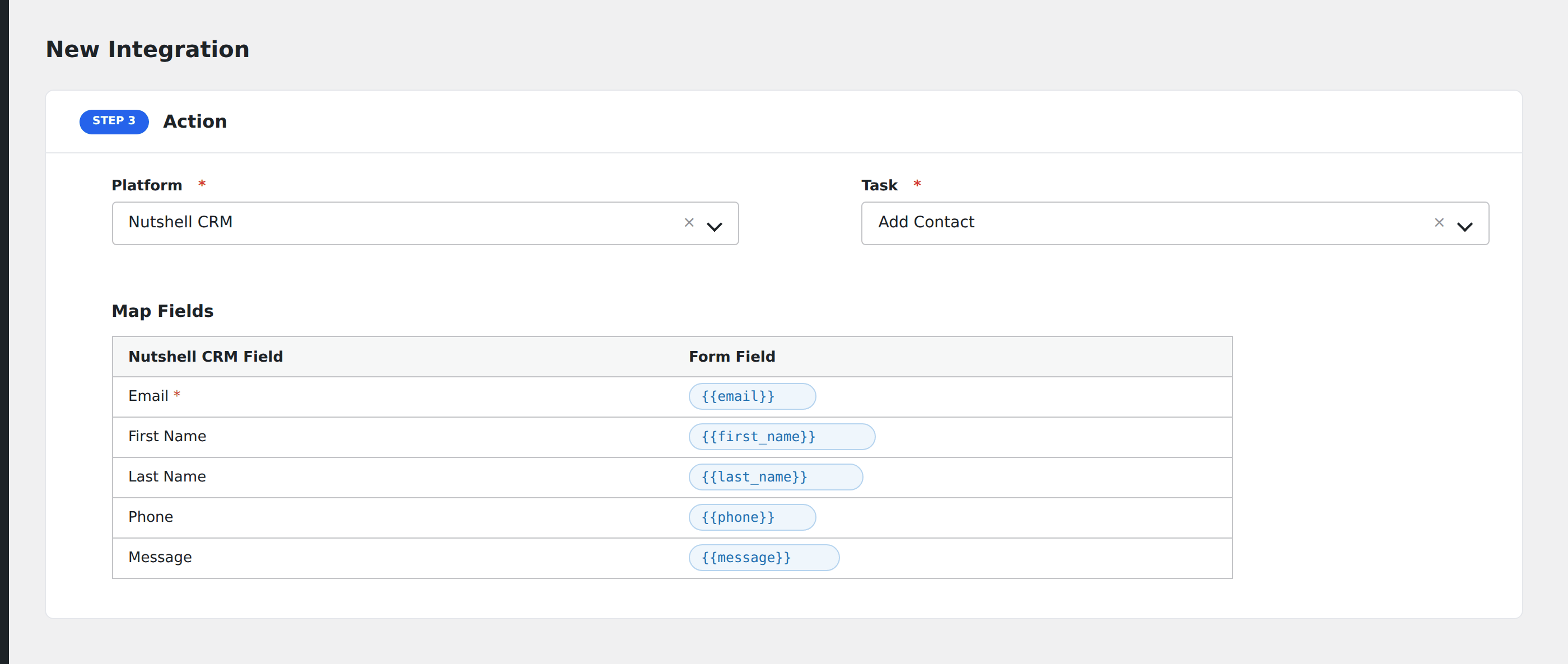
- In Action → Platform, select Nutshell CRM.
- In Task, choose Add Contact.
- Pick the Owner: the Nutshell user who will own the new contact.
- Map the contact fields:
- Name, Email, Phone.
- Bio, Address, City, State, Postal Code, Country, URL.
- Optionally map Account Fields to associate the contact with a company:
- Account Name, Description, Email, Phone.
- Address, City, State, URL.
- Optional: configure Conditional Logic.
- Click Save Integration.
Tasks supported
Add Contact
Creates a new contact in Nutshell. If you map account fields, AFI checks if the account exists. If found, it’s updated and the contact linked to it; if not, AFI creates a new account and links the contact automatically.
Conditional logic example
Assign the contact to a specific sales rep based on the form’s region field: North America submissions to one rep, EMEA to another. Use one integration per region with a matching condition on each.
Troubleshooting
Integration doesn’t fire
Open AFI → Log and find the most recent entry. The log shows the request payload sent to Nutshell and the response received, usually pointing straight at the cause.
“Authentication failed”
Nutshell requires both the User Email AND API Key. Both must match. If the email is wrong, the API key won’t validate.
Owner not in dropdown
The Owner dropdown lists active Nutshell users. Removed or deactivated users don’t appear. If you need to assign to a specific user, ensure they’re active in Nutshell.