 AFI
AFI
WooCommerce Subscriptions
WooCommerce Subscriptions lets you sell recurring products. With Advanced Form Integration (AFI), you can react to the full subscription lifecycle: send new subscribers to your CRM, log renewals in Google Sheets, alert your team in Slack when a payment fails, or move a contact to a win-back list in Mailchimp when a subscription is cancelled.
What You’ll Need
- WooCommerce and the WooCommerce Subscriptions extension installed and active
- The AFI plugin (free) installed and active
- An account on the receiving platform you want to connect
Available Events
The Form/Task Name dropdown offers fifteen subscription events:
| Event | When it fires |
|---|---|
| Subscription Created | A new subscription is created at checkout |
| Subscription Payment Complete | The initial payment for a subscription is completed |
| Subscription Payment Failed | A subscription payment fails |
| Subscription Renewal Payment Complete | A renewal payment succeeds |
| Subscription Renewal Payment Failed | A renewal payment fails |
| Subscription Trial Ended | A free or paid trial period finishes |
| Subscription Status Changed | Any status change (a catch-all for the ones below) |
| Subscription Status Pending | The subscription enters Pending |
| Subscription Status Active | The subscription becomes Active |
| Subscription Status On Hold | The subscription is put On Hold |
| Subscription Status Pending Cancellation | The customer cancels but paid time remains |
| Subscription Status Cancelled | The subscription is fully cancelled |
| Subscription Status Expired | The subscription reaches its end date |
| Subscription Status Switched | The customer switches plans |
| Subscription Status Failed | The subscription enters the Failed status |
Tip: use the specific status events for clean automations. Use Subscription Status Changed with the Previous Status and Current Status fields when you want one integration to handle everything.
How to Create the Integration
- Go to AFI > Add New in your WordPress admin.
- A default title is auto-filled in the Integration Title box. Rename it, for example “Sub Cancelled to Mailchimp Win-back”.
- In Trigger > Form Provider, select WooCommerce Subscriptions. WooCommerce and the Subscriptions extension must both be active.
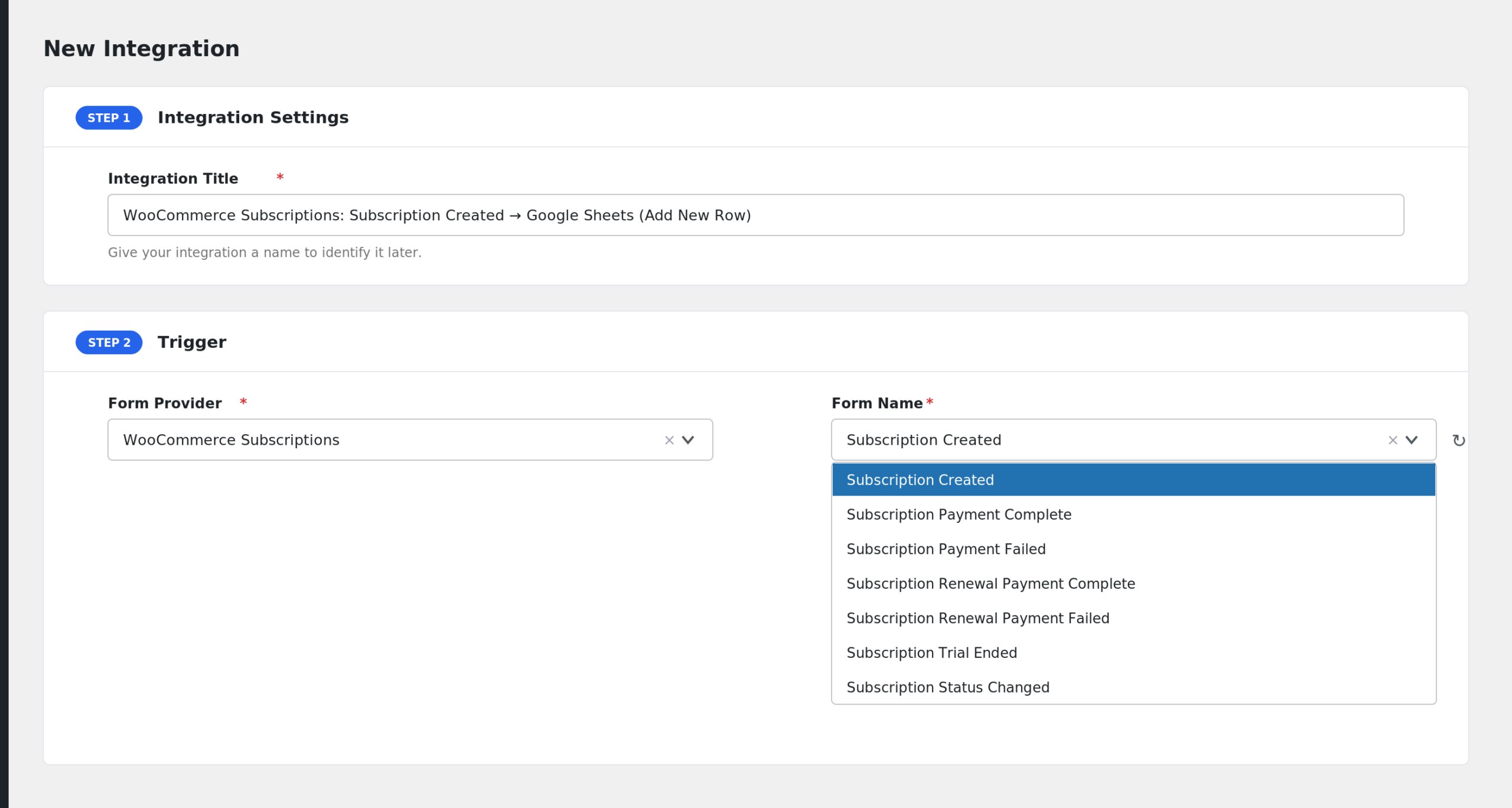
- In Form/Task Name, pick the event you want to react to.
- Under Action, select the receiver platform and its task.
- Map the subscription fields to the receiver’s fields.
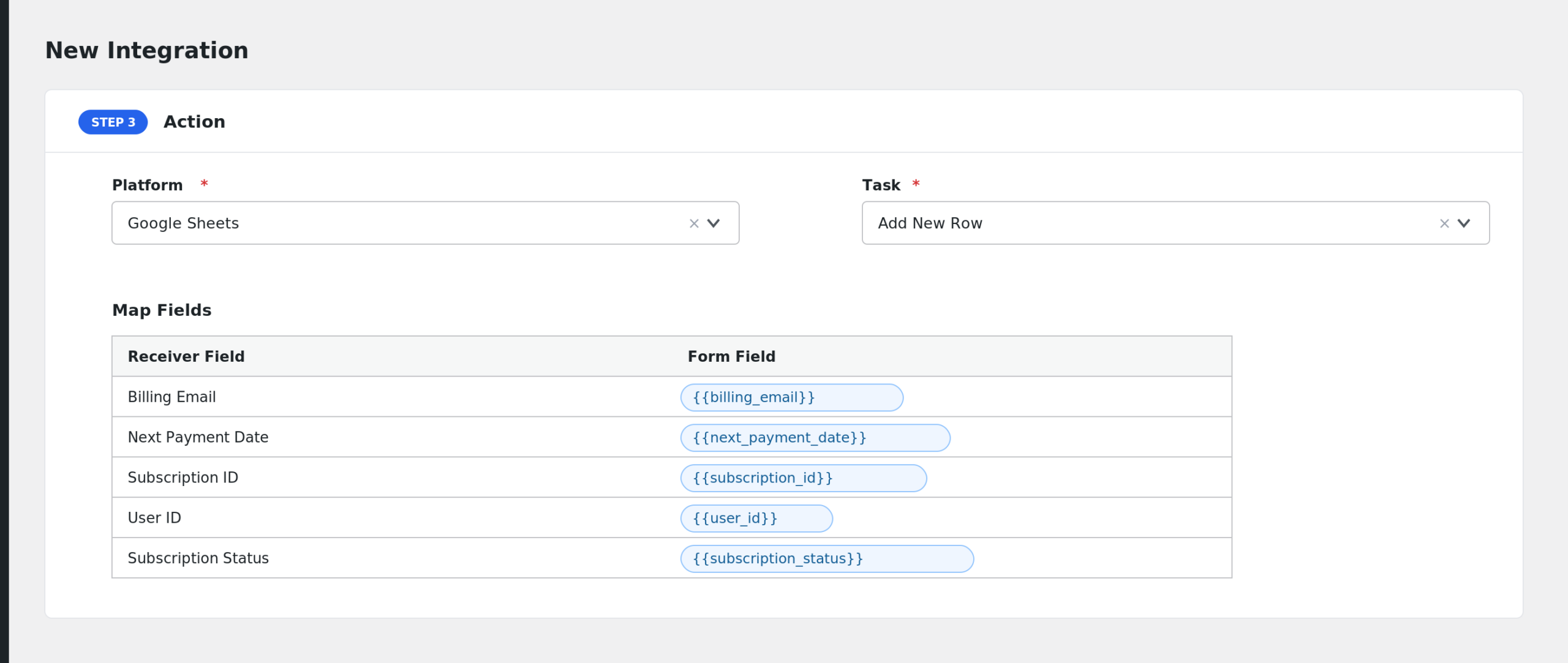
- Add Conditional Logic if needed (optional).
- Click Save Integration and run a test, for example with a test subscription purchase.
Fields You Can Send
The payload combines full subscription data with event context. The main groups:
| Group | Key fields |
|---|---|
| Subscription | Subscription ID, User ID, Subscription Status, Currency, Billing Period, Billing Interval, Trial Period, Manual Renewal, Signup Fee |
| Dates | Subscription Start Date, End Date, Trial End Date, Last Payment Date, Next Payment Date |
| Payment | Payment Method, Payment Method Title, Transaction ID, Total, Subtotal, Discount Total, Shipping Total, Tax fields |
| Line items | Line Item(s) Name, SKU, Quantity, Price, Totals, plus an Items Full JSON field |
| Customer | Billing and shipping name, email, phone, and address fields |
| Event context | Trigger Key, Trigger Name, Trigger Time, Previous Status and Label, Current Status and Label |
| Related order | Related Order ID, Number, Status, Total, Currency, Payment Method, Transaction ID, Created date (present on payment and renewal events) |
Conditional Logic Example
To notify Slack only when a failed renewal is worth chasing, use the Subscription Renewal Payment Failed event and add a condition: select Total, choose Greater Than, and enter 50. Only failed renewals above 50 will be sent.
Troubleshooting
WooCommerce Subscriptions is not in the Form Provider dropdown
Both WooCommerce and the WooCommerce Subscriptions extension must be active. The provider registers only when the Subscriptions plugin is loaded.
My integration fires twice for one renewal
A renewal can trigger both Subscription Renewal Payment Complete and a status event. If you have integrations on both events, each will fire. Keep one integration per outcome you care about.
Fields arrive empty at the receiver
Related order fields are only filled on payment and renewal events. Trial fields are empty when the product has no trial. Check AFI > Log to see the exact payload sent for each event.